Enabling voicemail transcription
Voicemail transcription means the user receives both an audio attachment and a written transcription of that voicemail in their email. This must be configured on a per-user basis.
-
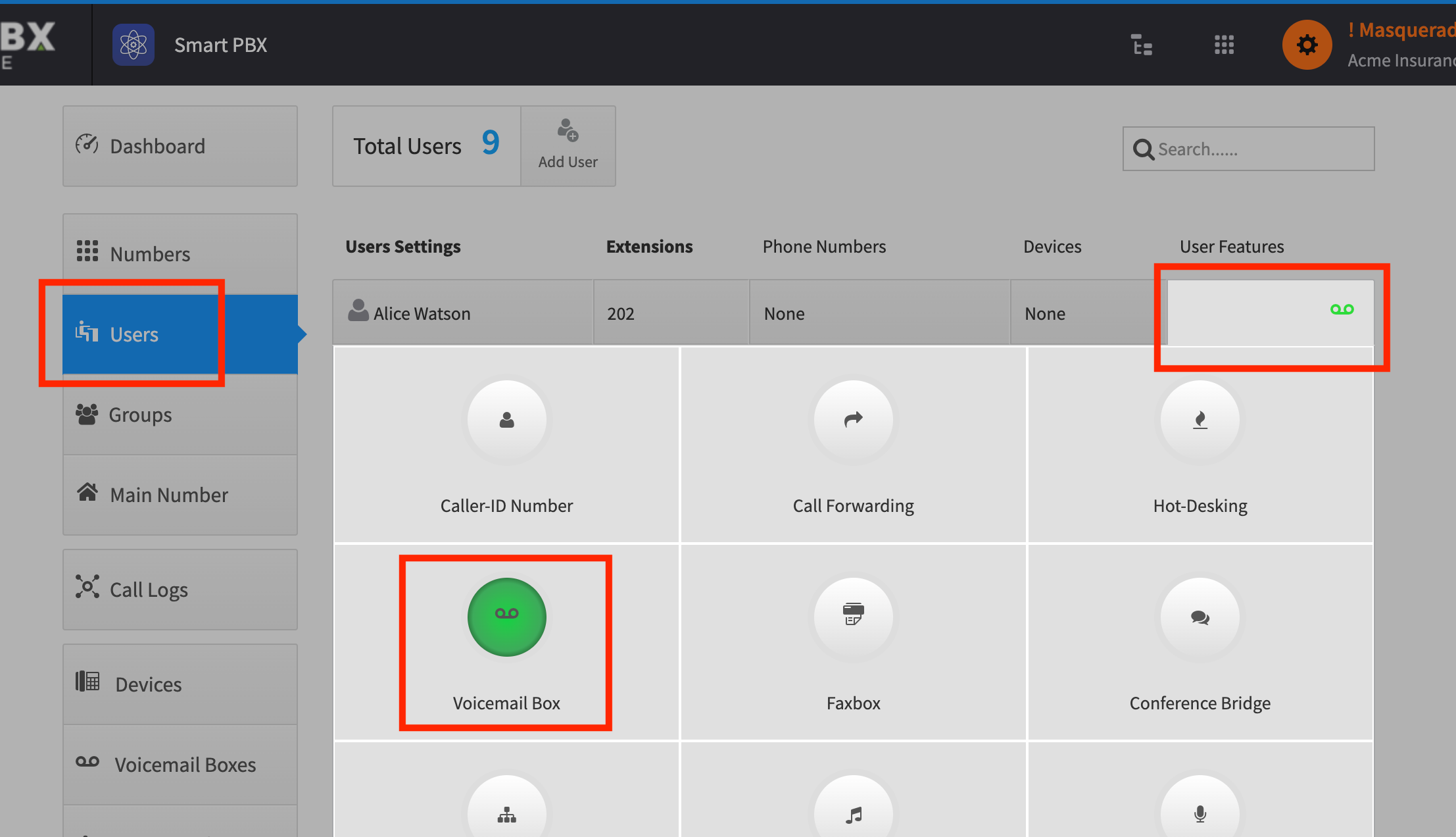
From Smart PBX, choose Users
-
Find the specific user you want to enable this for, and choose User Features > Voicemail Box
-
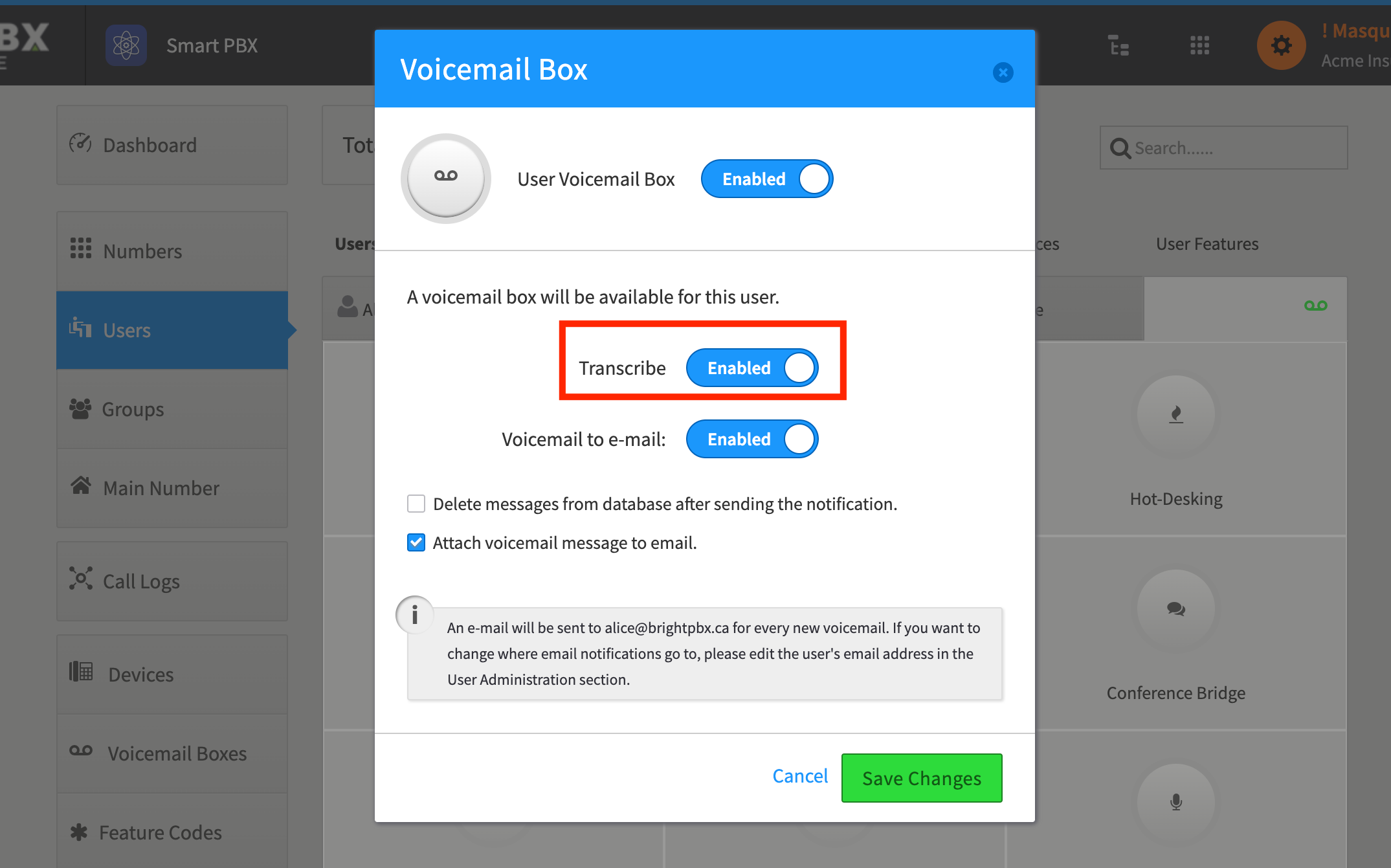
Toggle Transcribe to Enabled and click Save Changes