How do I configure audio codecs for a device?
-
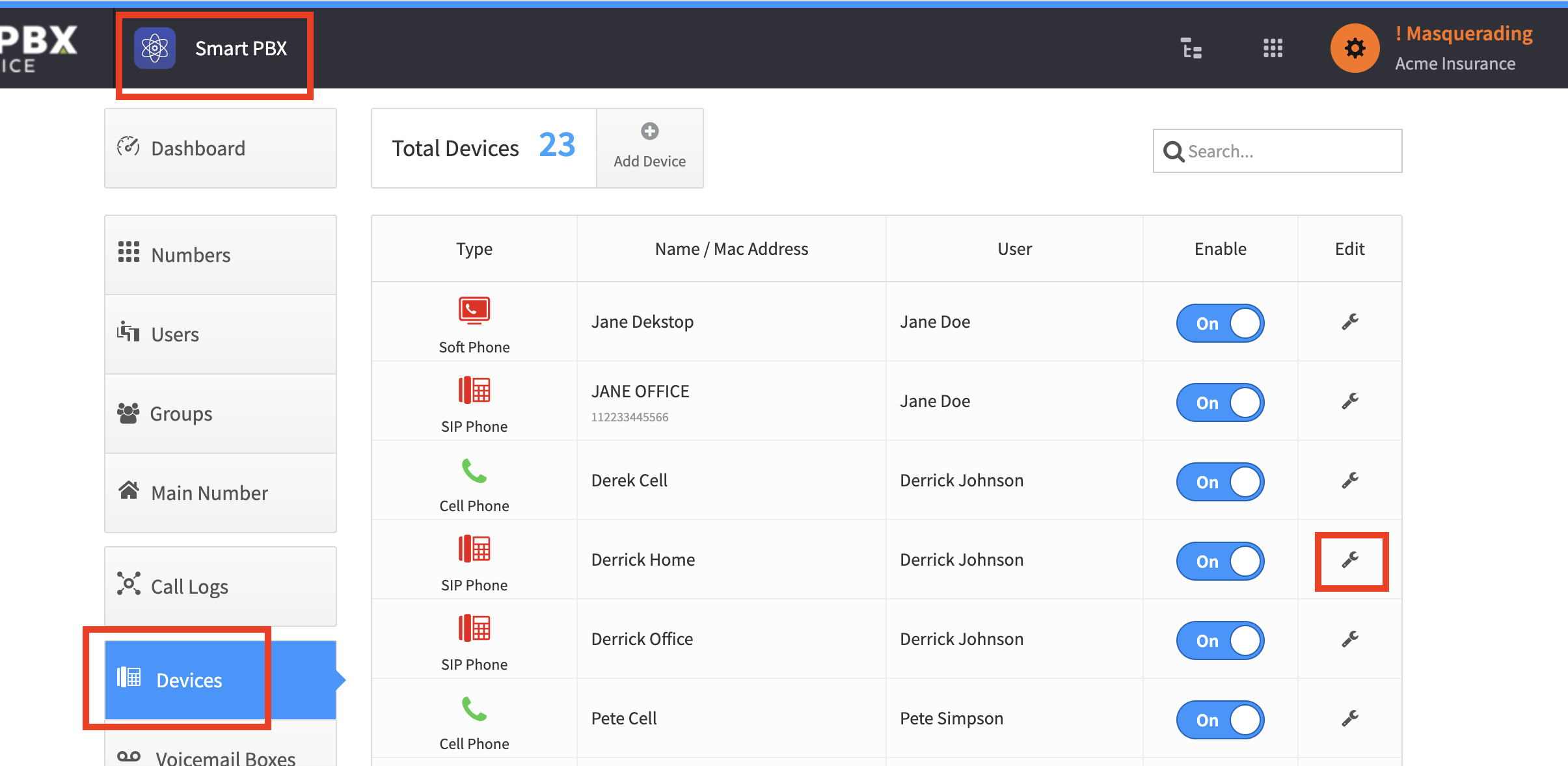
From Smart PBX, choose Devices, and click the wrench icon for the device
-
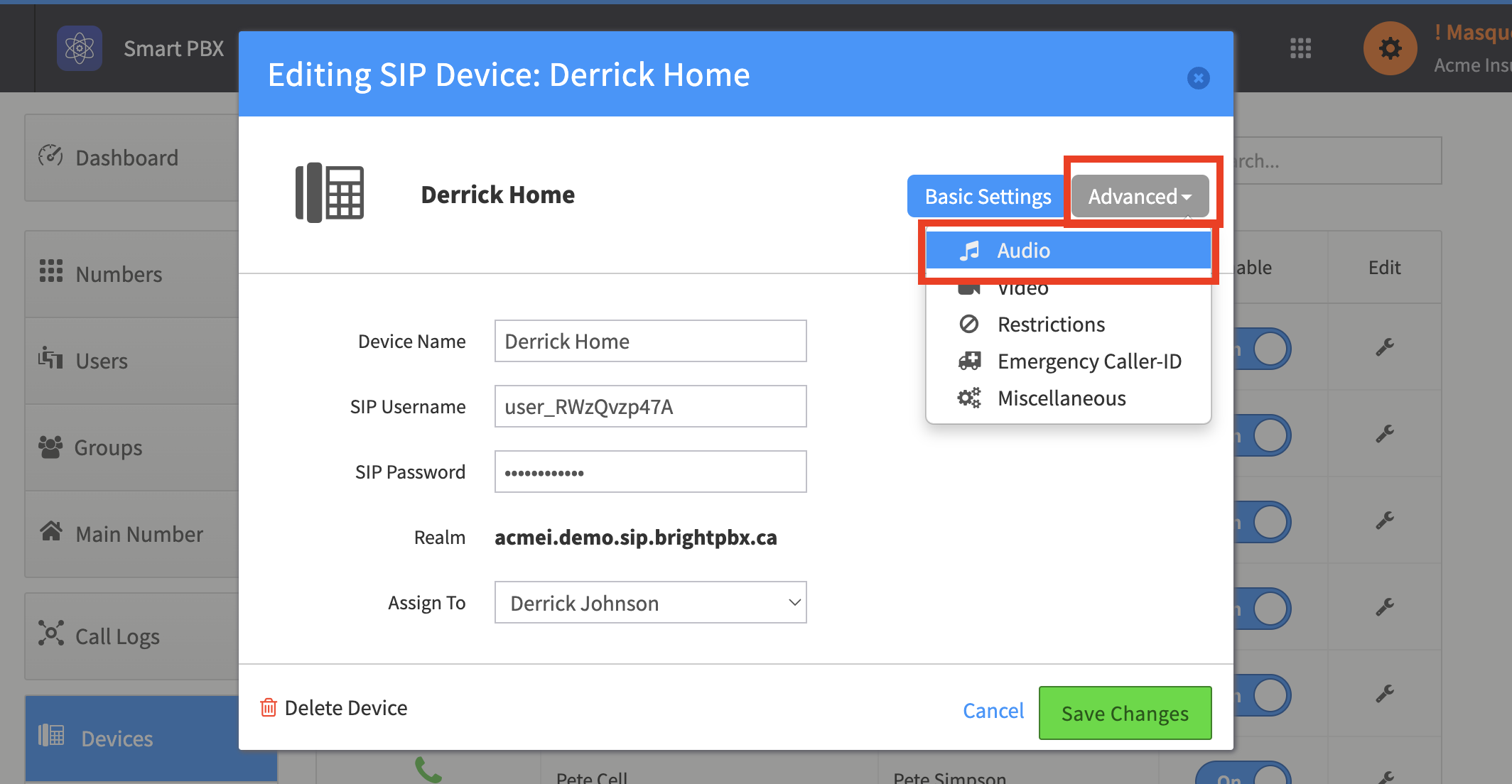
Choose Advanced > Audio
-
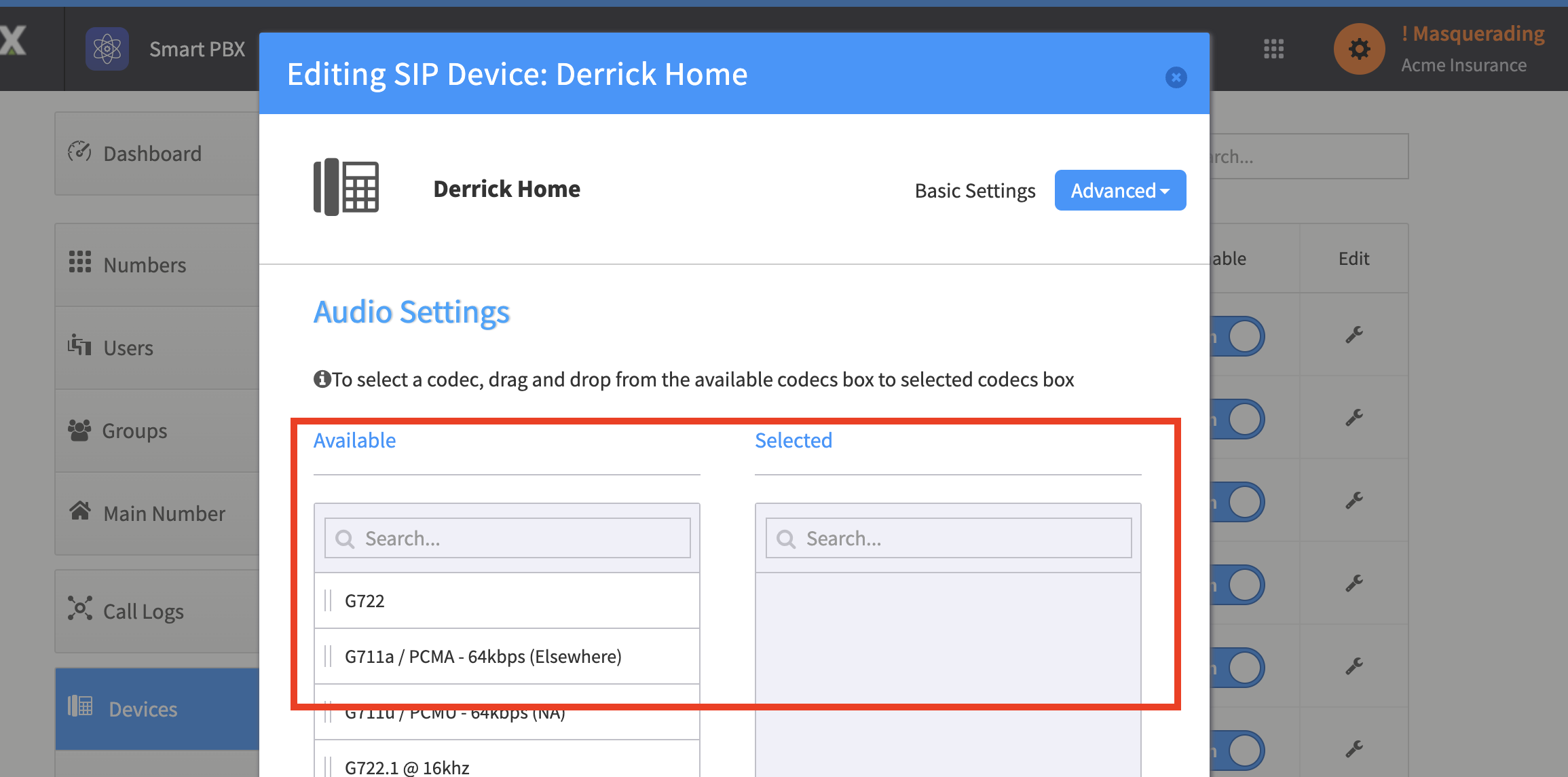
Drag your desired codecs from the left side. You can also re-order them to determine which priority to try each codec