Cannot make outbound calls
If you cannot dial out at all
Section titled “If you cannot dial out at all”If you are unable to make outbound calls, try troubleshooting through the following.
-
Ensure you have set a main outbound Caller ID. See here for details. Failure to set this could mean problems dialling out to some destinations.
-
Check that you have the Allow per minute calls box checked (see screenshot below). If this is not checked. you will not be able to make outbound calls, so this is important.
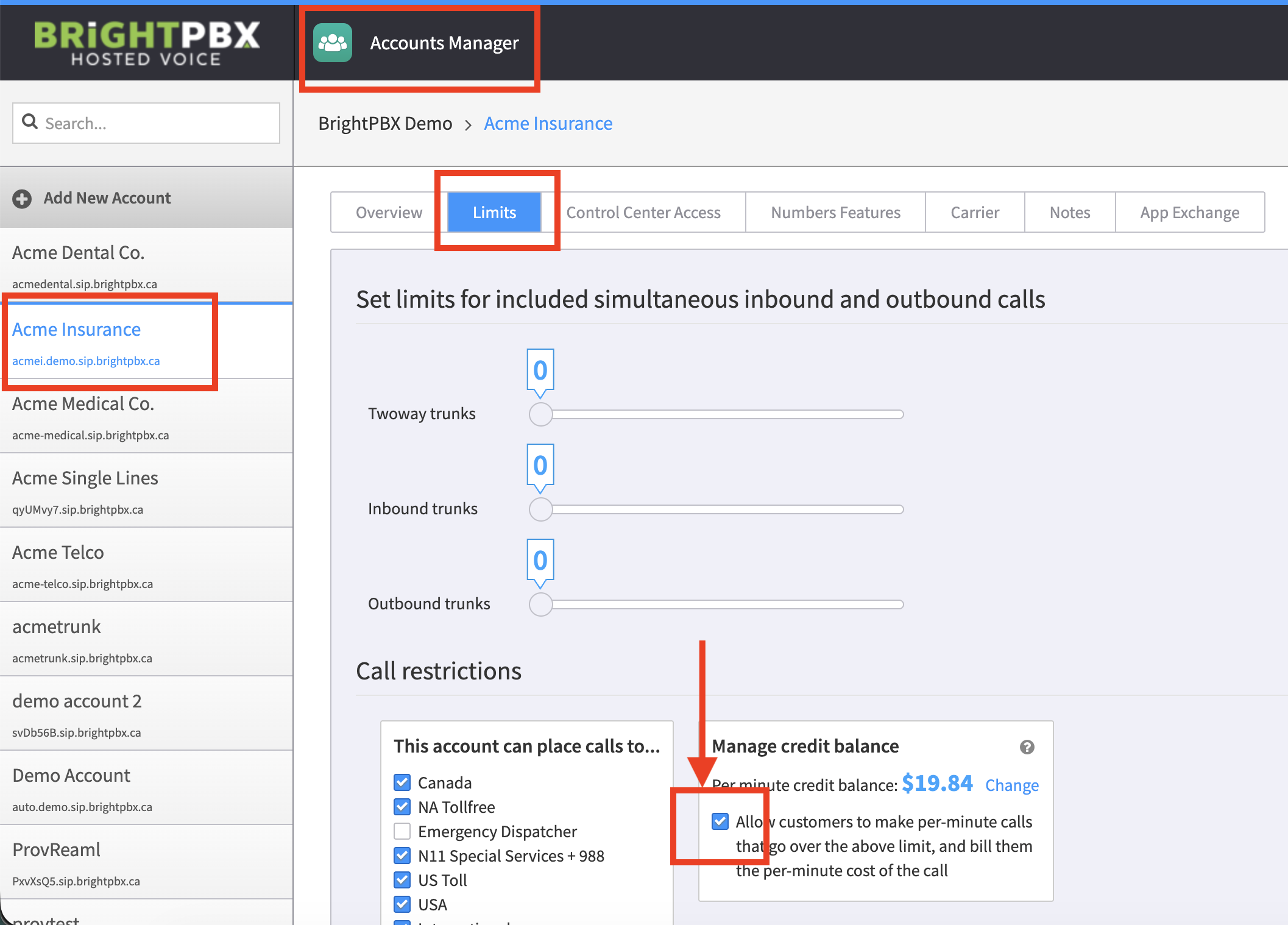
-
In the same screen as above, ensure you have sufficient call credits. If not, see here for how to add them. If there are no call credits, you will not be able to make outbound calls, so this is important.
-
If the Caller ID is correctly set, send us the specific call record. See this article for details on how to report calls to us.
If calls connect but then drop
Section titled “If calls connect but then drop”One possible reason for dropped calls is that your device only has one codec enabled (such as g722) and no fallbacks (such as g711 or g729).
Check your device’s audio codecs to ensure you have appropriate fallback codecs set — see How do I configure audio codecs for a device?