Disabling calling to specific destinations
-
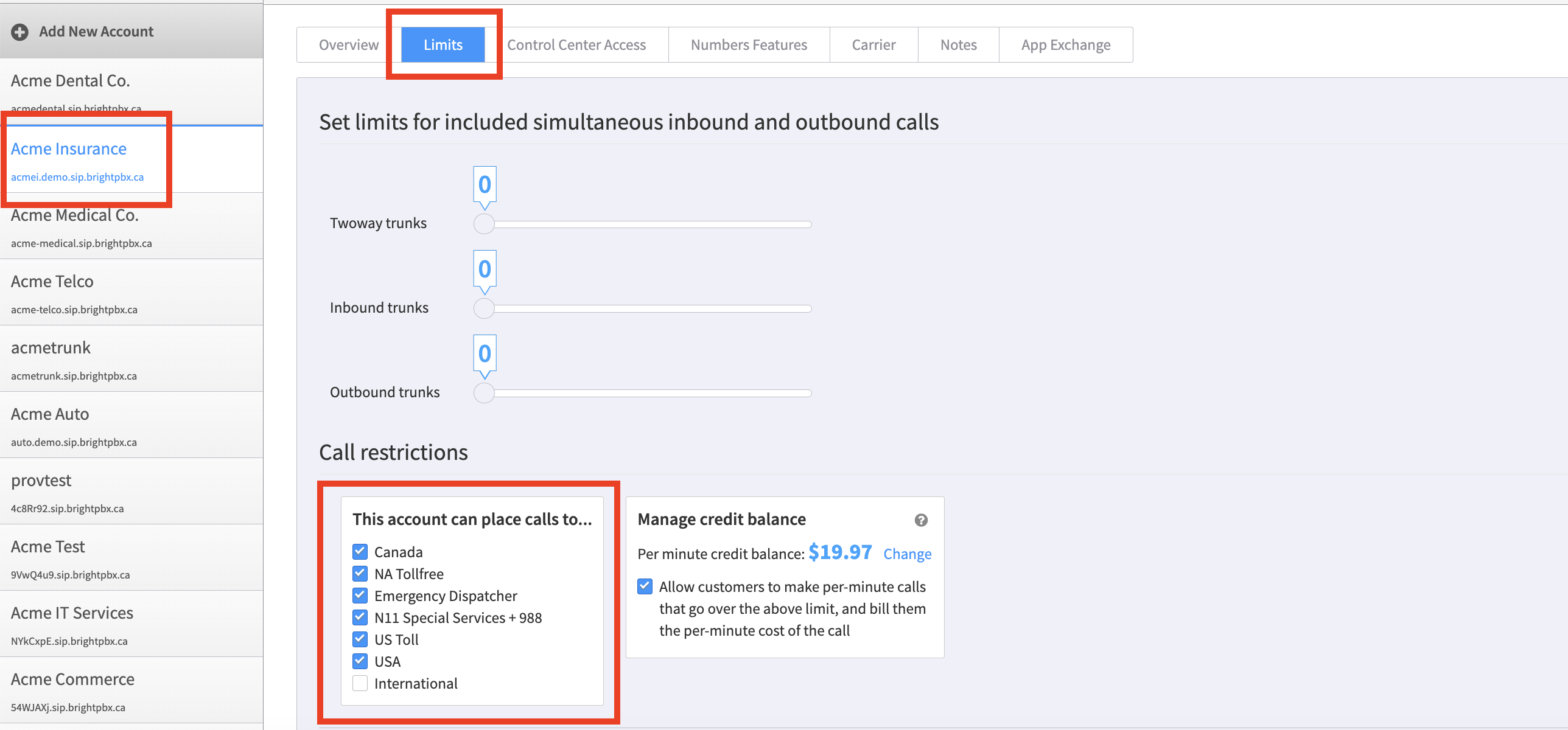
From the Account Manager app, choose the account on the left.
-
From the top menu, choose Limits.
-
Under Call Restrictions, uncheck the destinations you want to disable access to.
-
In the bottom right, click Update (not visible in the screenshot below) to save your changes.