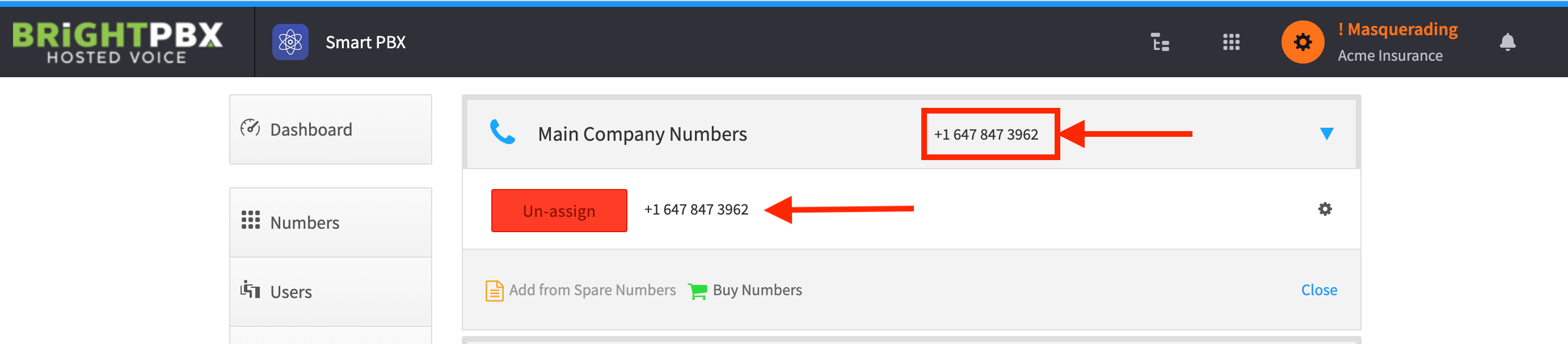
Setting the main company inbound number
This article covers the inbound number. To set the outbound caller ID — the number people see when you call them — see Setting up the main company outbound caller ID.
-
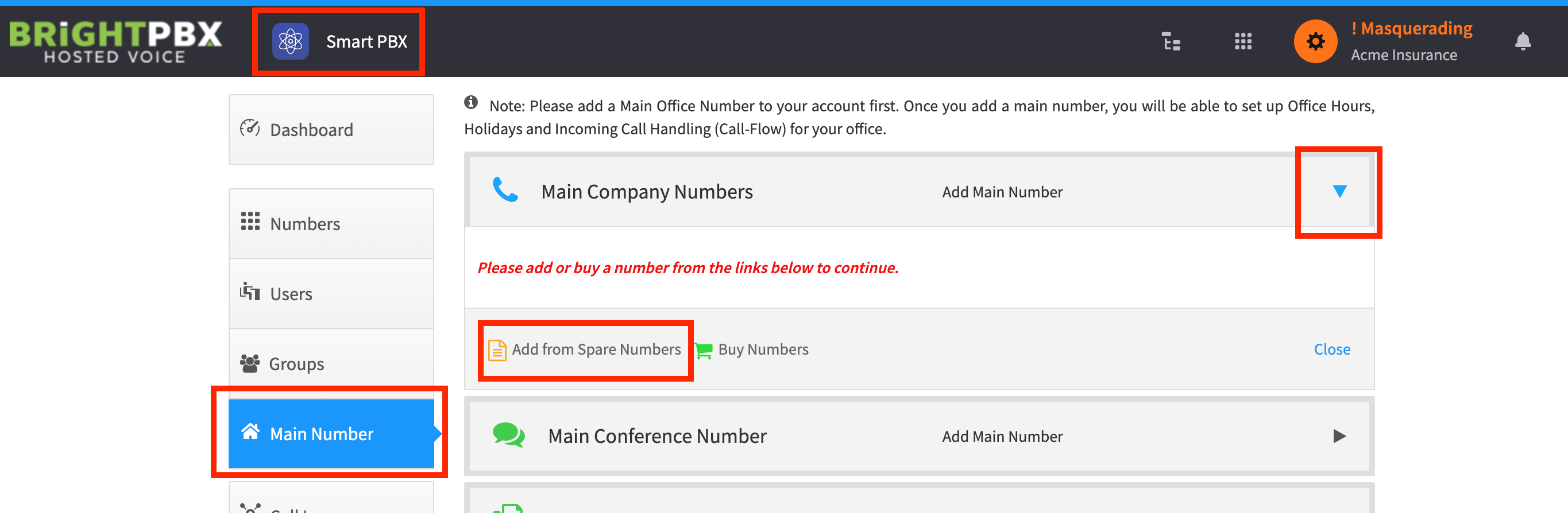
From Smart PBX, choose Main Number > Add from Spare Numbers
-
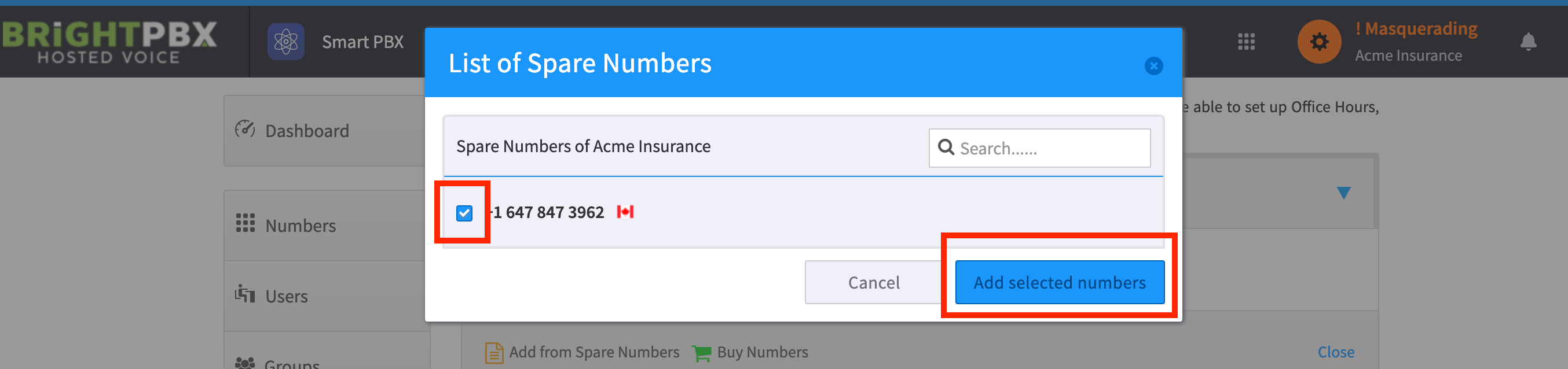
Check the DIDs, and choose Add selected numbers
-
Your account is now configured to receive calls from this DID