Renaming a customer account
-
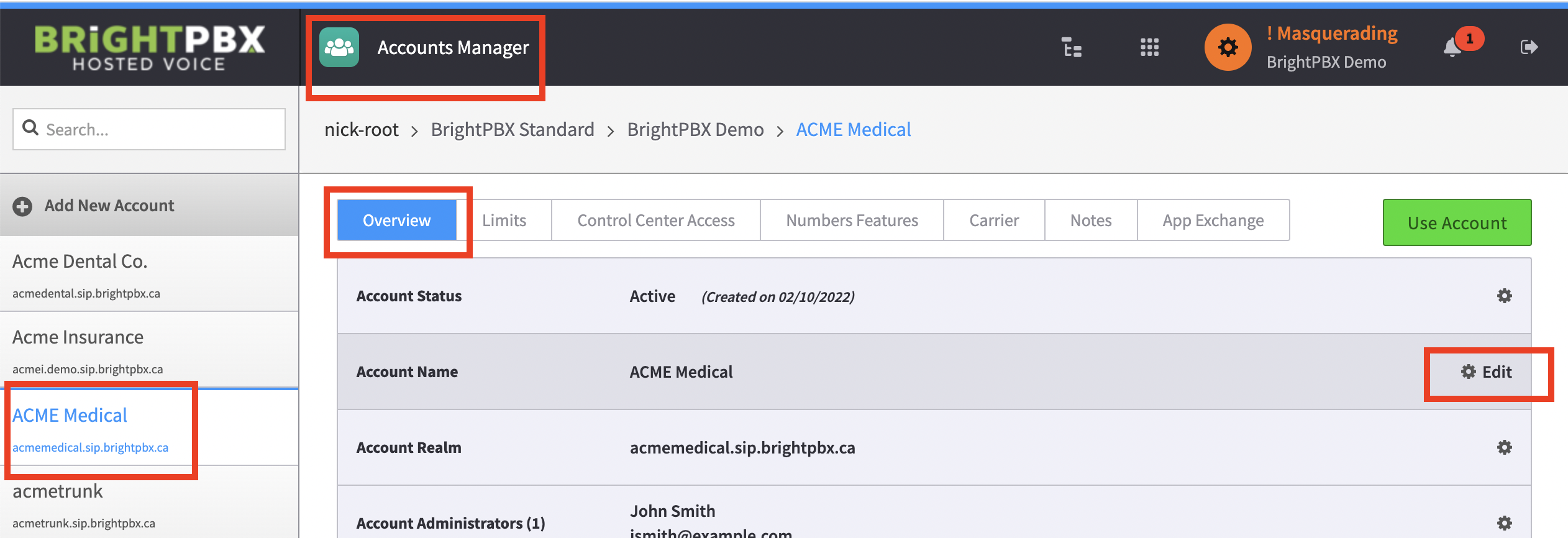
Open the Account Manager
-
Choose the account from the left
-
In the middle menu, choose Overview
-
Hover over the gear icon for Account Name and choose Edit
-
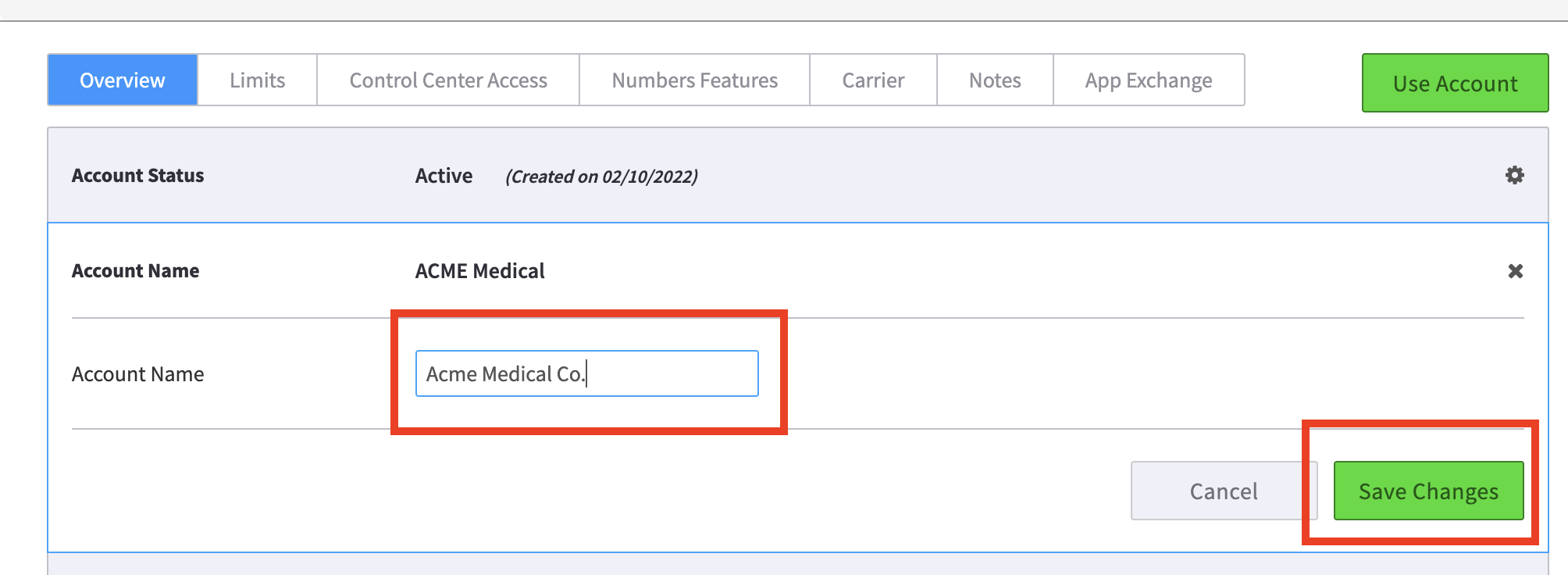
Enter the new name and click Save Changes
Open the Account Manager
Choose the account from the left
In the middle menu, choose Overview
Hover over the gear icon for Account Name and choose Edit
Enter the new name and click Save Changes