Setting up Find Me / Follow Me
-
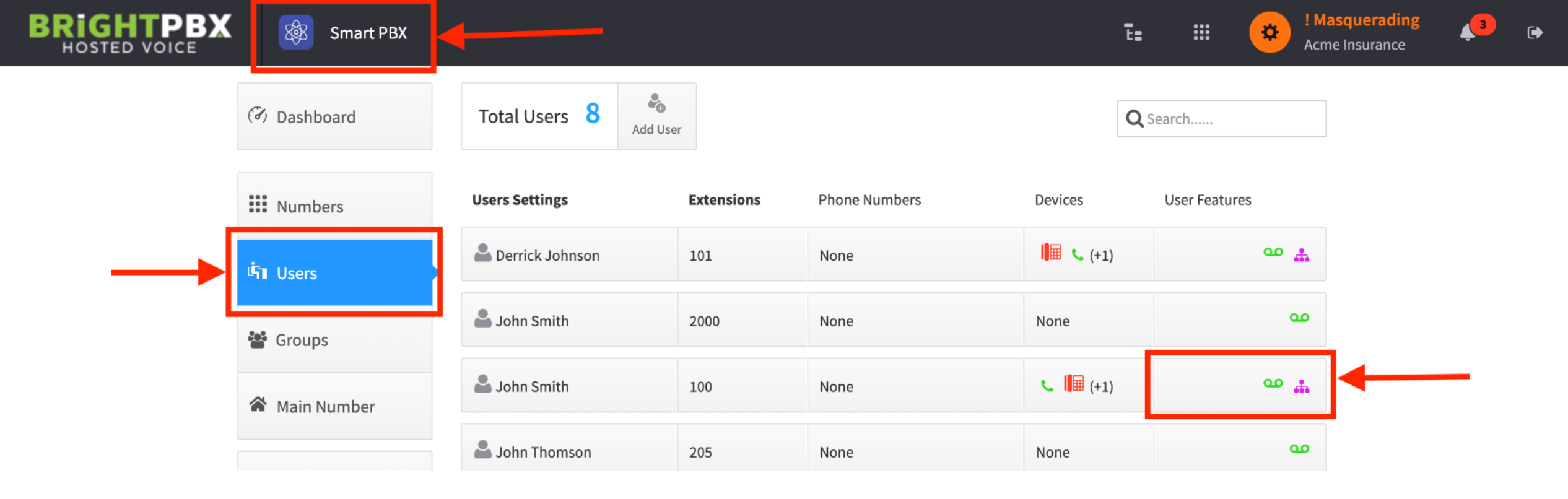
Open the Smart PBX app, click Users, then click the box under the User Features column
-
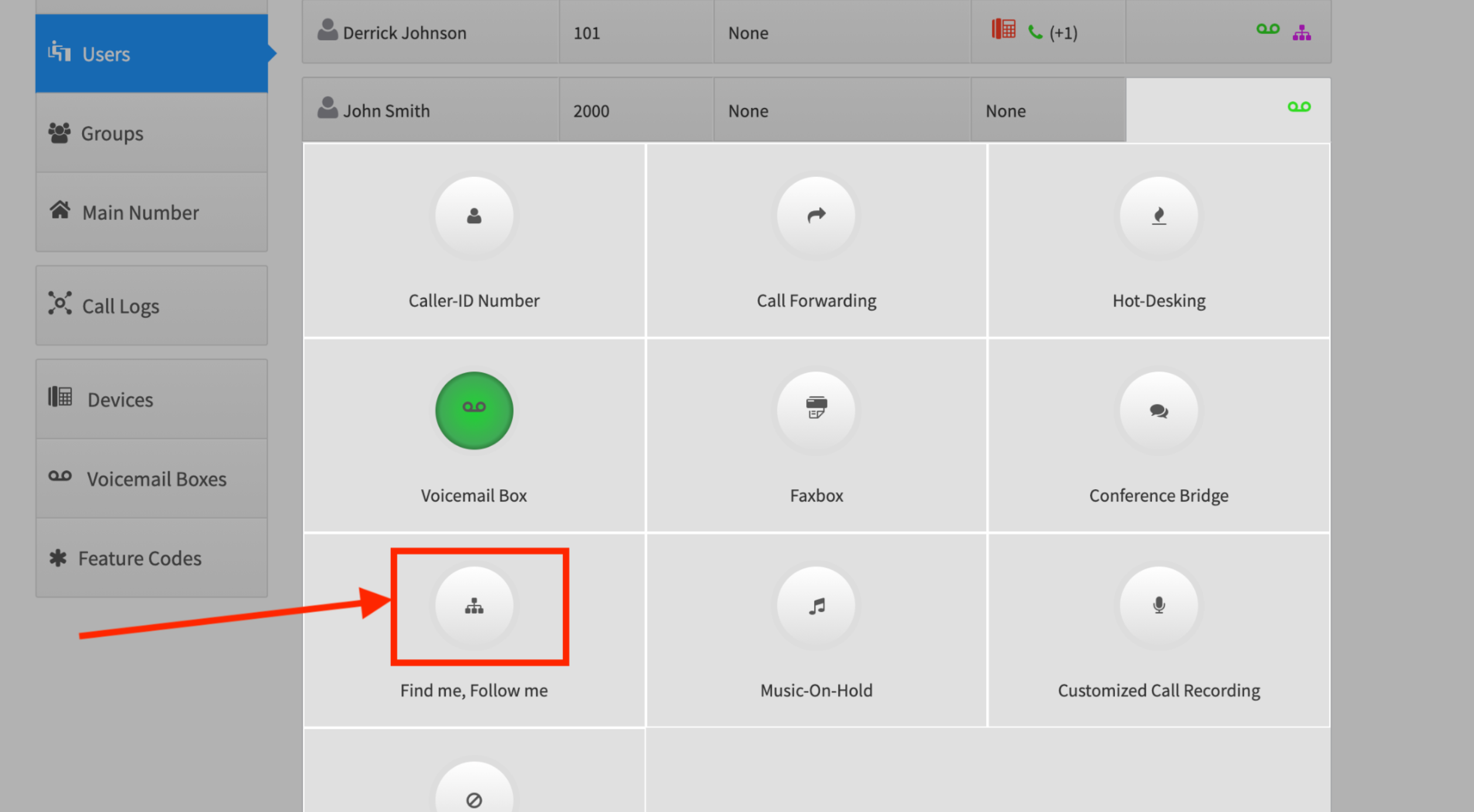
Click Find me, Follow me
-
Make sure Enabled is checked, configure the ring settings as you see fit, and click Save Changes
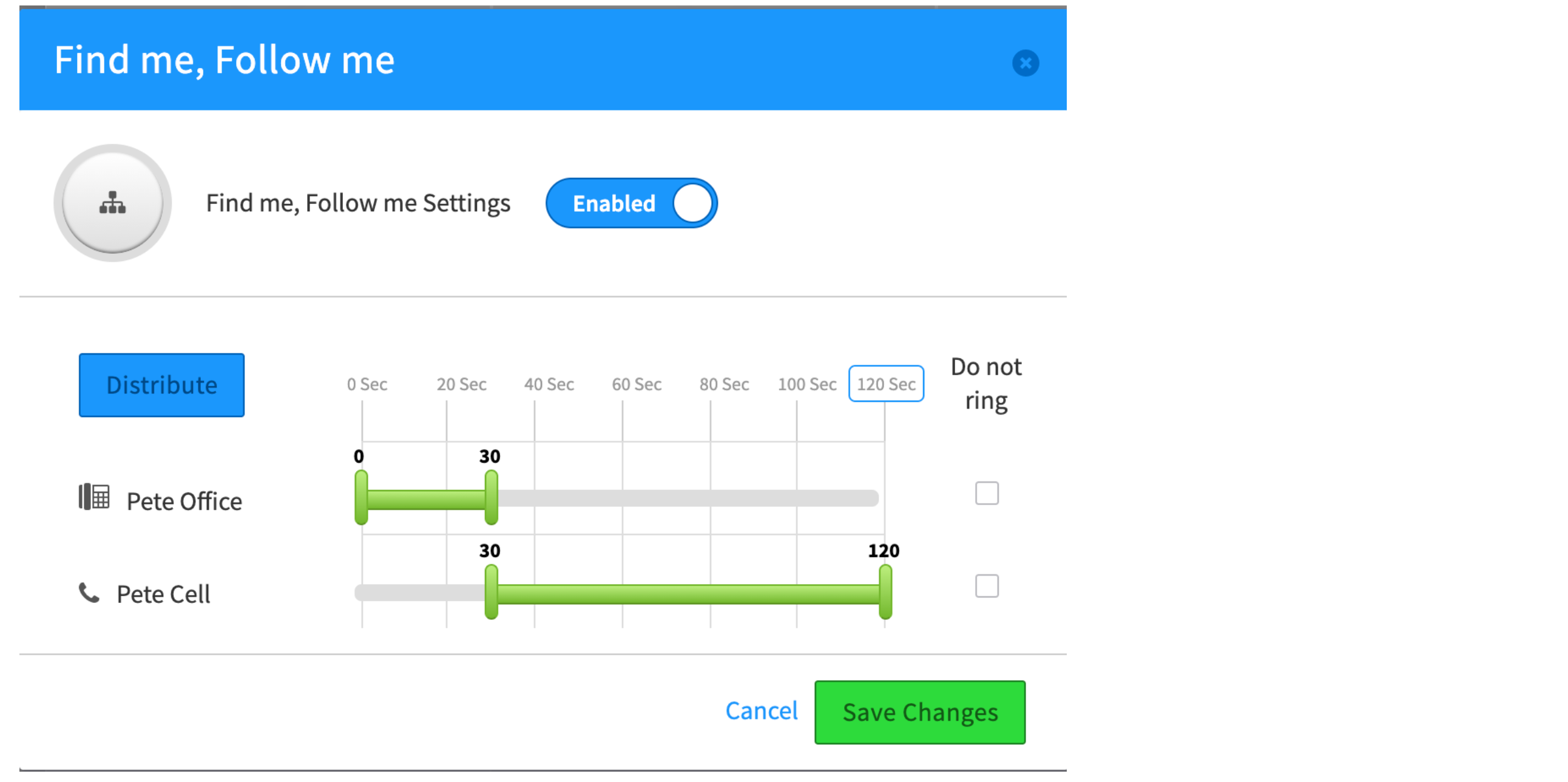
In the example above, Pete Office rings for 30 seconds, and Pete Cell rings from 30 to 120 seconds. The windows do not have to be consecutive — you can make every device ring simultaneously if you prefer.
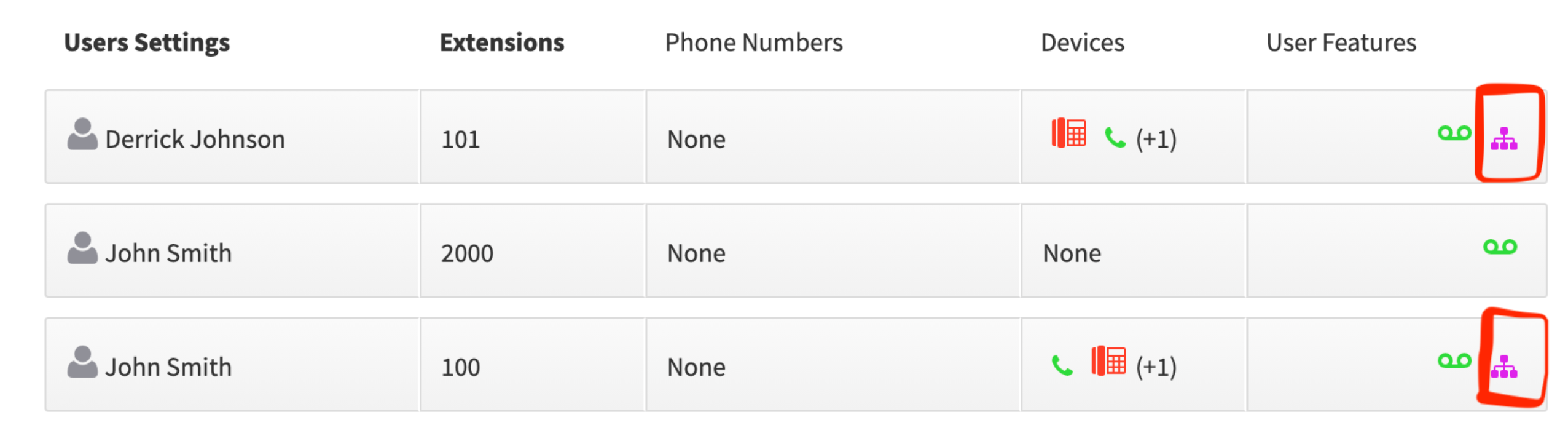
A purple “tree” icon means Find Me, Follow Me is configured for a device.
Related
Section titled “Related”- Forwarding calls to a mobile phone if no one picks up
- Setting up a ring group — to ring several users, rather than one user’s devices