Adding a softphone
Follow these steps to add a generic soft phone (e.g. Bria Solo, Grandstream Wave, etc.).
-
From Smart PBX, choose Devices > Add Device > Soft Phone.
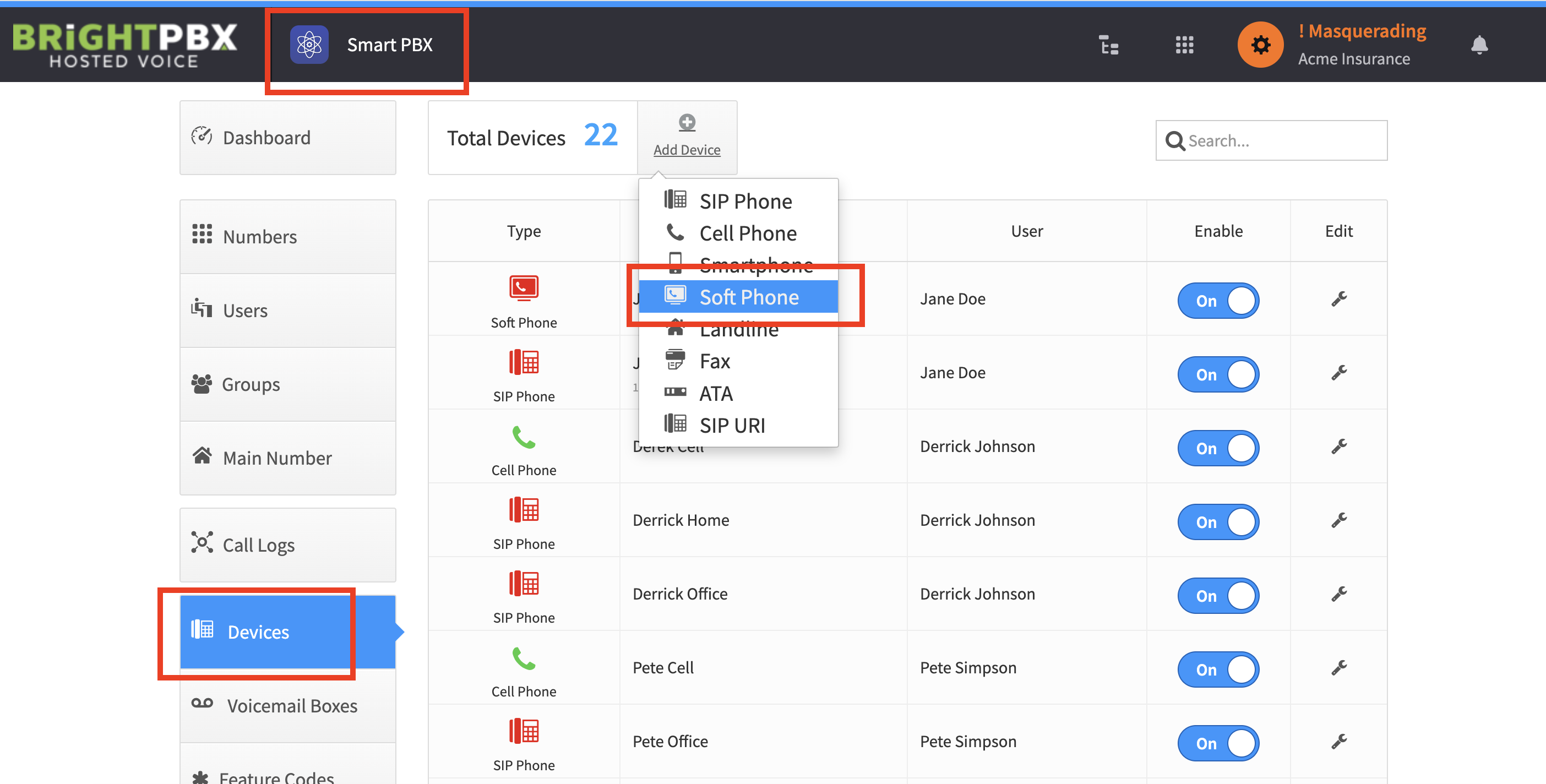
-
Fill in a Device Name (anything is fine), and choose the user to assign to.
-
Make a note of the SIP Username, SIP Password, and Realm, as you will need this info to program your soft phone device.
-
Once you have notated this, click Create Device.
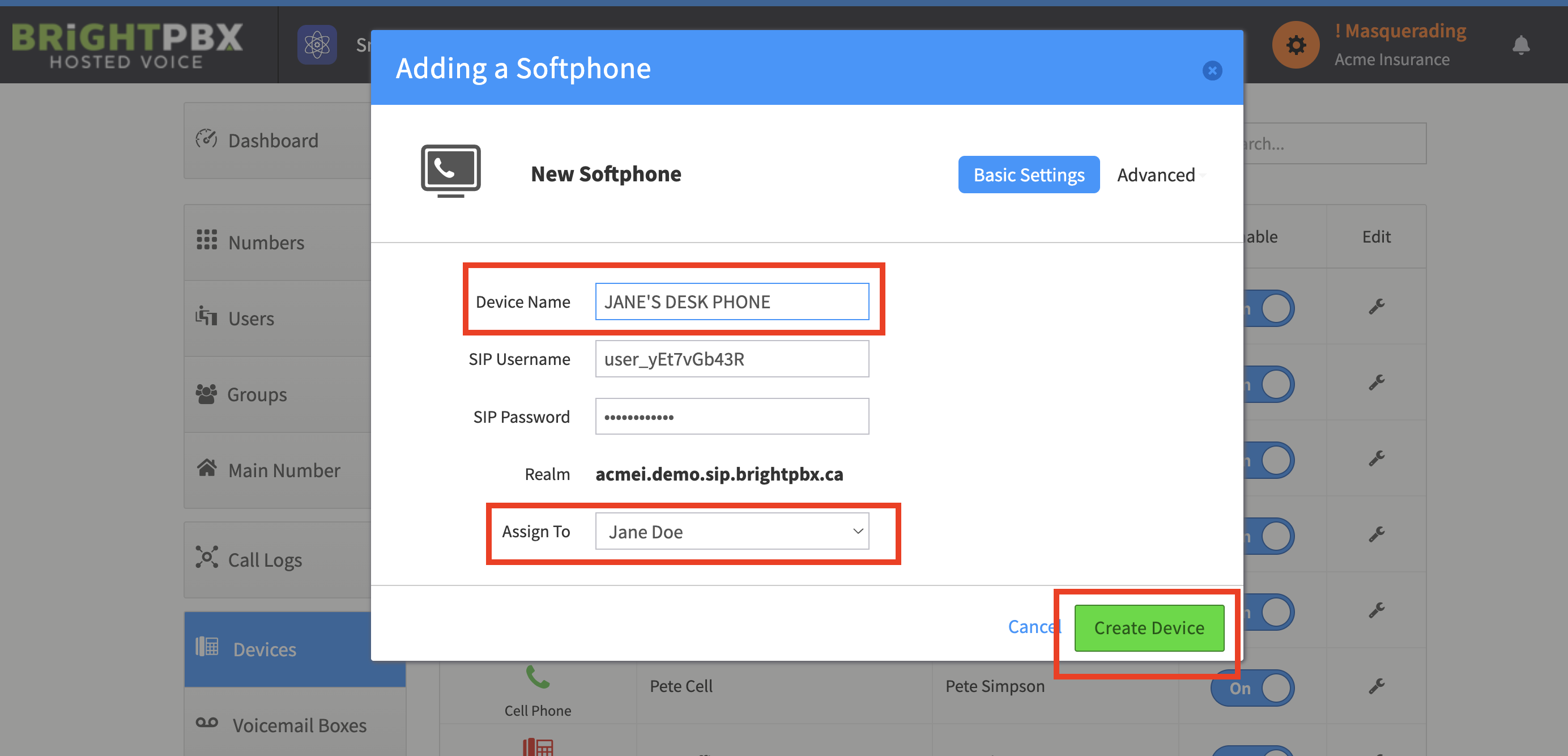
Your soft phone is now immediately ready for use.