Moving DIDs between accounts
Follow these steps to move DIDs between your accounts (either parent to sub-account, or sub-account to sub-account).
-
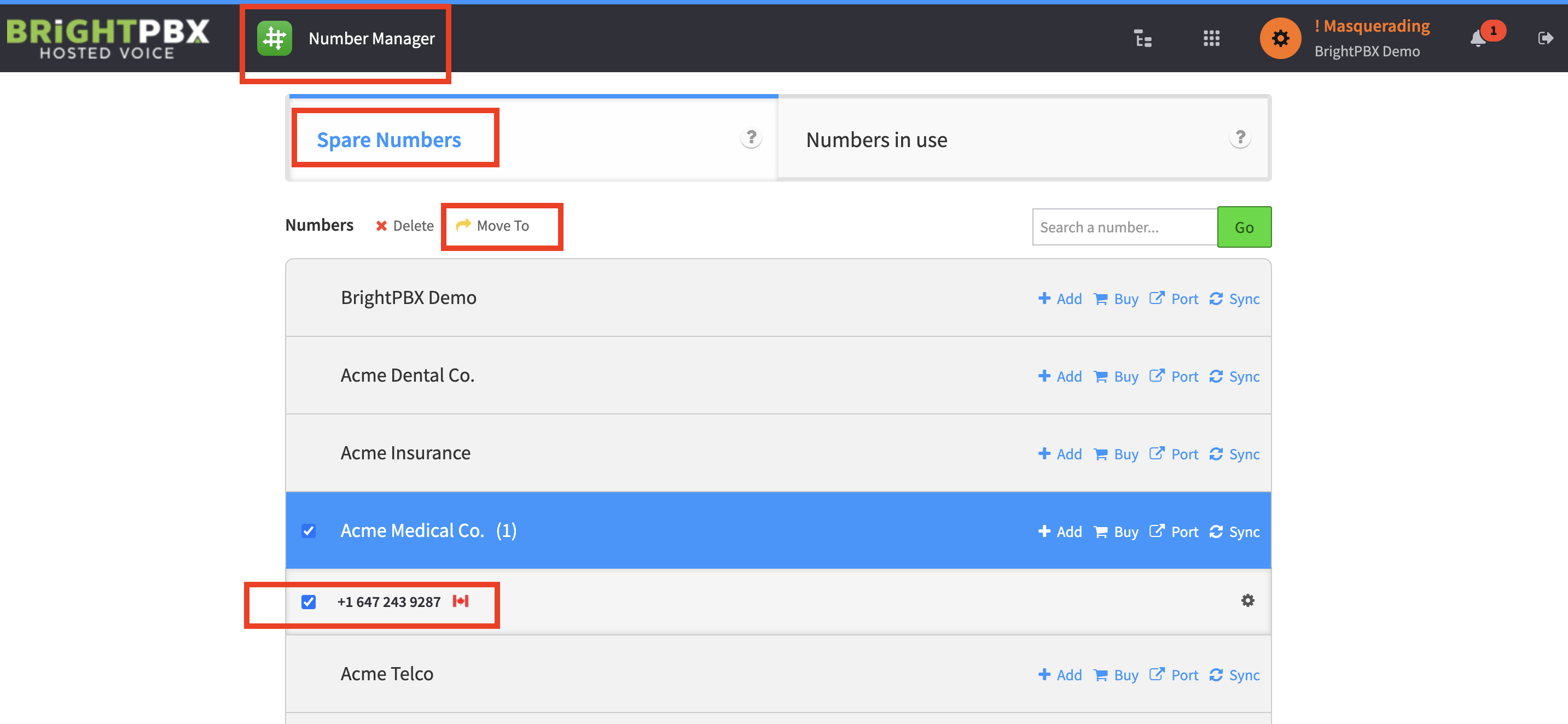
From the Number Manager, choose Spare Numbers.
-
Expand the account you wish to move a number from (Acme Medical in the example below) and check the box beside the DID you want to move.
-
From the top, click Move To.
-
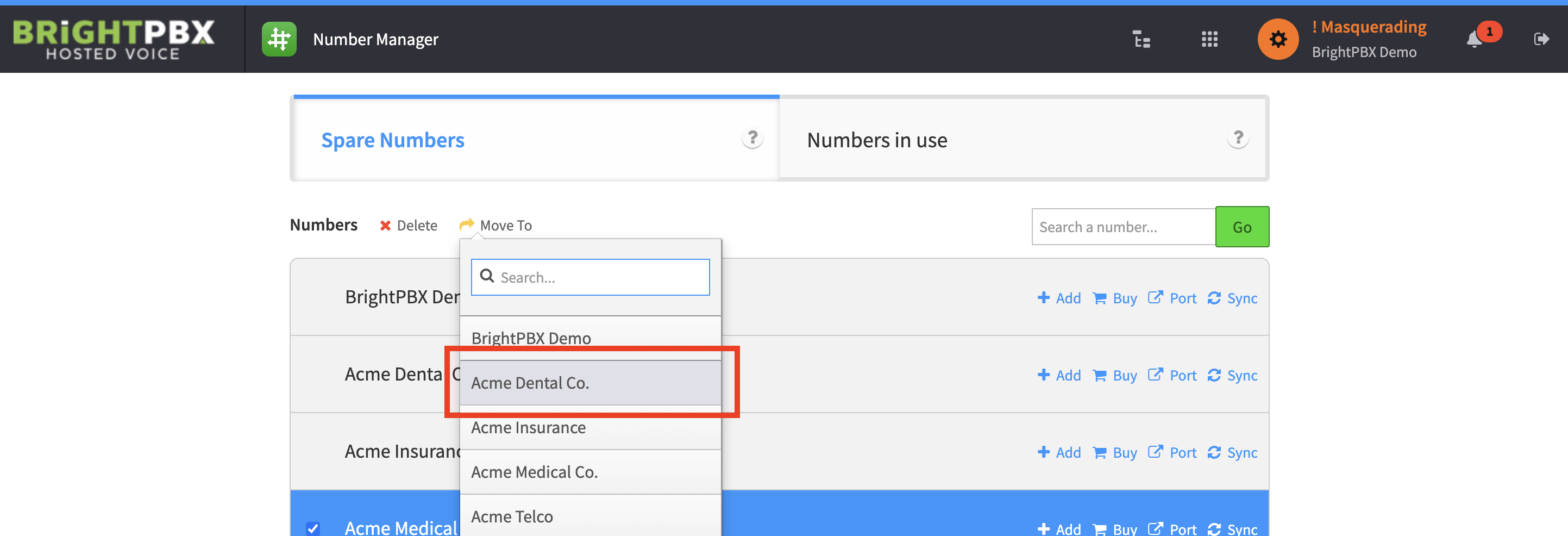
Choose the account you want to move the number to (Acme Dental in the example below).
-
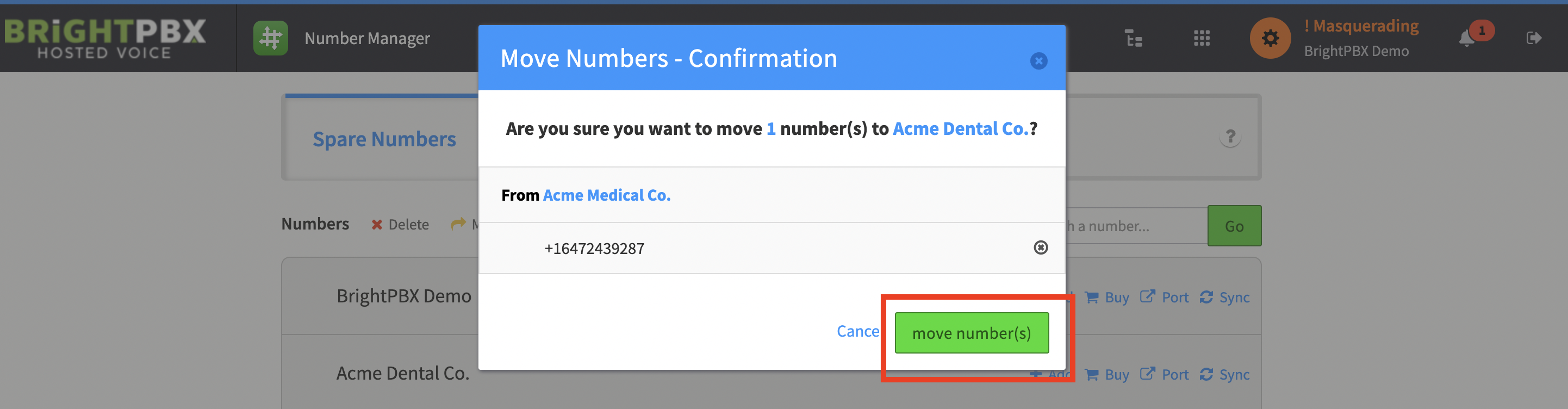
You’ll be asked to confirm your choice. Click move number(s) if it’s correct.
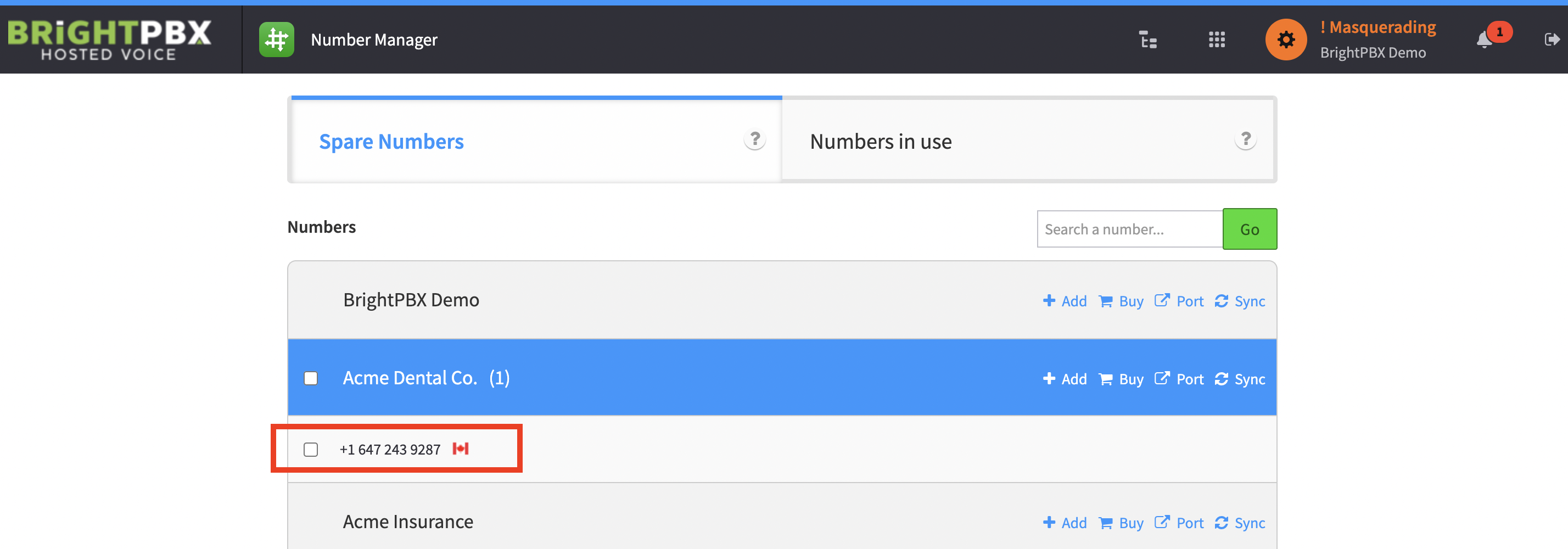
You will now see the number has been moved to the new account.