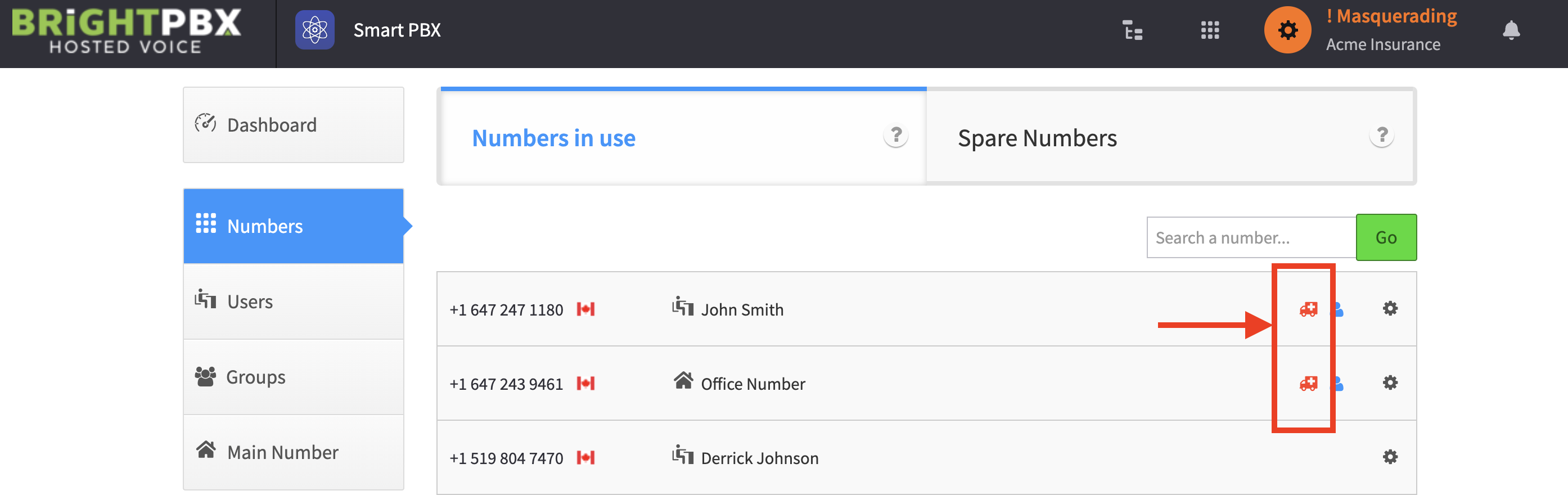
Adding e911 to individual DIDs
If your account assigns DIDs to individual users such that they can call out with their own DID instead of the main number, you will also need to configure the 911 address details for each individual DID.
Follow these steps
Section titled “Follow these steps”-
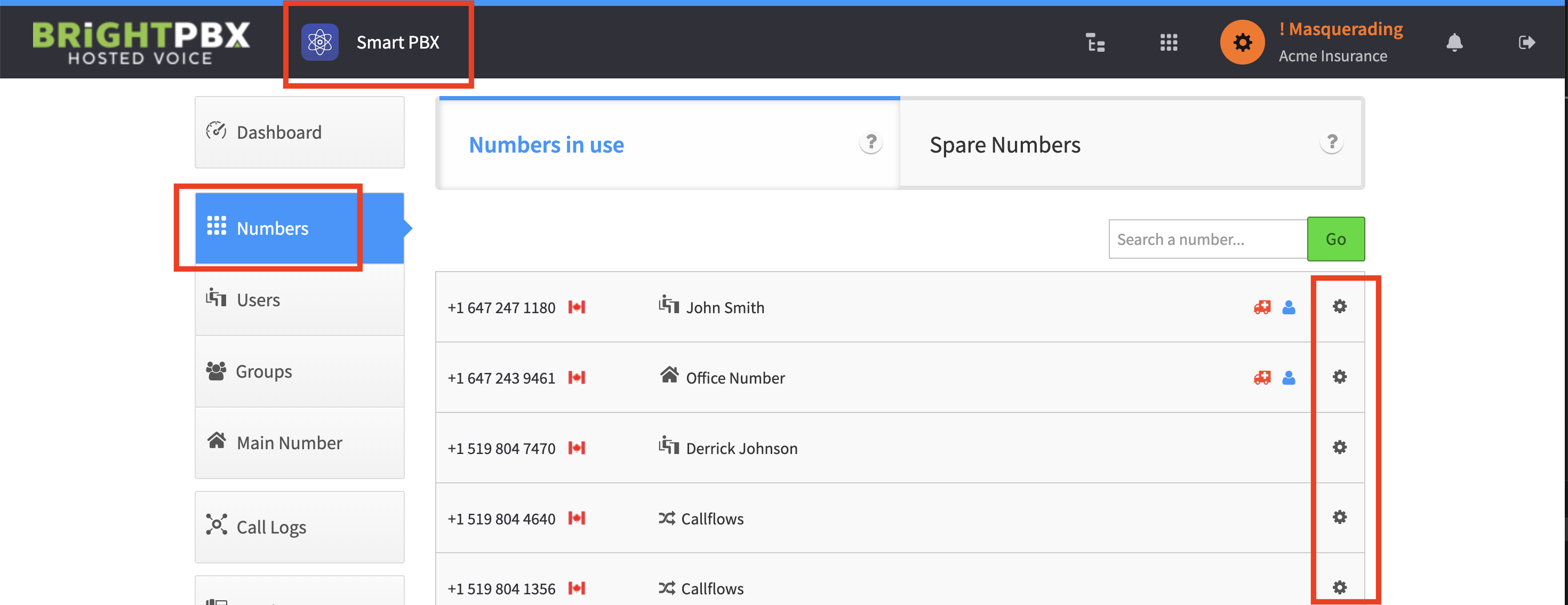
From Smart PBX, choose Numbers, and then click the gear icon for the affected number.
-
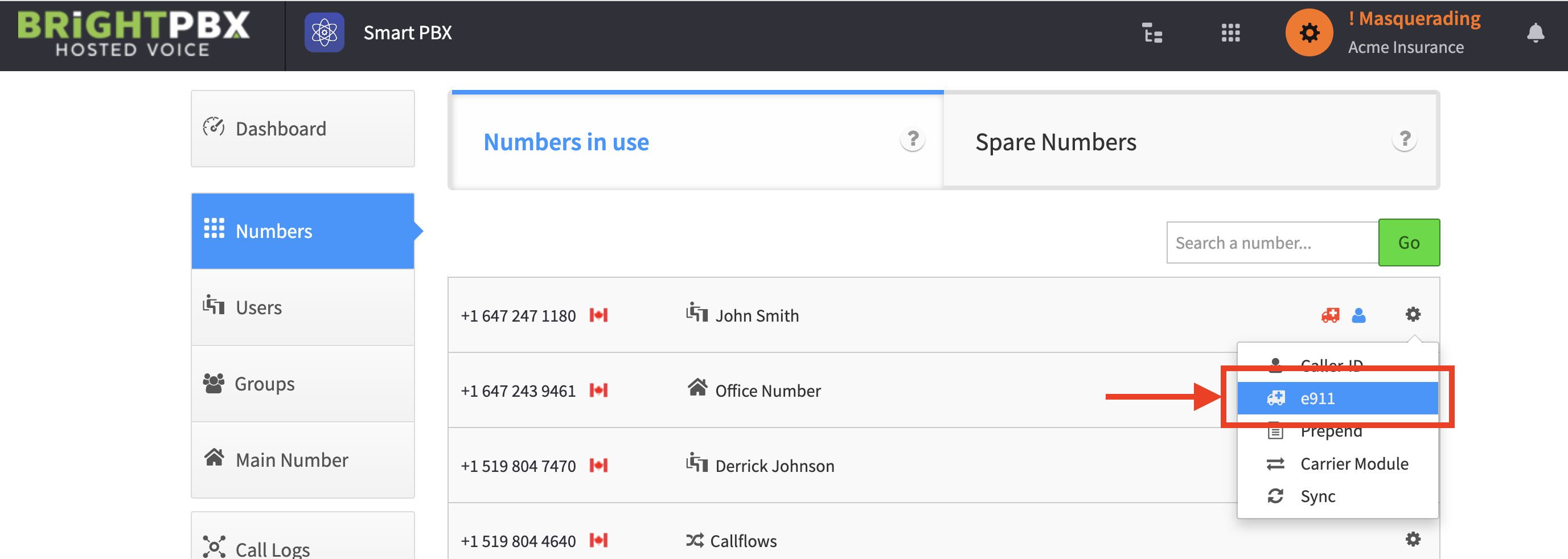
Choose e911.
-
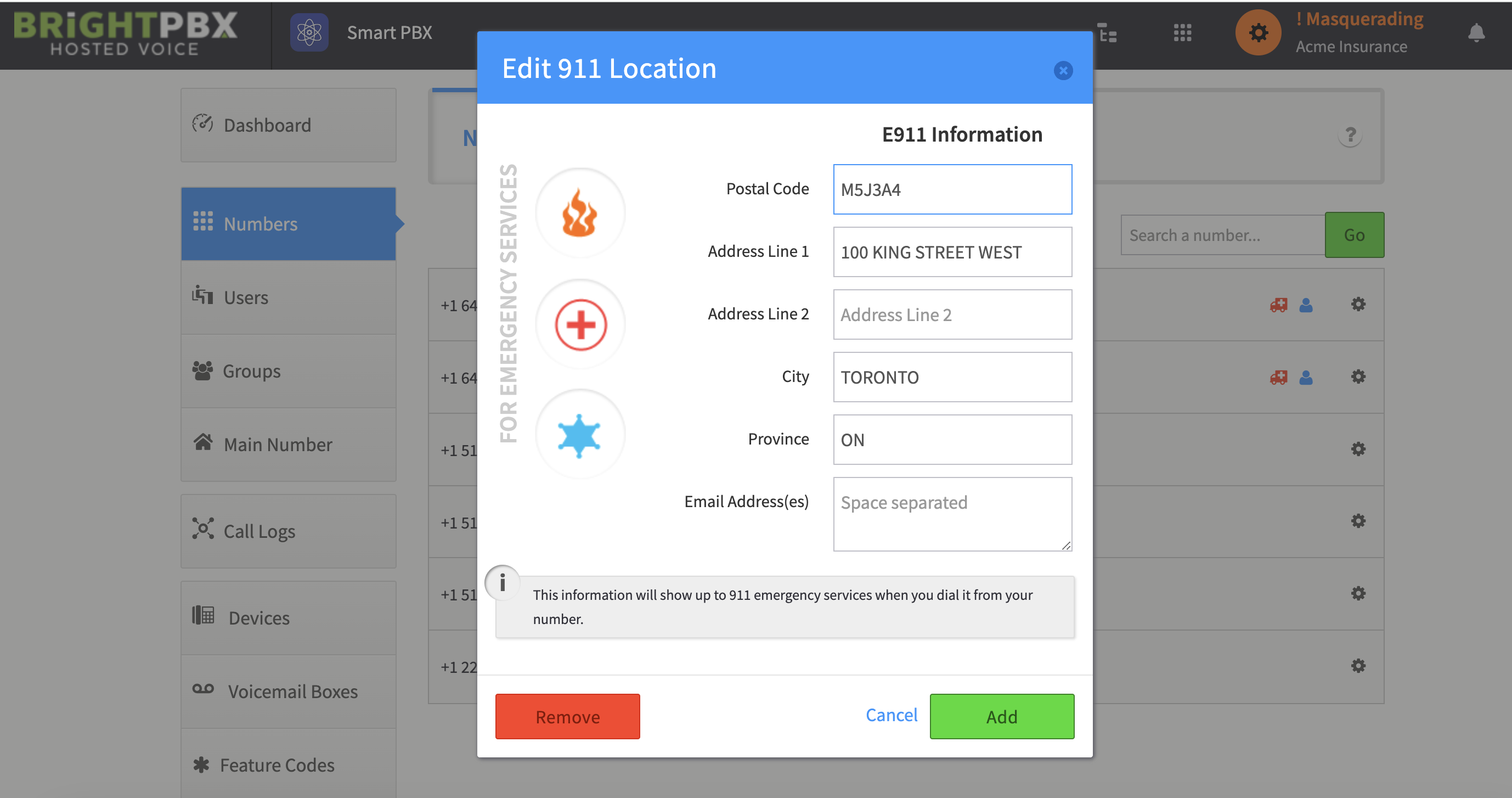
Input your 911 info and click Add.
-
If all goes well, you will see the red ambulance icon indicating you have successfully added it.