Configuring the Caller ID Name for a user that's separate from the main company's name
-
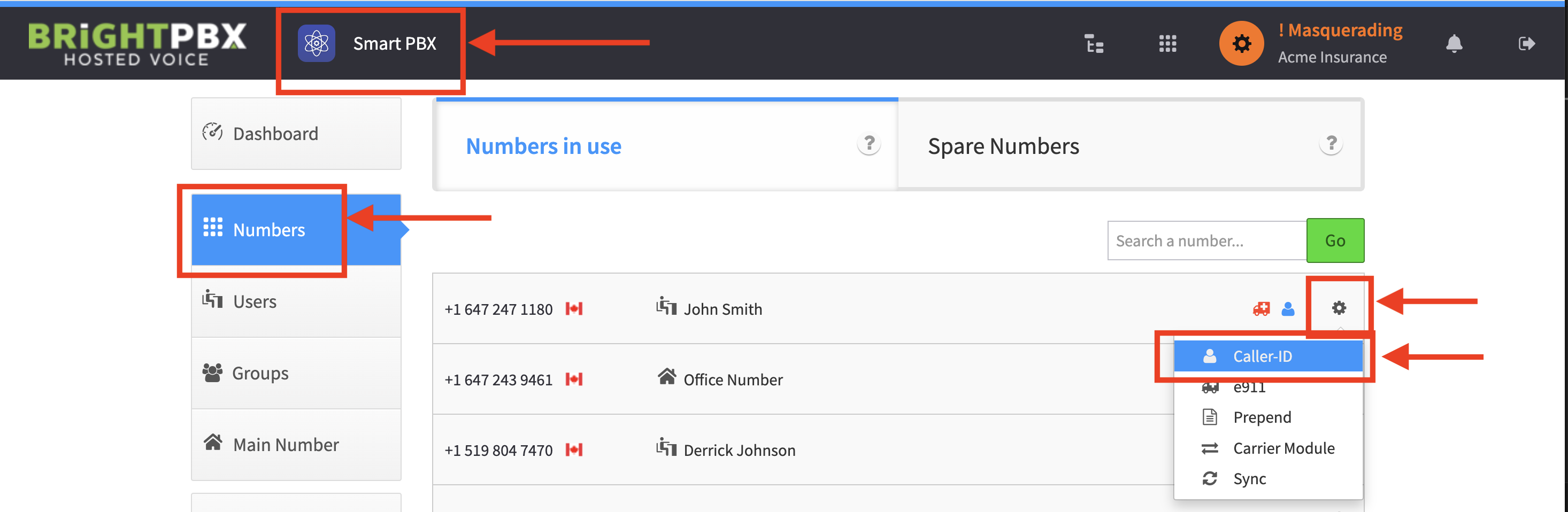
From Smart PBX, choose Numbers
-
Click the gear icon for the DID you want to change the caller ID for, and choose Caller ID
-
Input your caller ID and click Save Changes

-
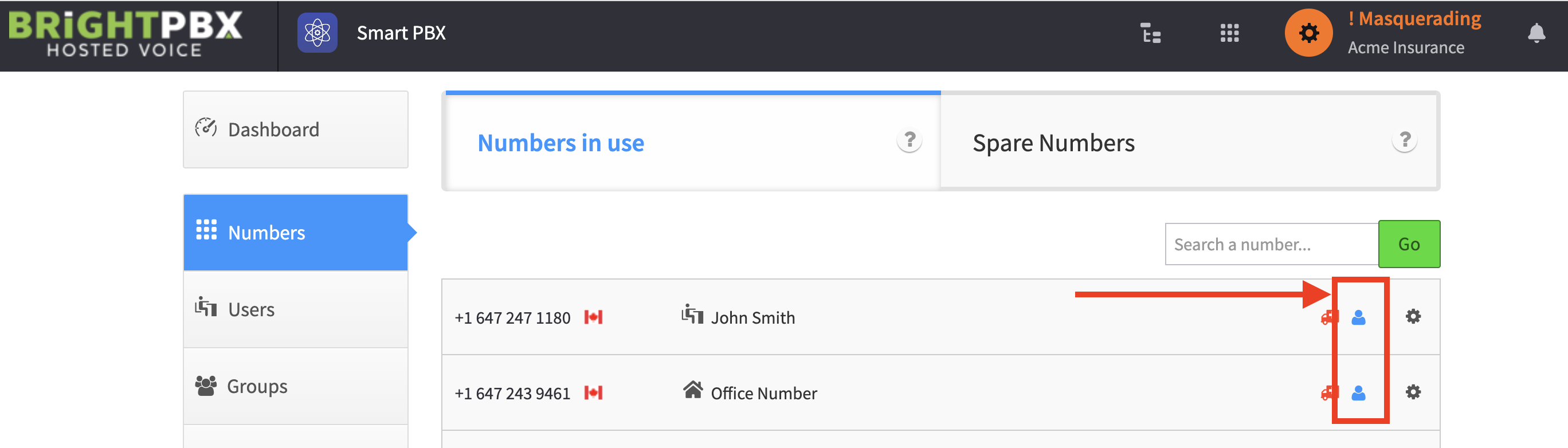
Once complete, you’ll see a blue icon next to the DID
Related
Section titled “Related”- Setting the CLI name & number — which level wins when several are set