Enabling or disabling apps
This article covers adding and removing apps for both your main account and your customer sub-accounts.
-
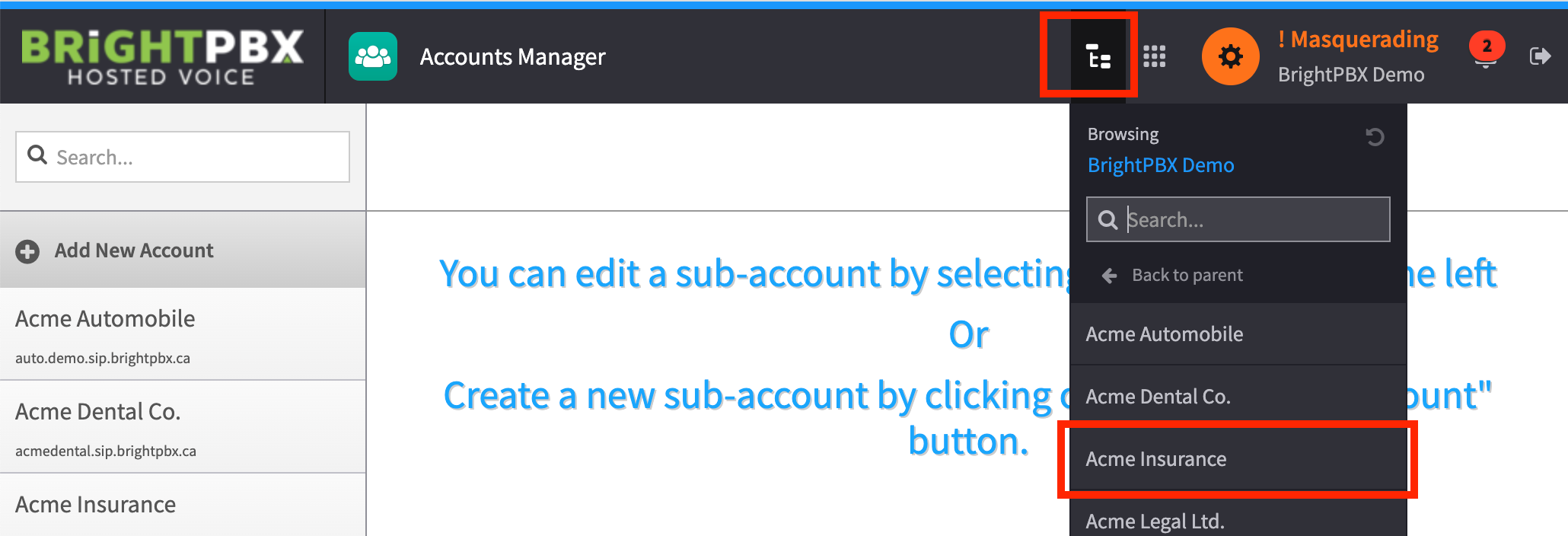
If you want to modify apps for a sub-account, masquerade it first. If you only want to modify apps for your main account, skip this step.
-
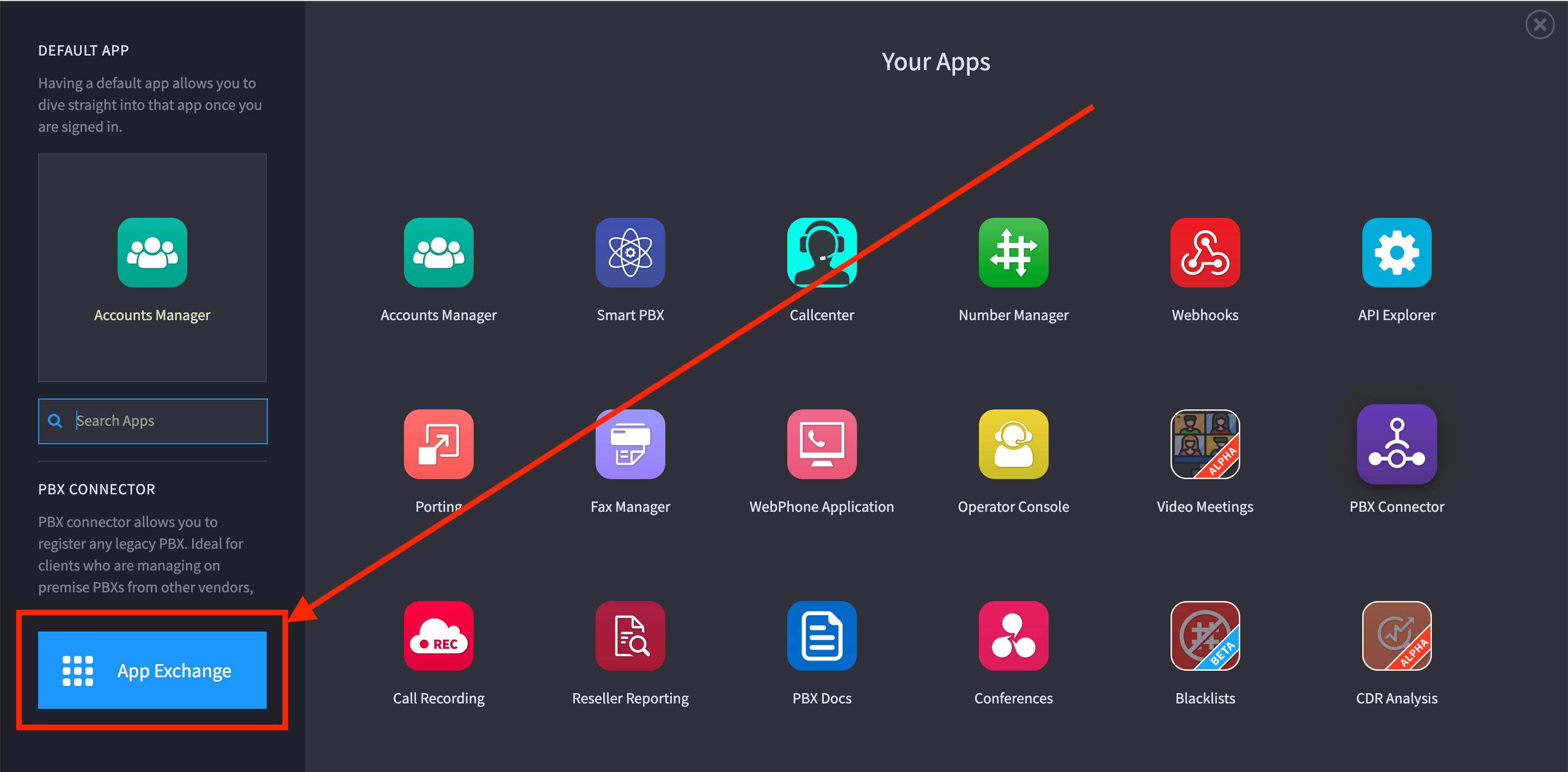
Open the app explorer, and click the App Exchange button on the bottom left
-
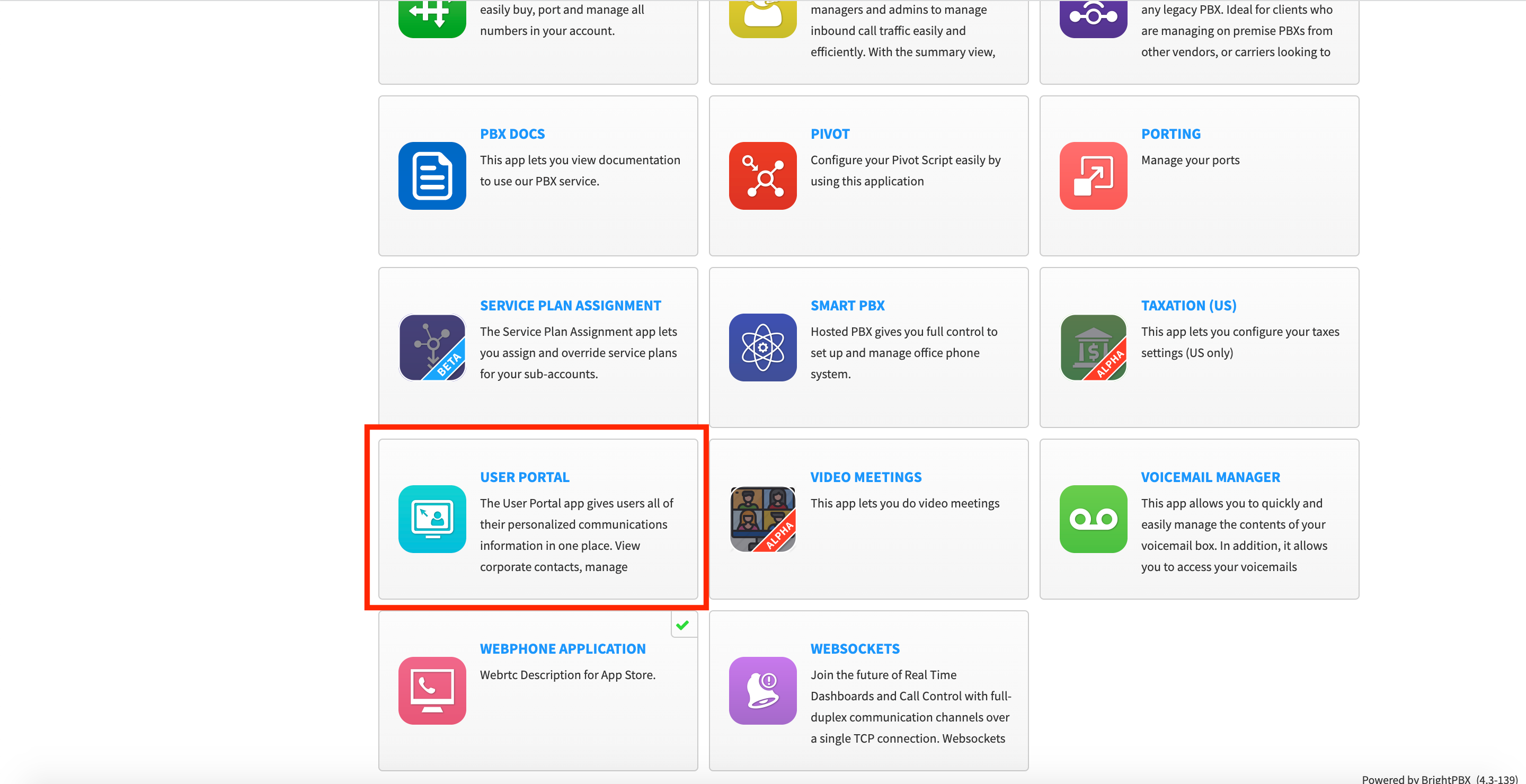
Find your app from the list, and click it
-
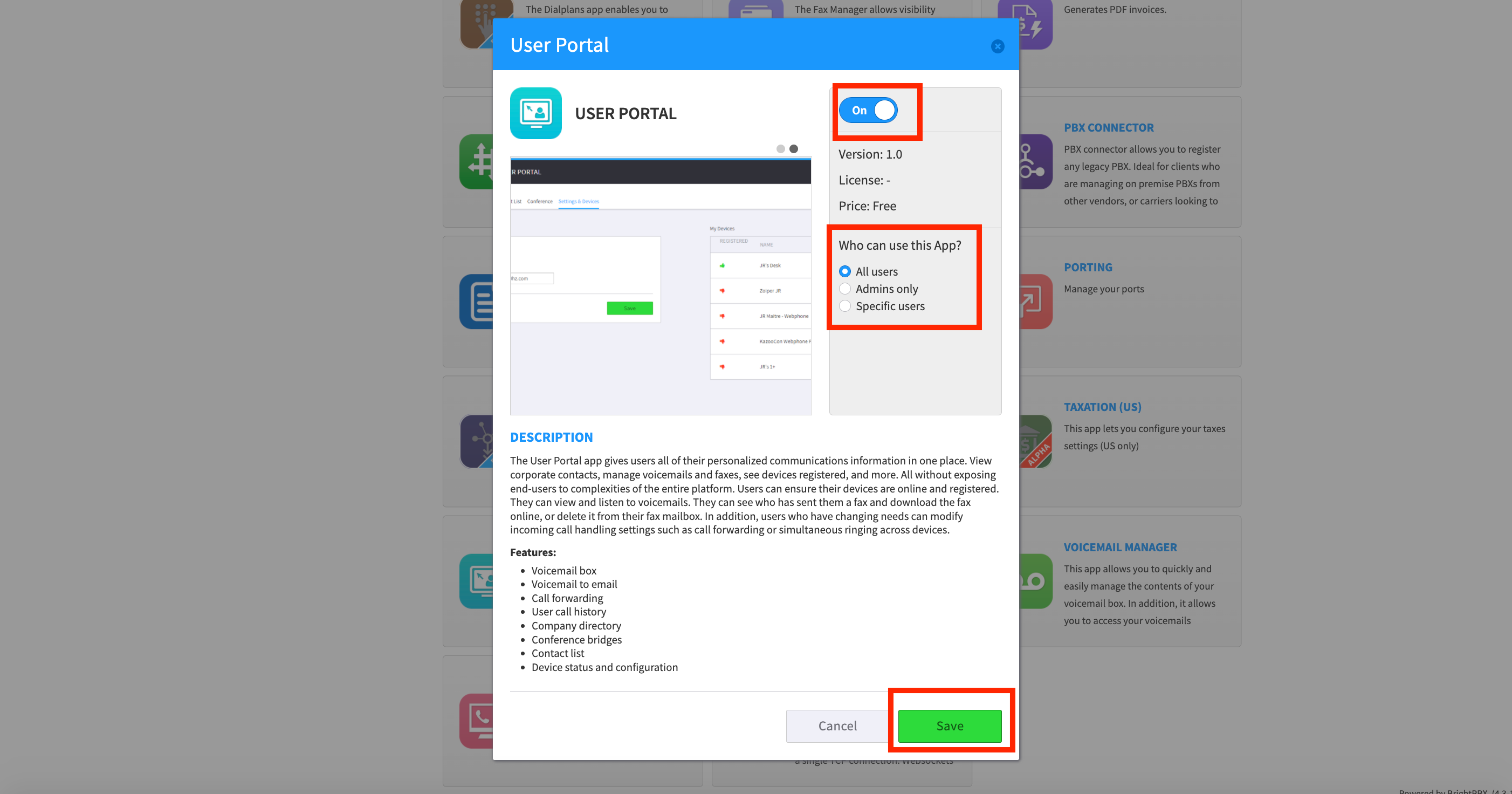
Turn the switch to On, and choose either All users or Admin only depending on the access level you want to provide. Choose Save when you are done.
-
Repeat for all other apps you want to enable