Skip to content
BrightPBX
Search
Ctrl
K
Cancel
Select theme
Dark
Light
Auto
Account Management
Adding a customer
Adding call credits
Deleting a customer account
Disabling calling to specific destinations
How do I allow my customers to log into the portal to administer their accounts?
How do I configure my DNS to allow BrightPBX send email on behalf of my domain
How do I change the language for the web portal and audio voice prompts?
Masquerading a customer account
Renaming a customer account
Setting the CLI name & number
Setting up a PBX for a Customer
Setting up a Single Lines account
API
API Basics
Authenticating with the API
Getting started with the API
Apps
The AWS Connector
Blacklists & Blocked Numbers
Call Recordings
Enabling or disabling apps
Conferences
Setting up the mobile app
I don't see any apps when I log in
Operator Panel
PBX Connector
End User Portal
Call Handling
Setting up a ring group
What dial codes (feature codes) are supported?
Removing key press requirement for call forwarding
Parking and retrieving a call
Setting up a call queue
Ring multiple users at the same time for incoming calls
How do I configure what happens for incoming calls?
Intercom
My call forward to an external number is not working
Setting the main company inbound number
Setting up one-way paging
Devices & Provisioning
Adding a device with auto-provisioning
Adding a softphone
Configuring the Advanced Provisioner
Enabling remote logging on a Polycom
How do I configure audio codecs for a device?
Configuring a sidecar with Advanced Provisioner
Uploading a custom config file with Advanced Provisioner
How do I know if the provisioner banned my IP?
How do I know if the provisioner locked my phone?
How do I set a distinctive ringtone?
Importance of using the correct SIP configuration
Procedures for removing a device
Provisioning Grandstream GXP21xx Series
Provisioning Polycom Series
Provisioning Yealink Series
Setting up DNS SRV for redundancy
Troubleshooting provisioning issues
Where do I find the SIP username, password, and realm for a particular device?
DIDs & Porting
Adding e911 to individual DIDs
Cancelling a port request
Changing the port date
Handling a port out request
Tips to prevent a port from being rejected
I can't find a DID for my area code
Moving DIDs between accounts
How do I add new DIDs?
Fixing a rejected port
Porting a mobile number
Releasing or deleting a DID
Submitting a port request
Updating an in-progress port
List of porting states in the portal
How do I know when my port is completed?
Why hasn't my port been submitted yet?
Why was my port rejected?
Faxing
Saving incoming faxes to a drive share
Sending a fax
Setting up a fax box
SMS
How can I send SMS messages from the app?
How can I send SMS messages from the main company number?
How do I use your SMS API?
If a user re-installs the app on another device, will their history be maintained?
What happens to the SMS history if a user changes their TN?
Troubleshooting
Asymmetric routing and VoIP
Best practices to set up a router and/or firewall
Calls are being flagged as "Likely Spam"
Cannot make outbound calls
Detecting and disabling SIP ALG
Flushing the PRESENCE indicator on a device
Ghost calls
How can I see what IP a device is connecting from?
How do I know if an IP is blocked?
I uploaded a greeting for my Virtual Receptionist, but it seems to be just dead air.
Network considerations for VoIP
RECOVERY_TIME_EXPIRE
Reporting a call to tech support
Troubleshooting one way audio
I get an "insufficient funds" error when placing calls
Why does my BLF light keep flashing?
Users
Adding users to the PBX
Assigning an existing device to a user
Configuring the Caller ID Name for a user that's separate from the main company's name
Setting a dedicated DID for a specific user
Removing a user from the PBX
Forwarding calls to a mobile phone if no one picks up
Configuring the Caller ID Number for a user that's separate from the main company's number
Include a user in the company directory
Setting up Find Me / Follow Me
Setting the Caller ID and 911 for all outbound calls
Suspending a user's service
Virtual Receptionist (IVR)
Configuring the Virtual Receptionist (IVR)
Recording an IVR greeting directly from your phone
Multi-level IVR menus
Uploading an MP3 for my IVR greeting
Voicemail
Setting the number of rings until voicemail
Accessing voicemail from your device
Checking voicemail remotely
How do I configure voicemails to be emailed to different address than what the user is registered under?
Enabling voicemail transcription
Setting the notification email for the main voicemail box
What audio format do I need to upload for my voicemail or virtual receptionist greeting?
Select theme
Dark
Light
Auto
Removing a user from the PBX
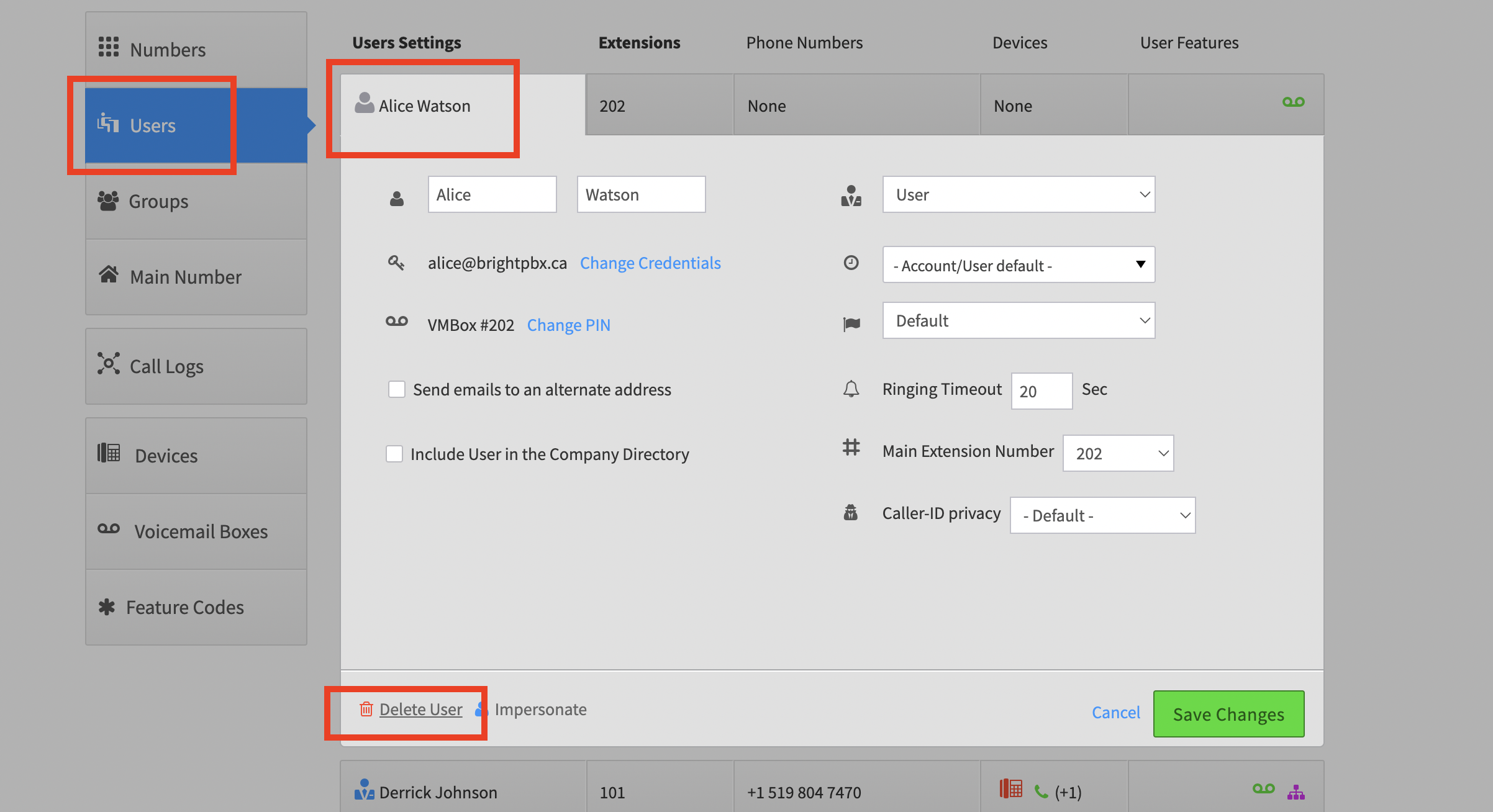
Go to
Smart PBX
>
Users
, and click the user you want to delete
Click
Delete User
toward the bottom