Recording an IVR greeting directly from your phone
-
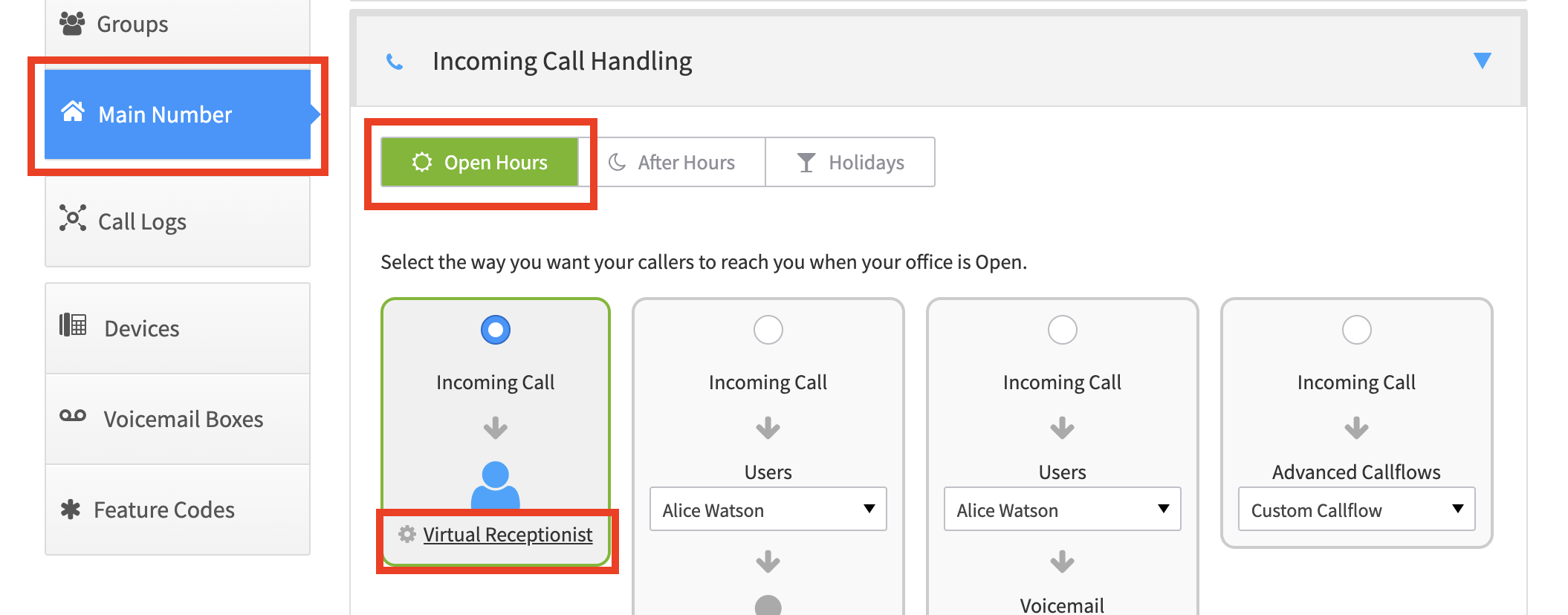
Go to Smart PBX > Main Number > Incoming Call Handling
-
Choose the route you will be calling into — Open Hours, After Hours, or Holiday
-
Choose Virtual Receptionist
-
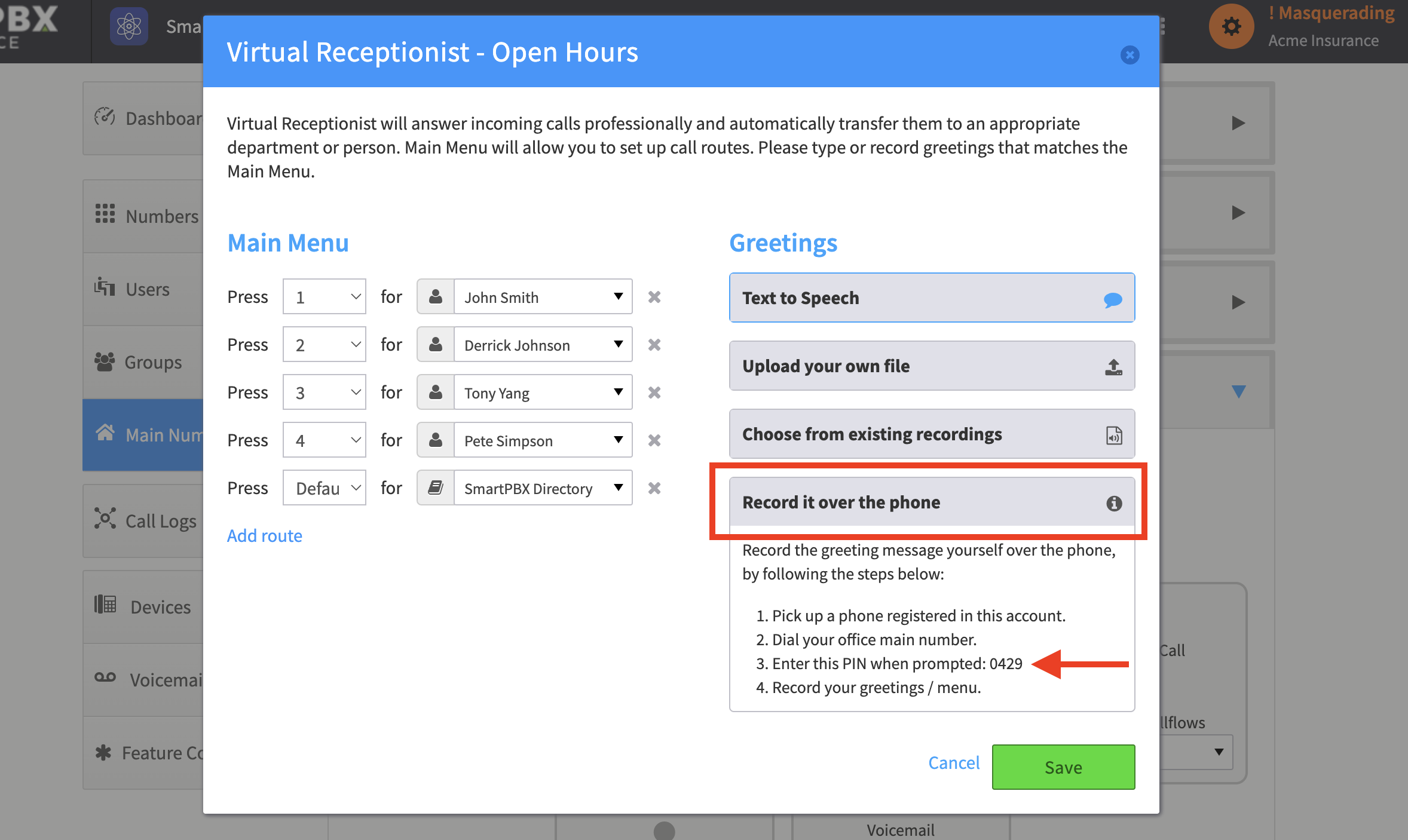
Expand Record it over the phone and follow the directions
Things to watch for
Section titled “Things to watch for”-
Re-recording an existing greeting. Step 3 says to enter the PIN “when prompted”, but if you have already recorded a greeting you will not be prompted any more — your current greeting plays instead. Just enter the PIN while the greeting is playing, and it will take you back to the record menu.
-
Each route has its own PIN. Open Hours, After Hours and Holiday each use a separate PIN.
-
You can only record for the route you land in. If your call lands in the Open Hours IVR, that is the only greeting you can record, using that route’s PIN. To record for After Hours or Holiday, adjust your configuration so your call lands on that route, and use its PIN.