Sending a fax
This assumes you have already set up a fax box. If you have not, see Setting up a fax box first.
-
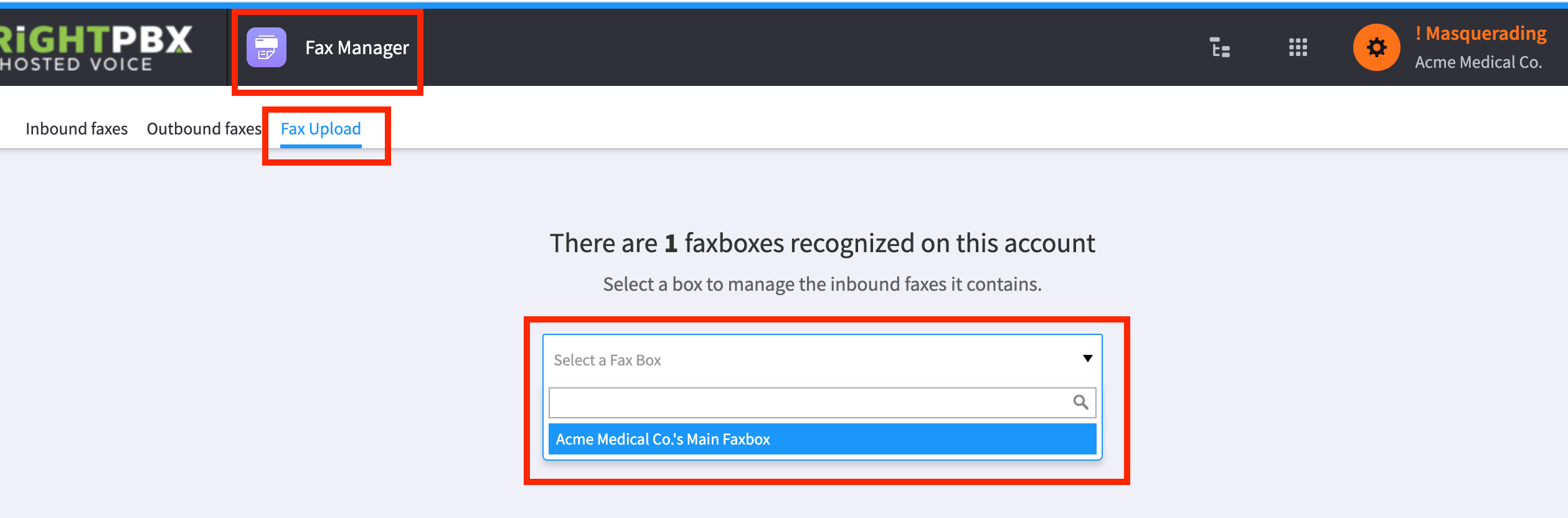
Open the Fax Manager app
-
From the top menu, choose Fax Upload
-
From the Select a Fax Box drop down, choose your fax box
-
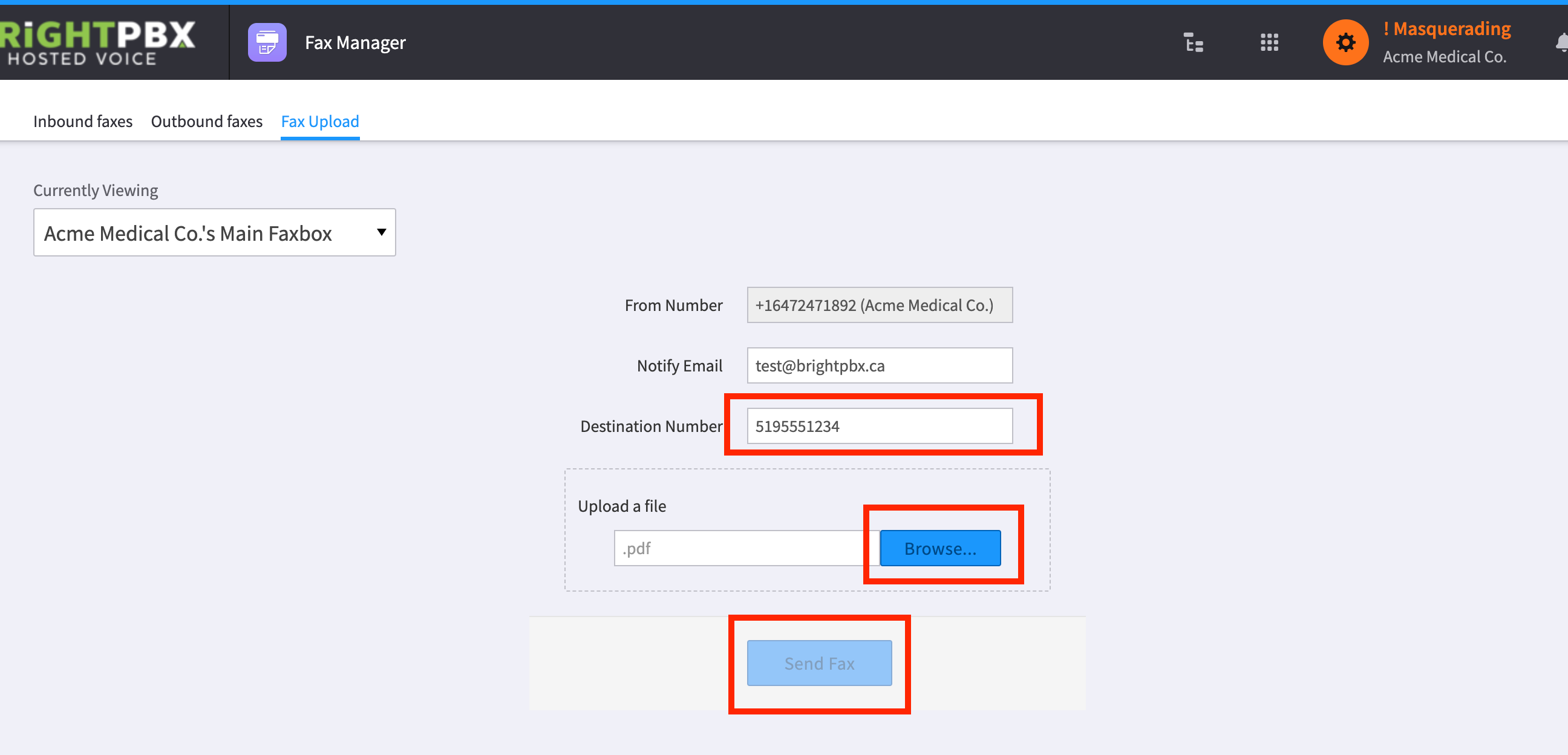
Verify the notification email is correct. This is where you will receive your sent confirmation
-
Enter the destination number
-
Click Browse and choose your file — it must be a PDF or TIFF
-
Once you are ready, click Send Fax