Deleting a customer account
-
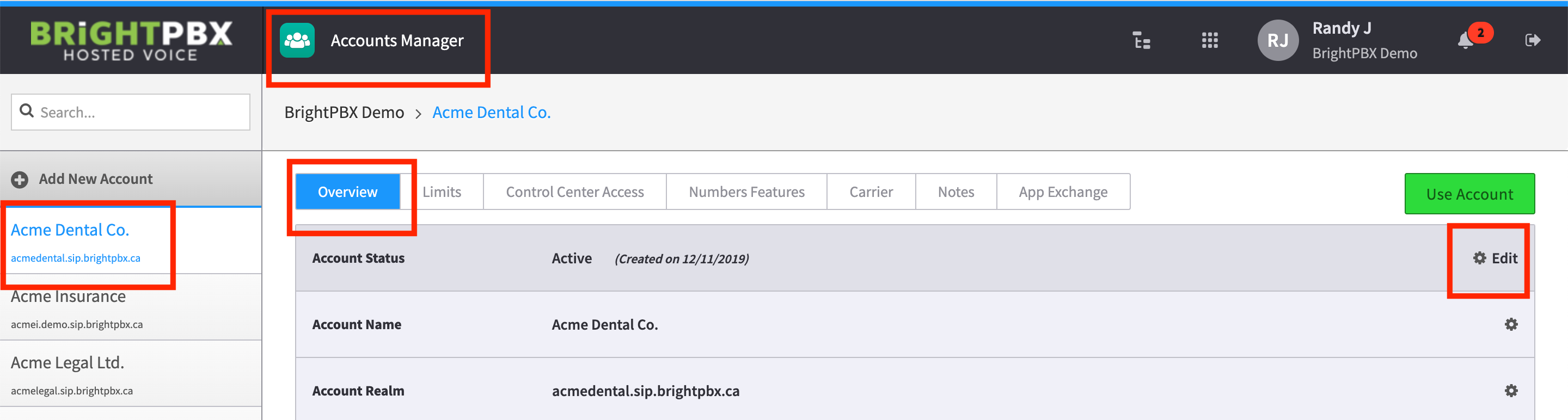
Open the Account Manager app
-
Choose the customer account on the left
-
Click the Overview tab
-
Click the Edit link on the Account Status row
-
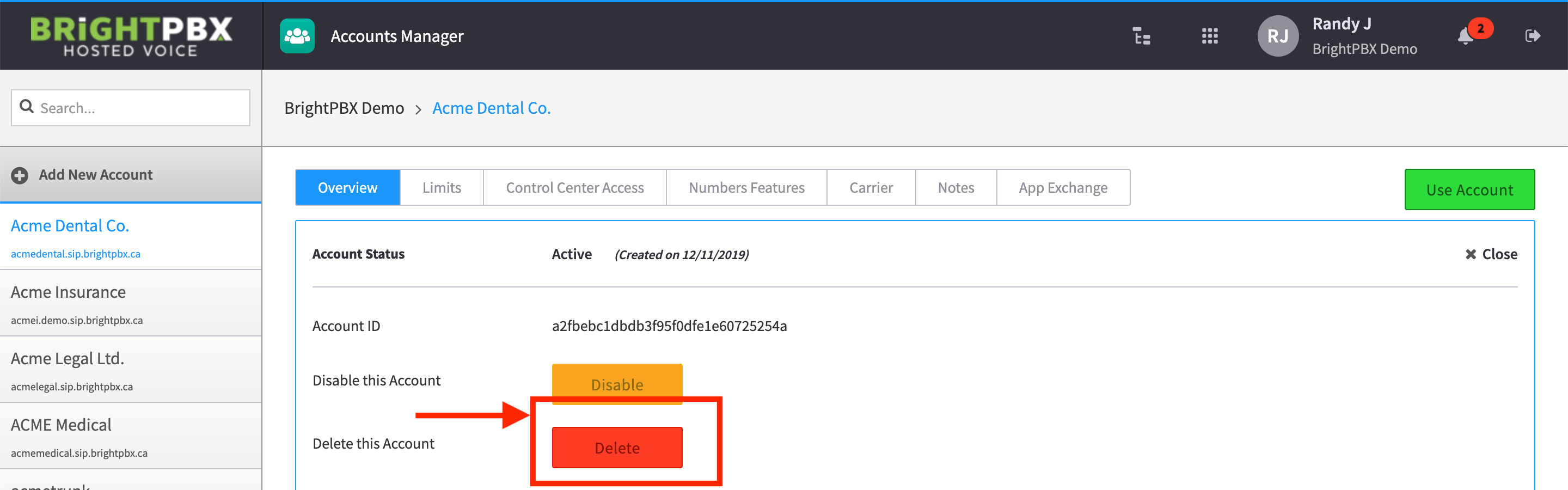
Click Delete
-
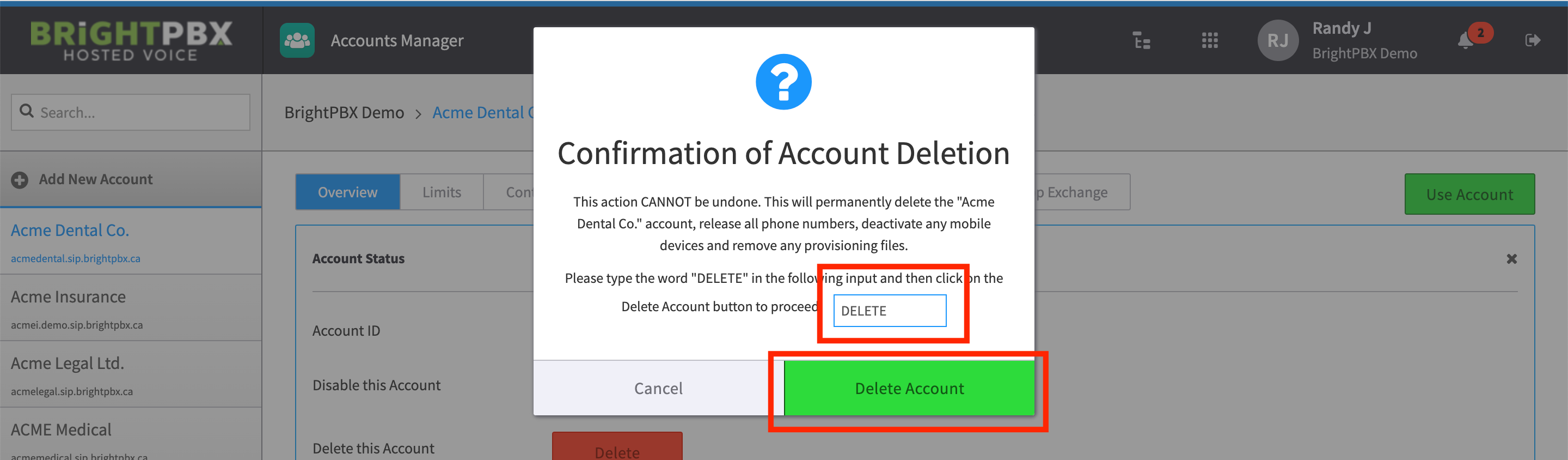
Type DELETE to confirm, then click Delete
Open the Account Manager app
Choose the customer account on the left
Click the Overview tab
Click the Edit link on the Account Status row
Click Delete
Type DELETE to confirm, then click Delete