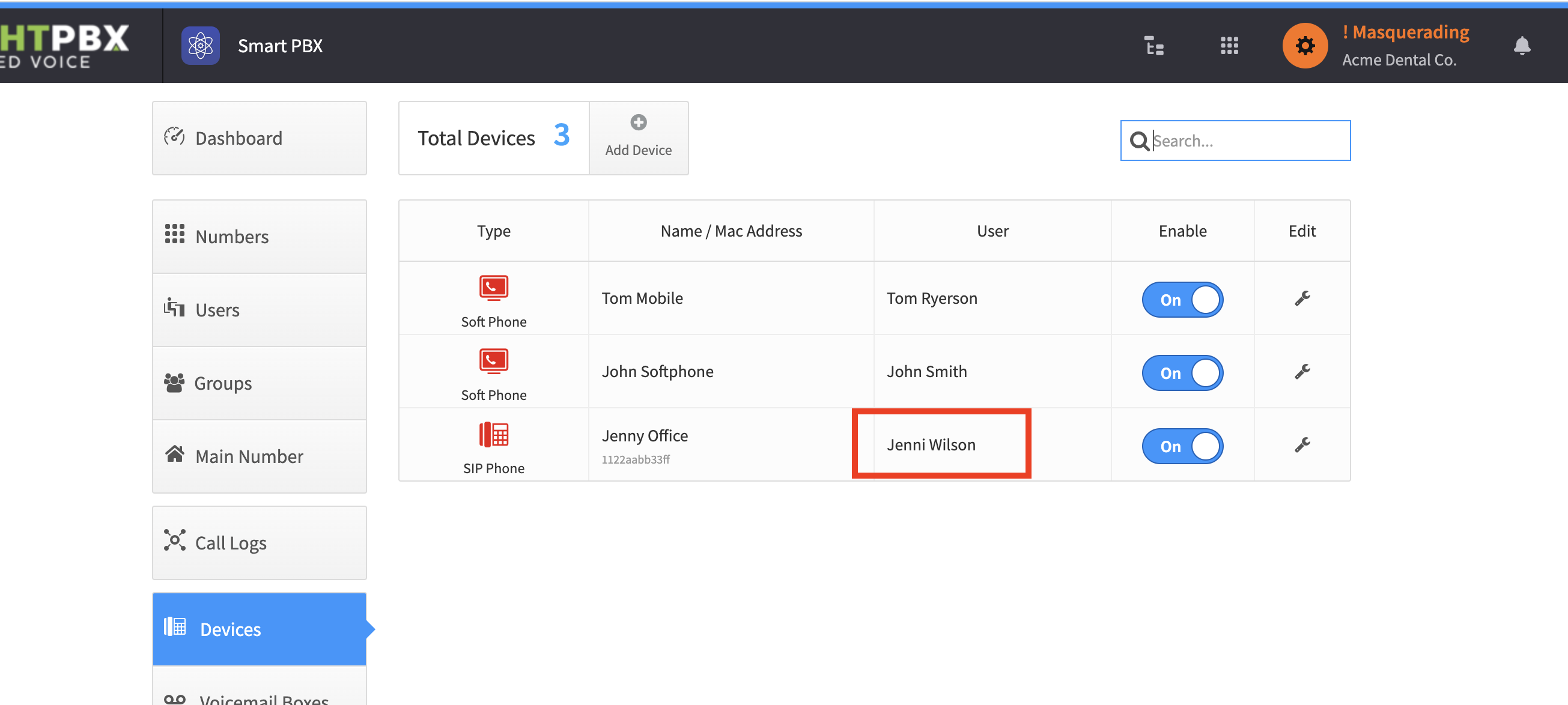
Assigning an existing device to a user
Follow these steps if you created a user before a device, and now need to assign your new device to an existing user.
-
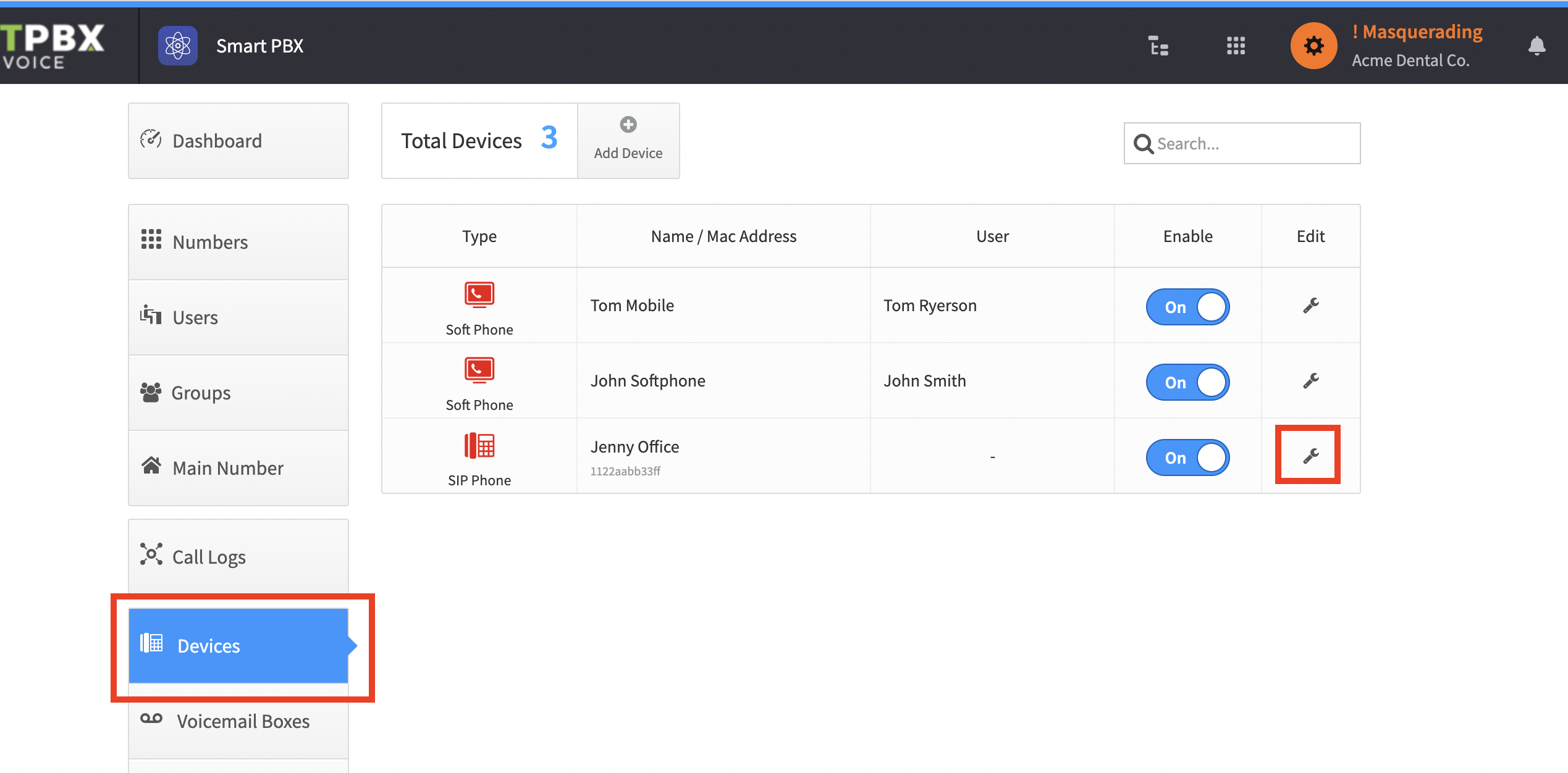
From Smart PBX > Devices, click the wrench icon on the device you want to assign
-
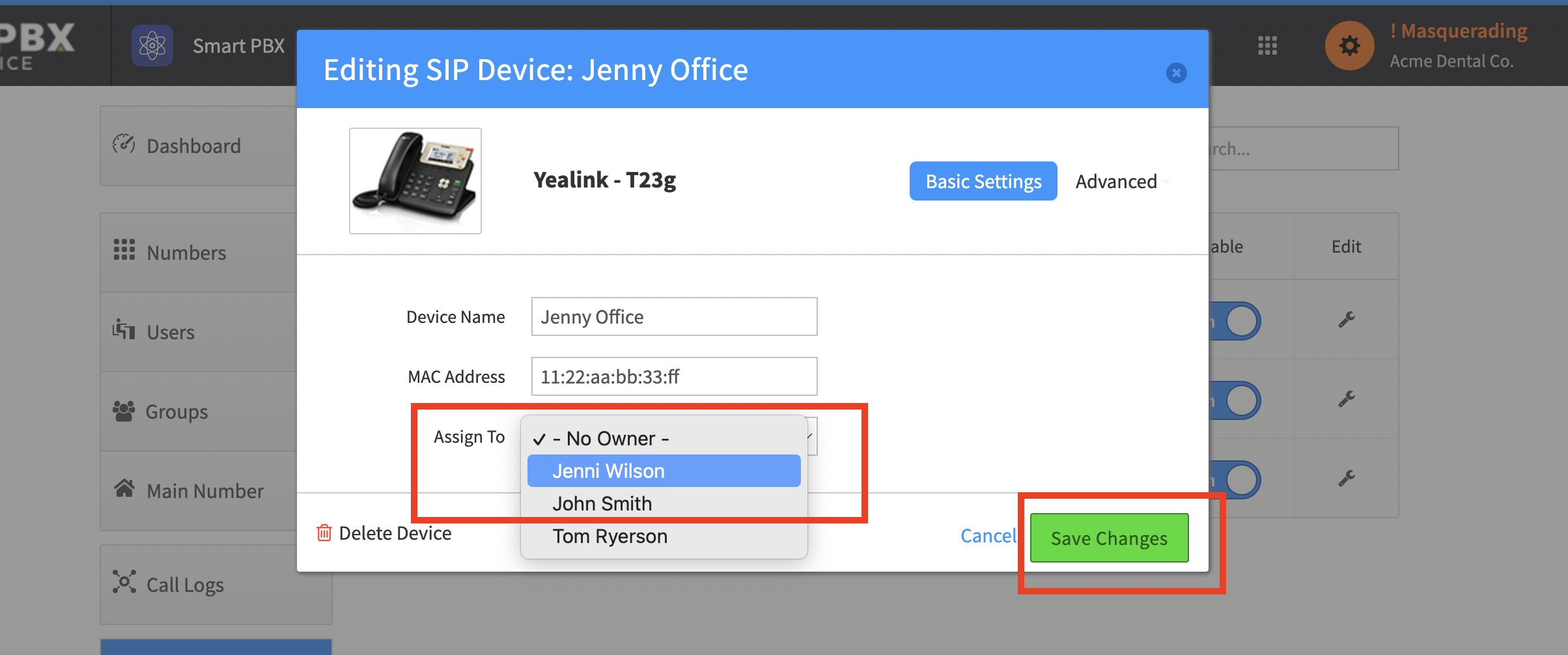
From the Assign To dropdown, find your user and click Save Changes
Your device is now assigned to that user, and their name shows in the User column.