Blacklists & Blocked Numbers
To block a set of numbers, follow these steps.
-
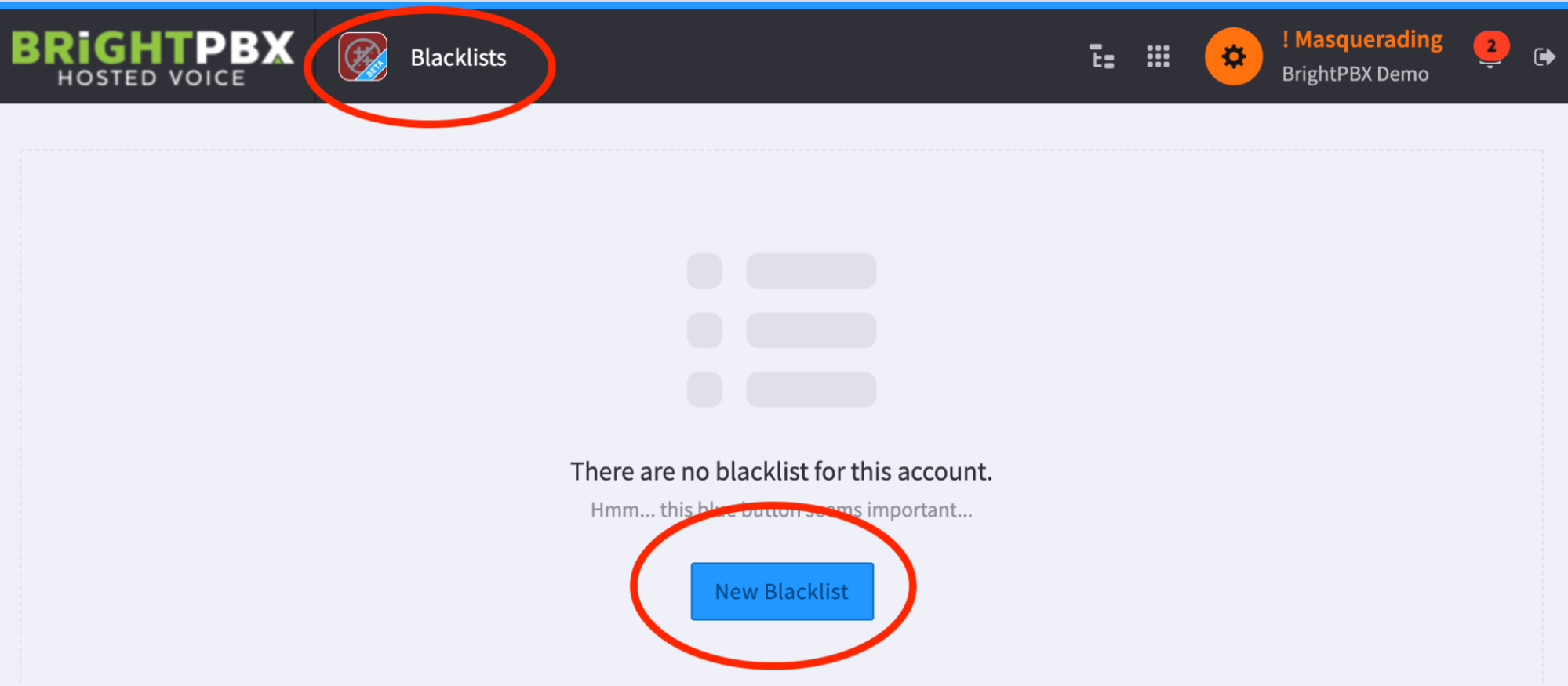
Open the Blacklists app, and choose New Blacklist
-
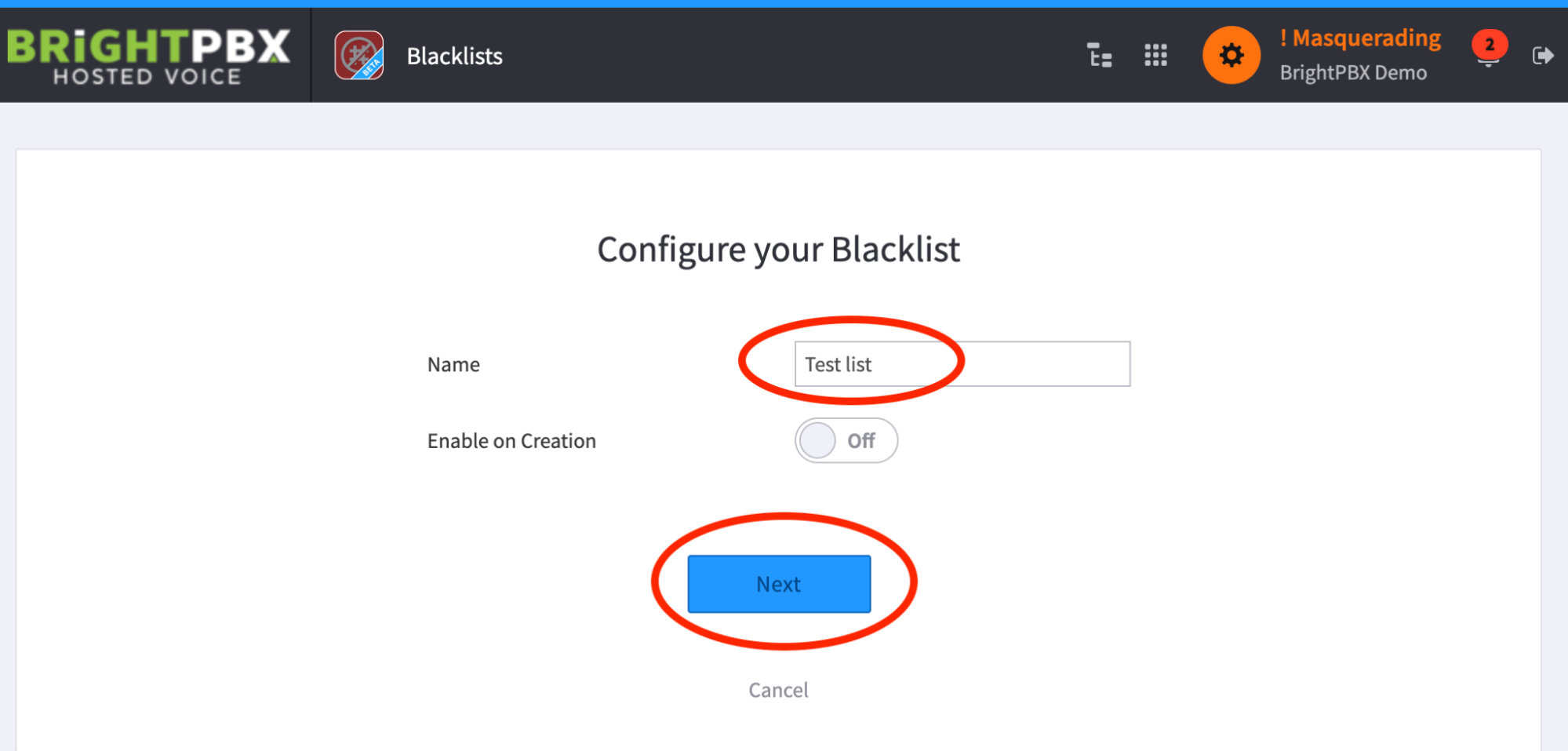
Enter a custom name and click Next
-
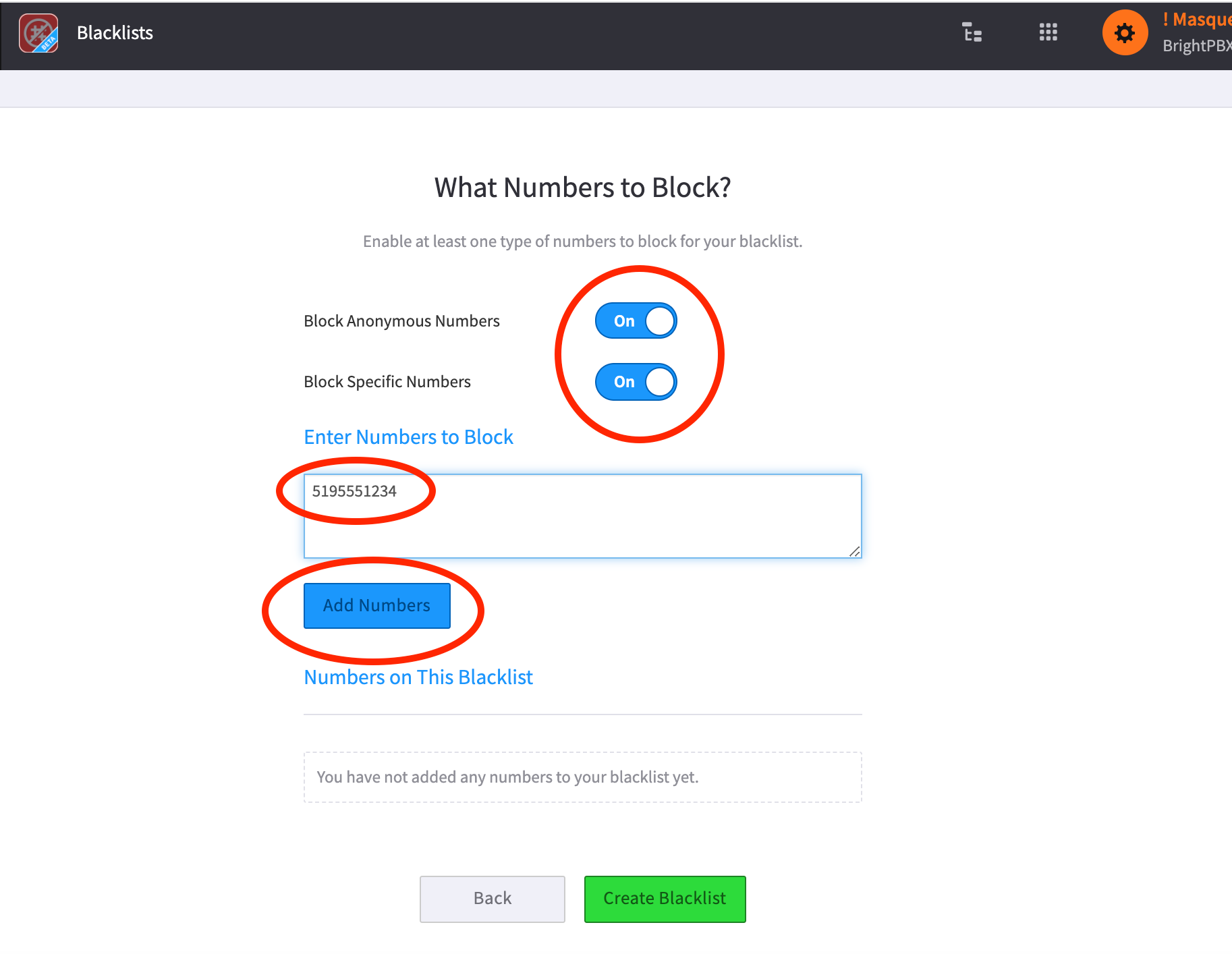
Optionally, block all anonymous numbers (Private Caller, No Caller ID, and so on) or choose specific numbers to block.
When Block Specific Numbers is chosen, you will be prompted to add numbers in the field provided, one per line. Choose Add Numbers when completed, then click Create Blacklist.
-
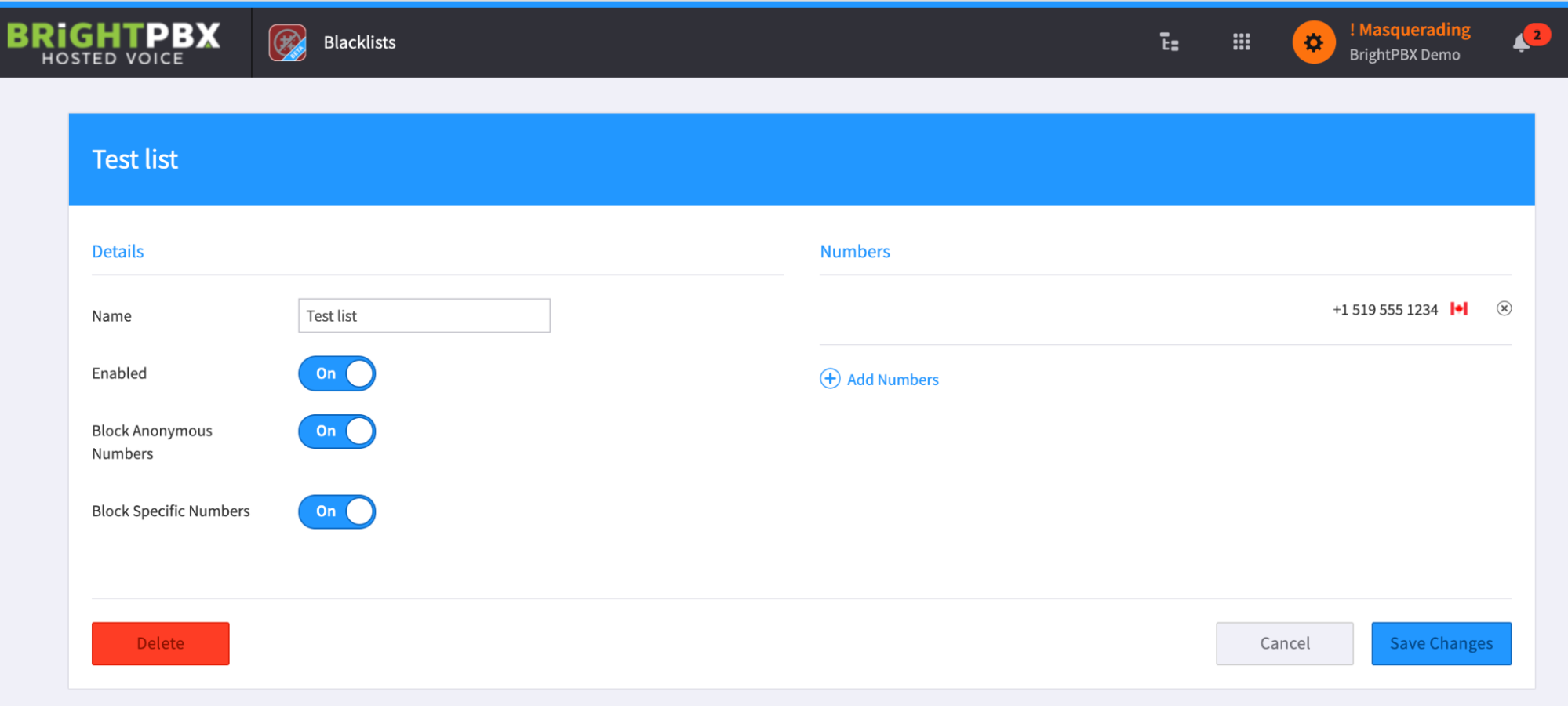
The blacklist is now created. However, it defaults to OFF, so you will need to switch it to ON
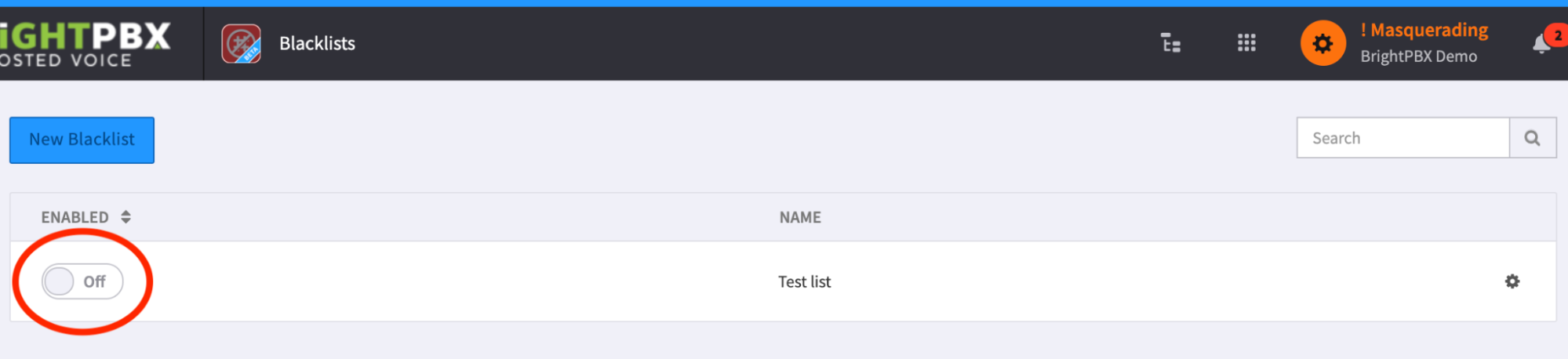
-
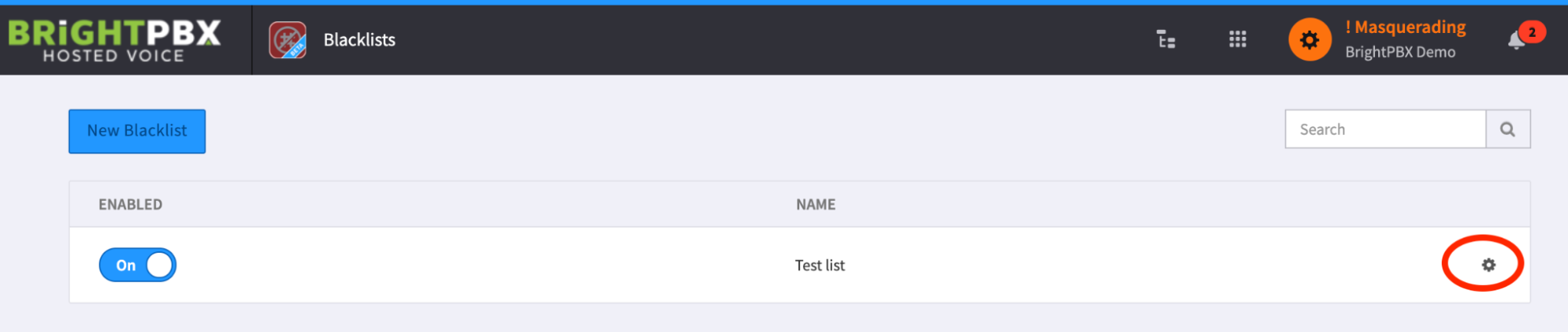
At any time, you may click the gear icon to edit a blacklist
-
Here you may switch it on or off, add more numbers, remove numbers, and so on