Adding call credits
In order to make outbound calls, your main account must have available funds. Follow these steps in your main account.
-
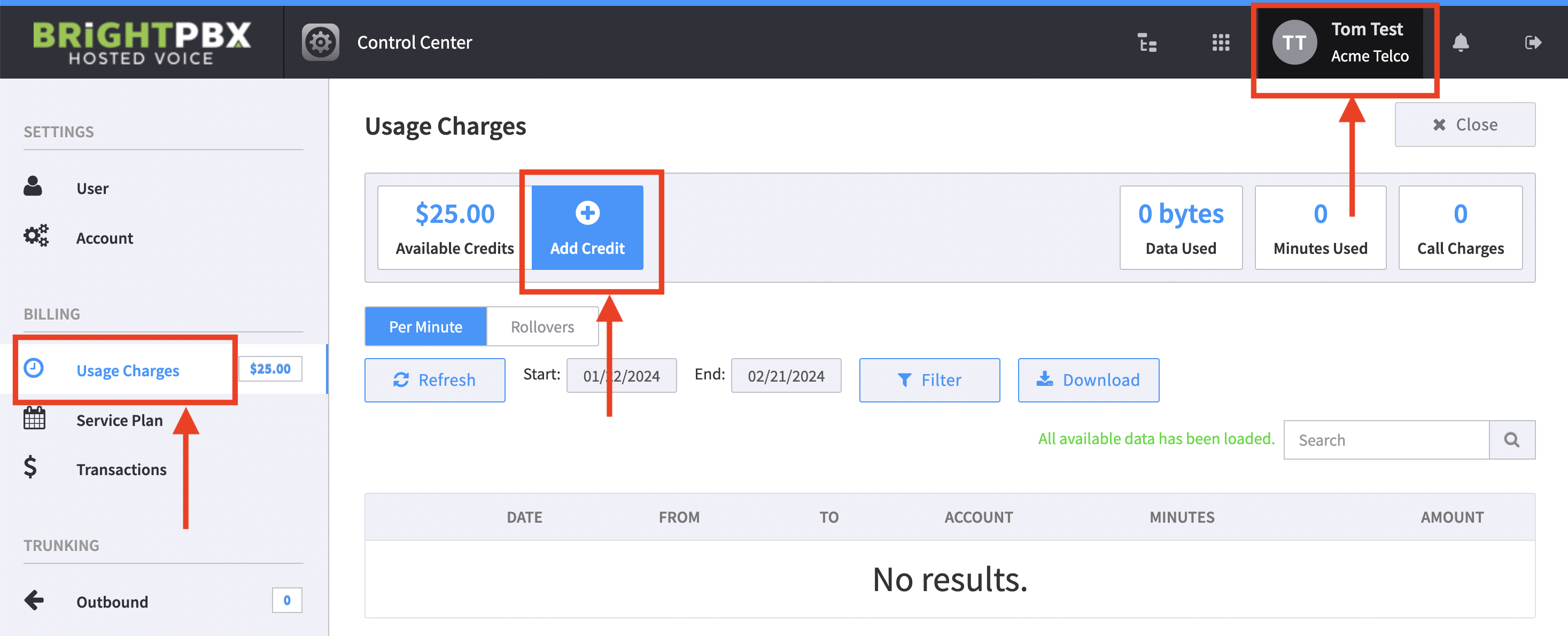
From the top-right, click your username to open the Control Centre
-
From the left, click Usage Charges > Add Credit
-
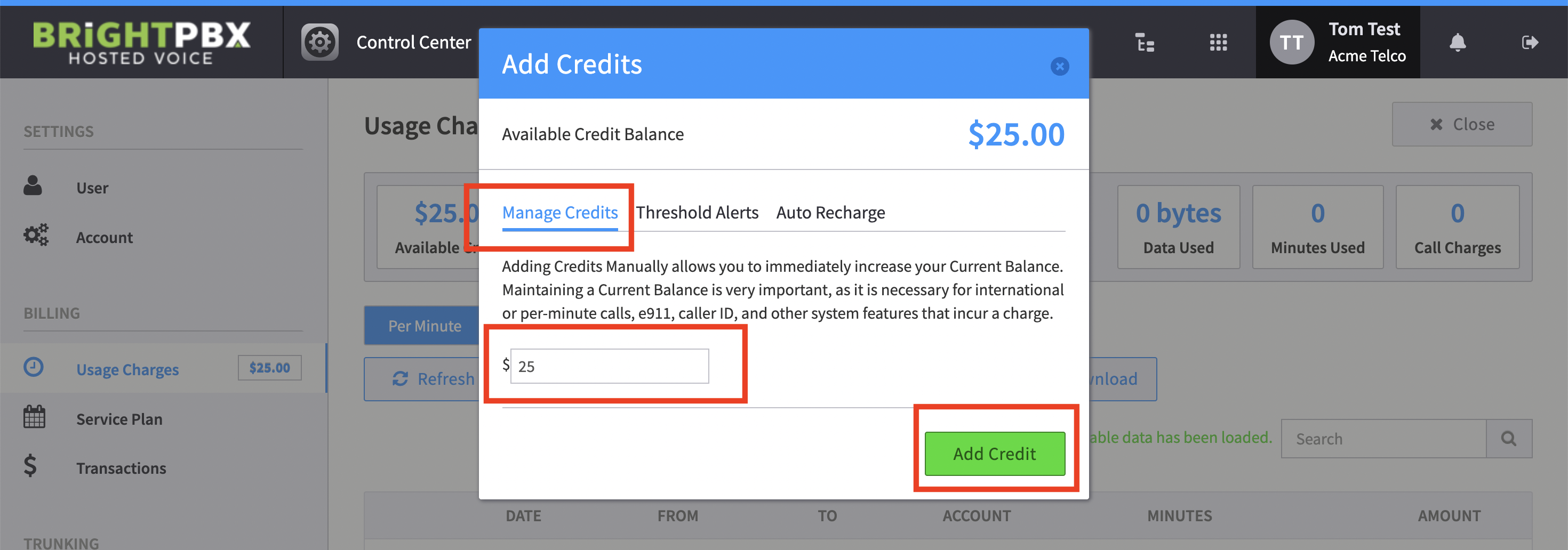
Enter the dollar amount and choose Add Credits
-
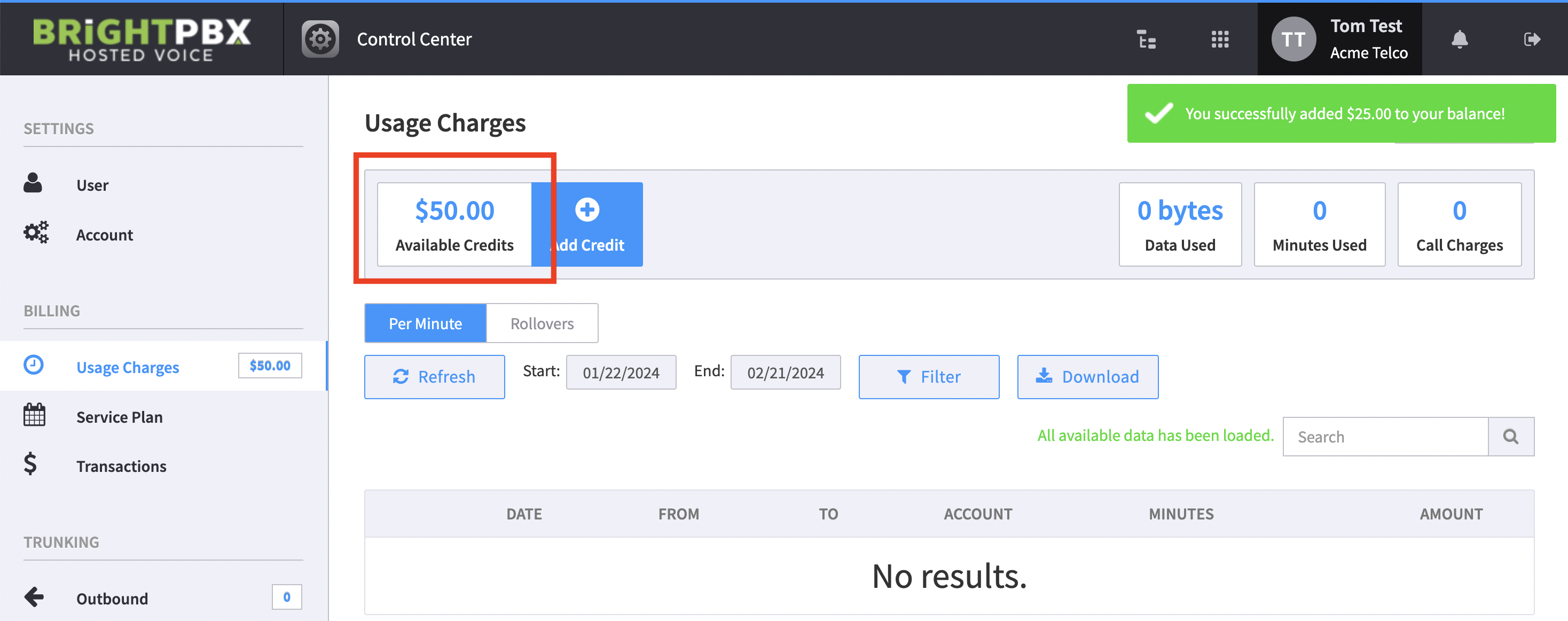
You will see the new balance reflected