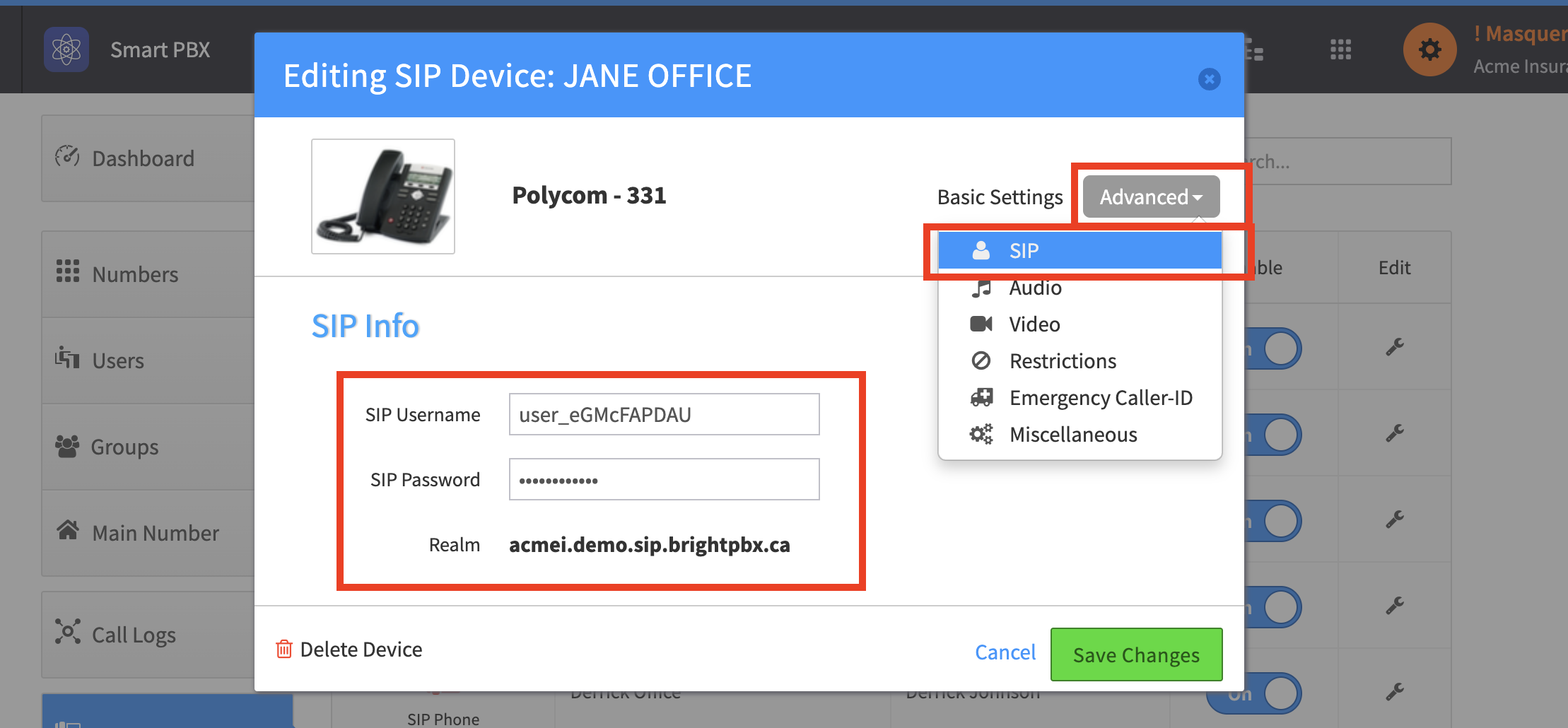
Where do I find the SIP username, password, and realm for a particular device?
-
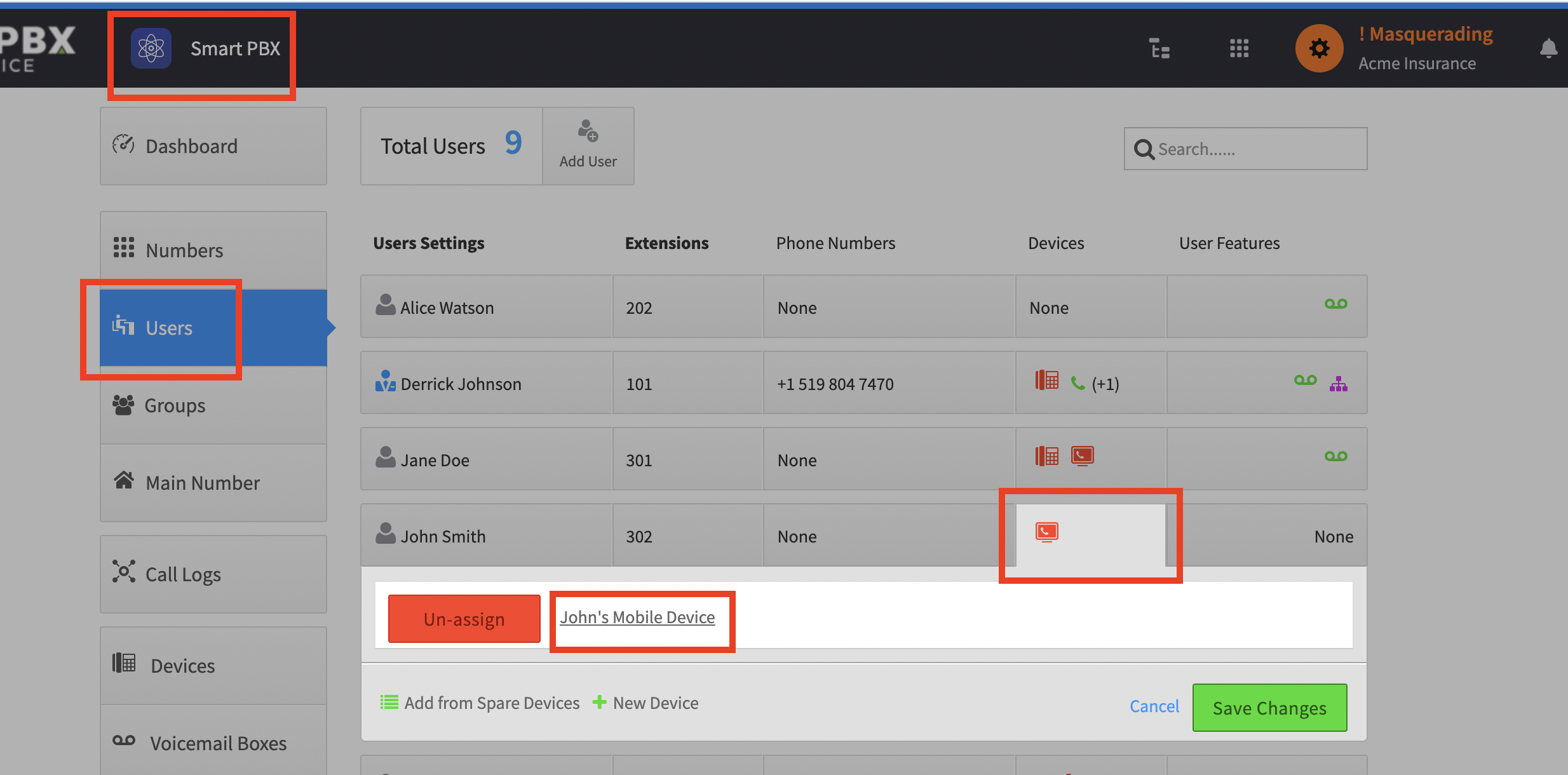
Go to Smart PBX > Users, and click anywhere in the Devices table cell
-
Click the device you need the credentials for
-
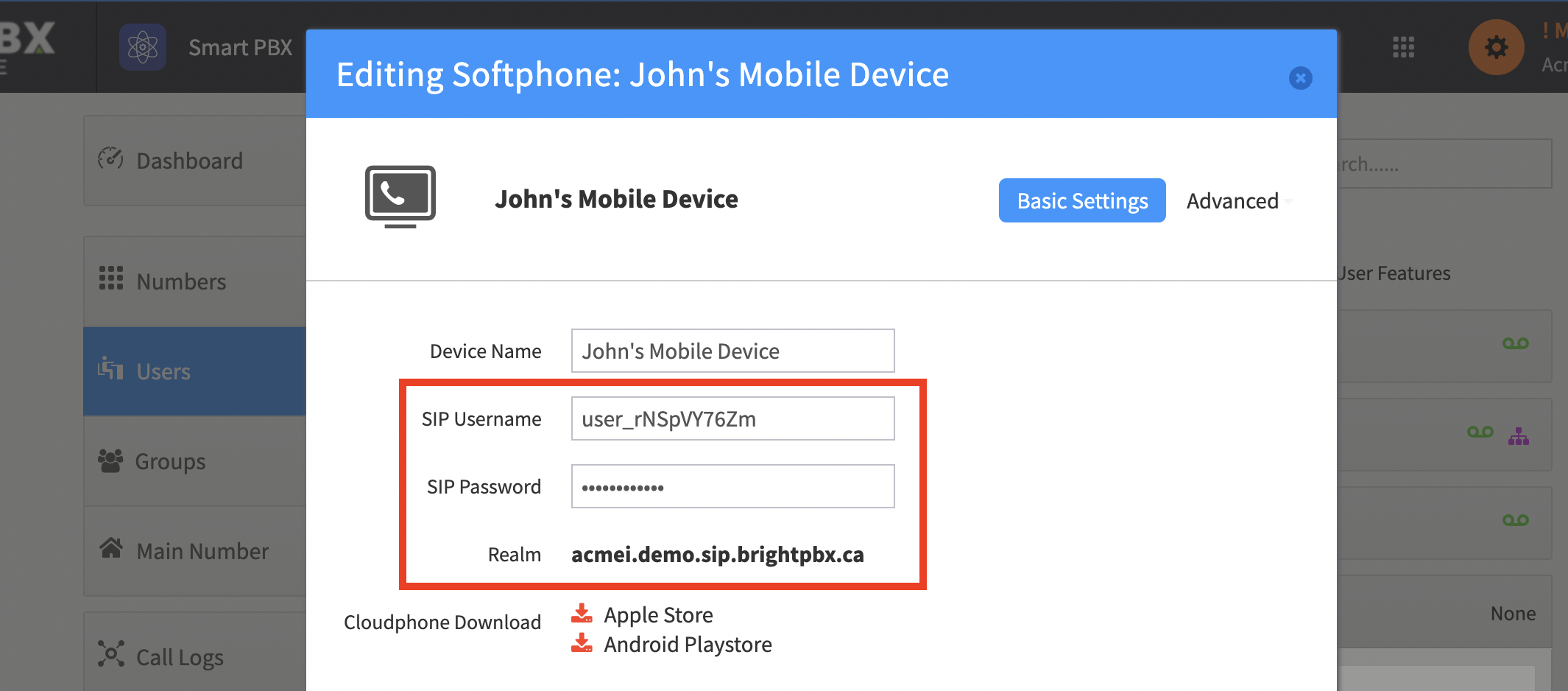
The username, password and realm show in the popup box
For IP phone devices, you may need to click into Advanced > SIP to see this information.