Configuring the Advanced Provisioner
After creating a new account where you plan to use the Advanced Provisioner, ensure that you set the realm globally so that all devices added to this account properly inherit the realm.
Follow these steps
Section titled “Follow these steps”-
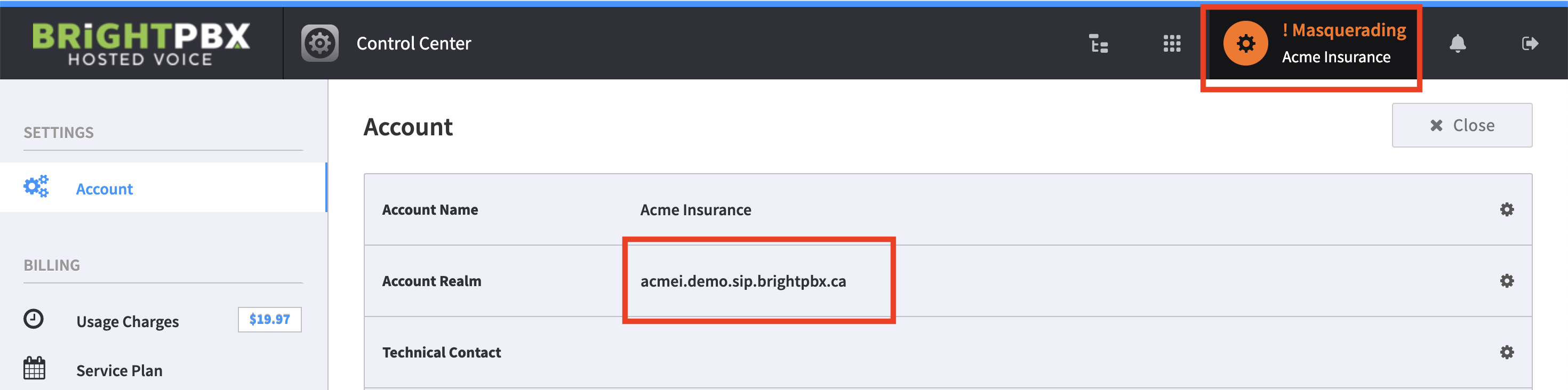
Click the account name in the top-right corner to open the Control Panel.
-
Copy the Account Realm. You will need to input this in the next step.
-
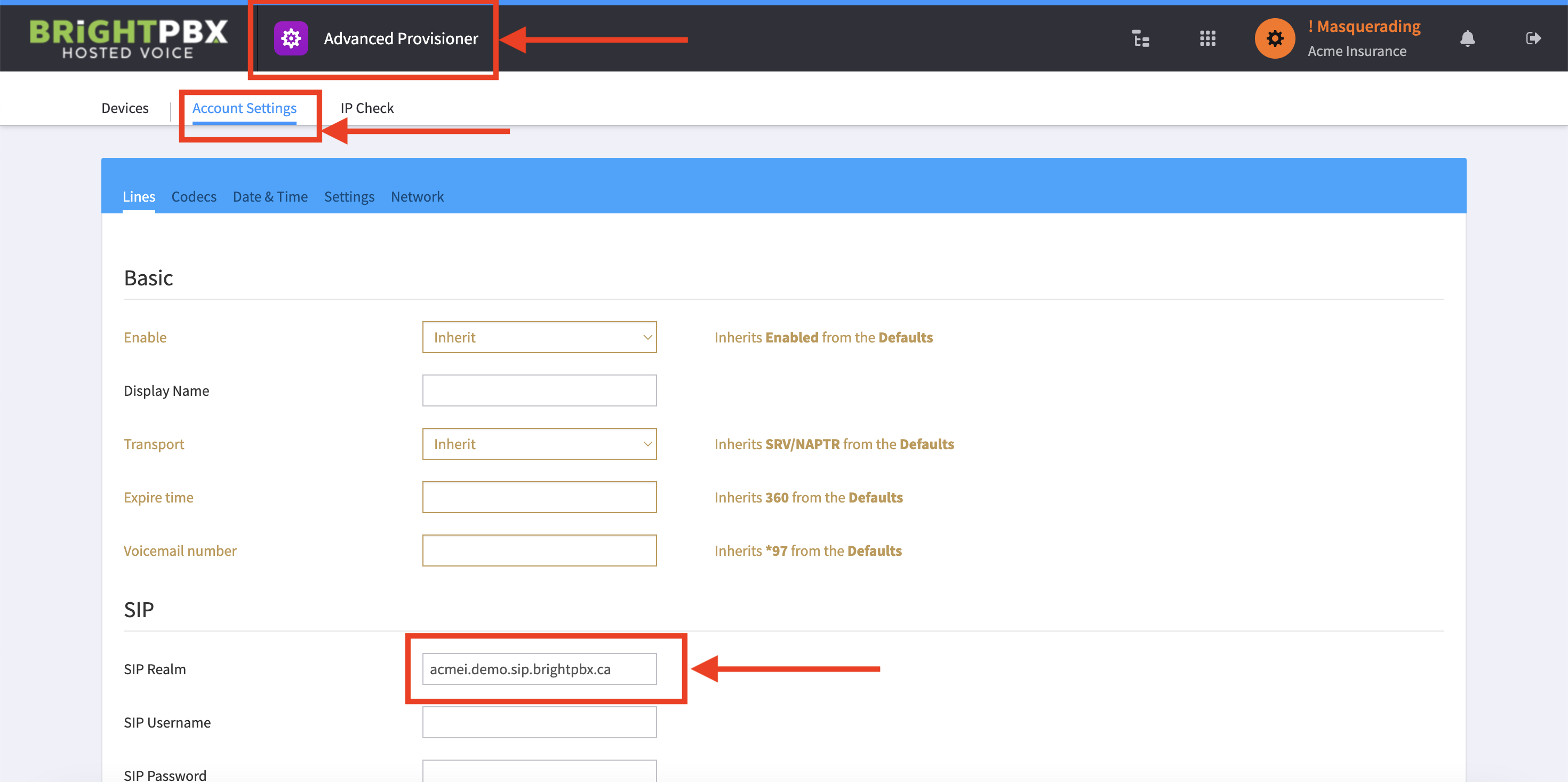
Open the Advanced Provisioner and choose Account Settings.
-
In the SIP Realm field, input the value you obtained in step 2.
-
Confirm this is correct, and click Save in the bottom right.