Suspending a user's service
In some cases (e.g. a user has not paid their bill), you may wish to suspend access to their services. Follow these steps to suspend/block access for a specific device.
-
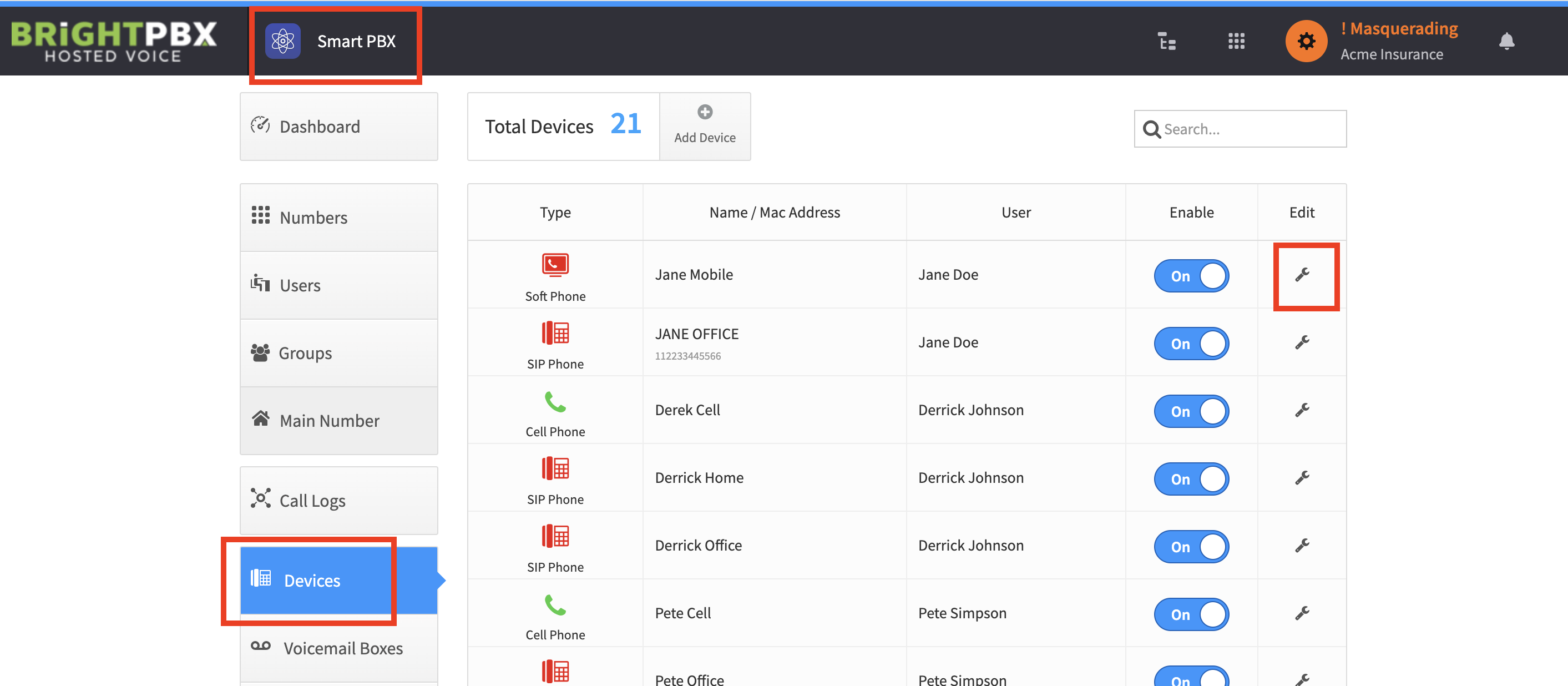
From the Smart PBX app, choose Devices, and click the wrench icon (under the Edit column) for the device you want to block.
-
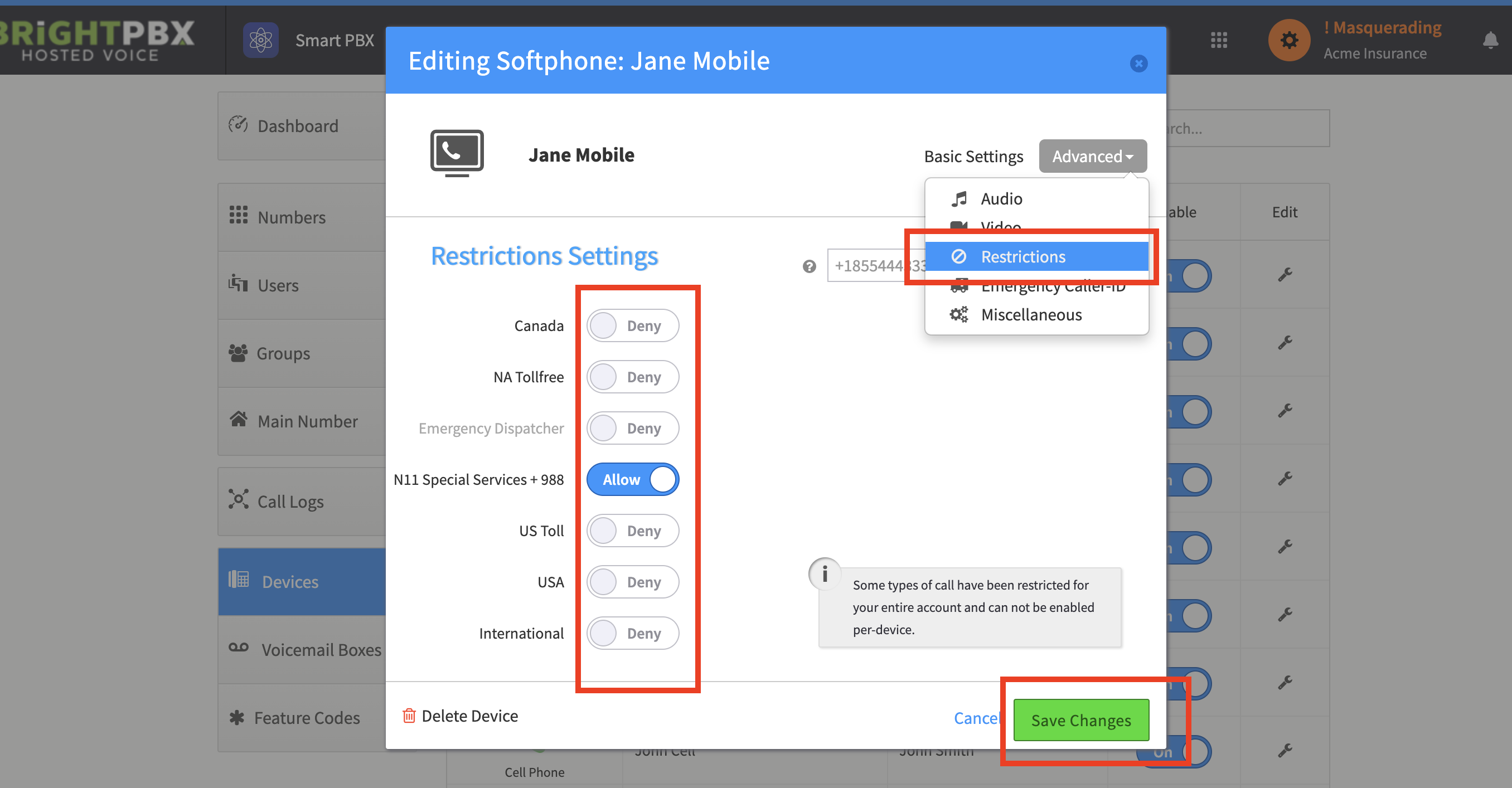
From the top-right, choose Advanced > Restrictions.
-
Move all the toggles to Deny, and choose Save Changes.