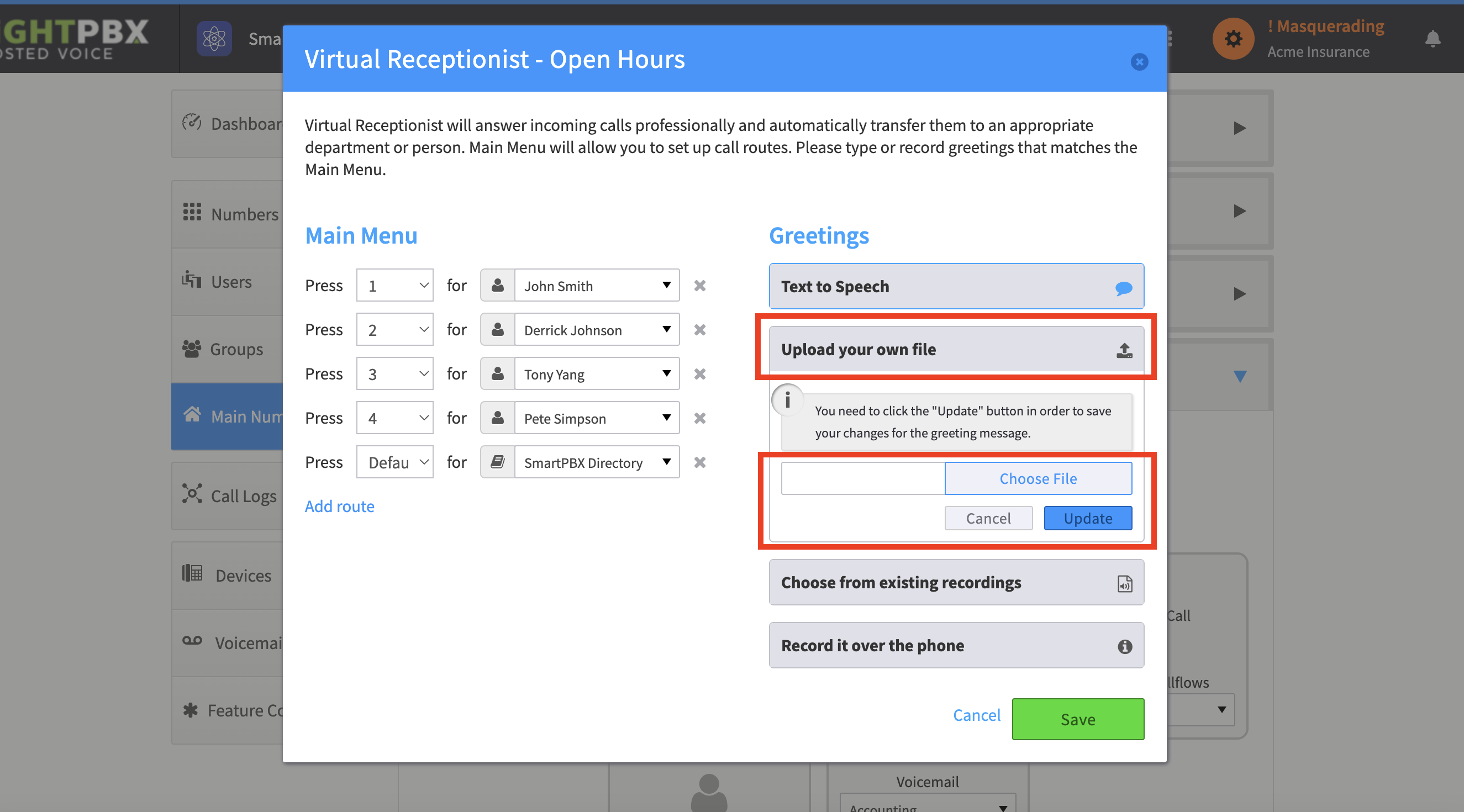
Uploading an MP3 for my IVR greeting
-
Go to Smart PBX > Main Number > Incoming Call Handling
-
Choose the route you want to upload your greeting for — Open Hours, After Hours, or Holiday
-
Choose Virtual Receptionist
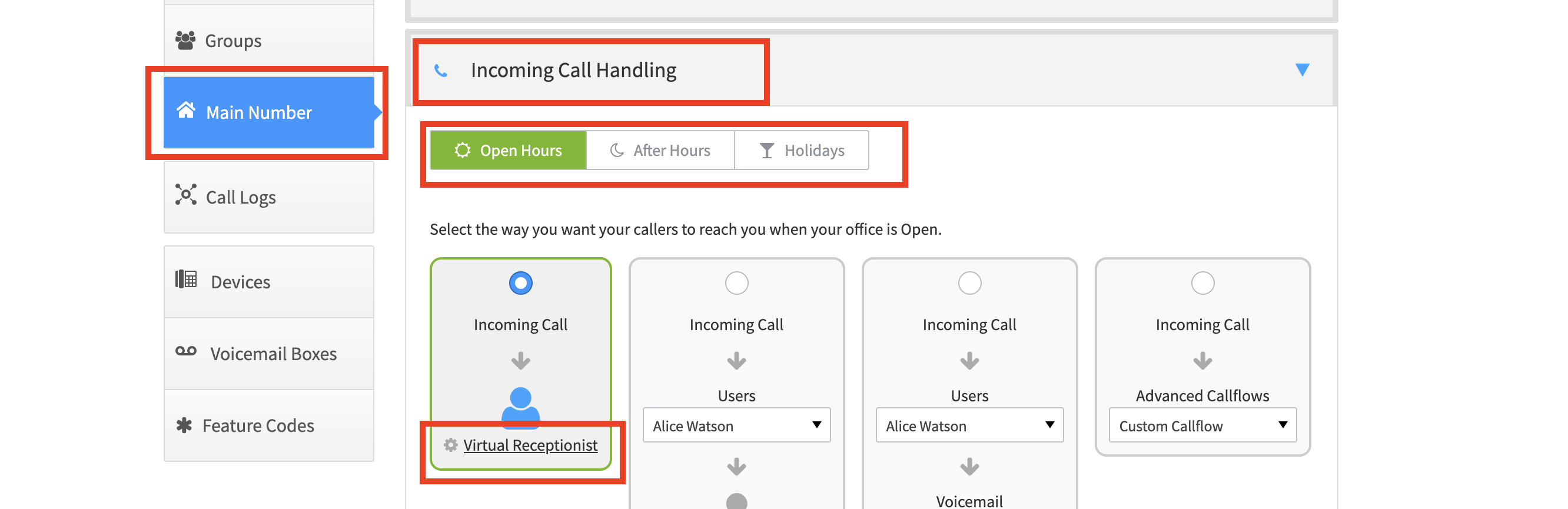
-
Expand Upload your own audio file
-
Browse for and choose your file, then click Update
-
Click Save when completed