How do I add new DIDs?
-
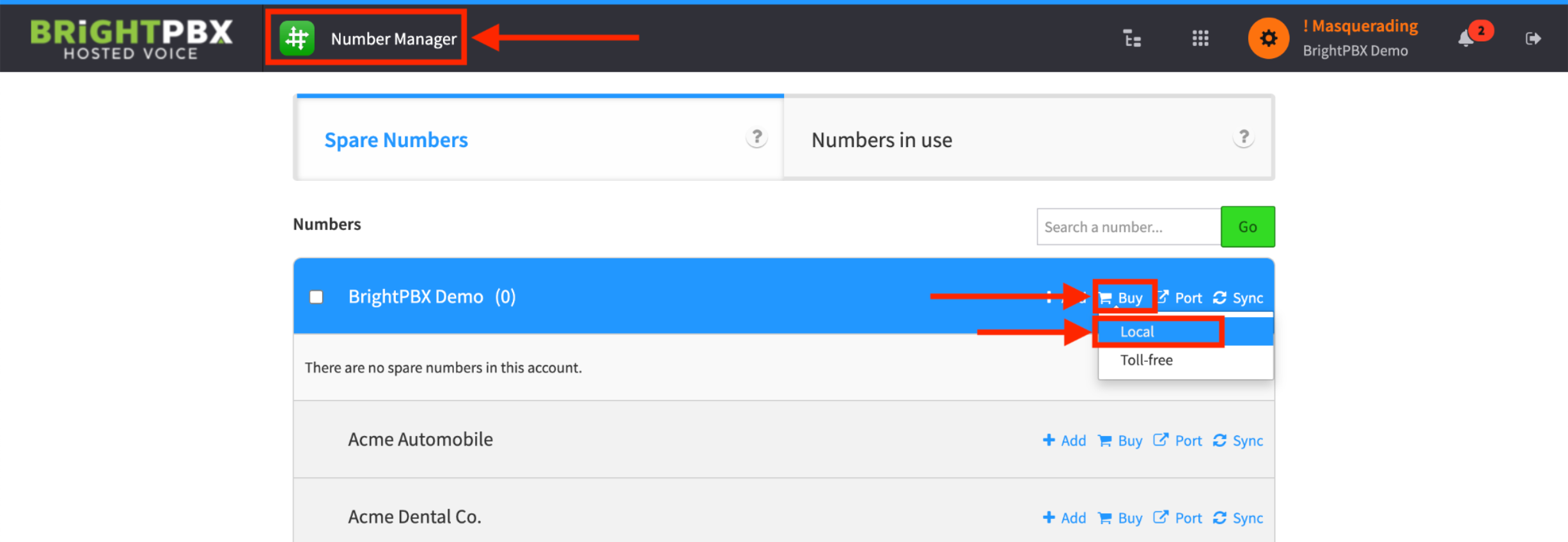
Masquerade the company you wish to add a DID for
-
From the Number Manager app, choose Buy > Local
-
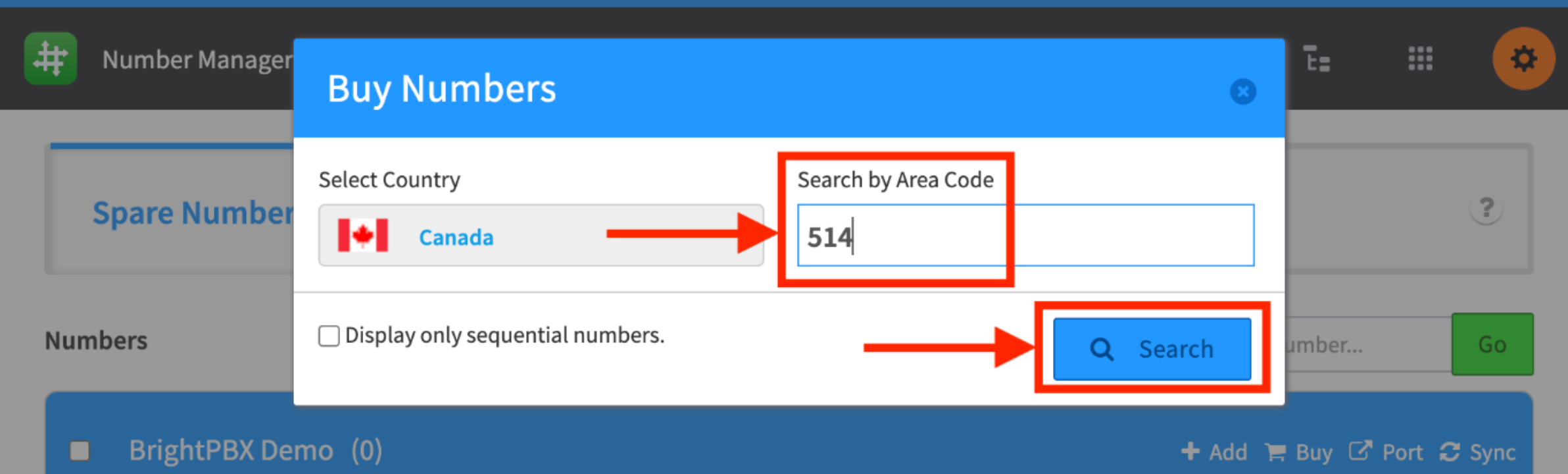
Type in your desired area code and choose Search
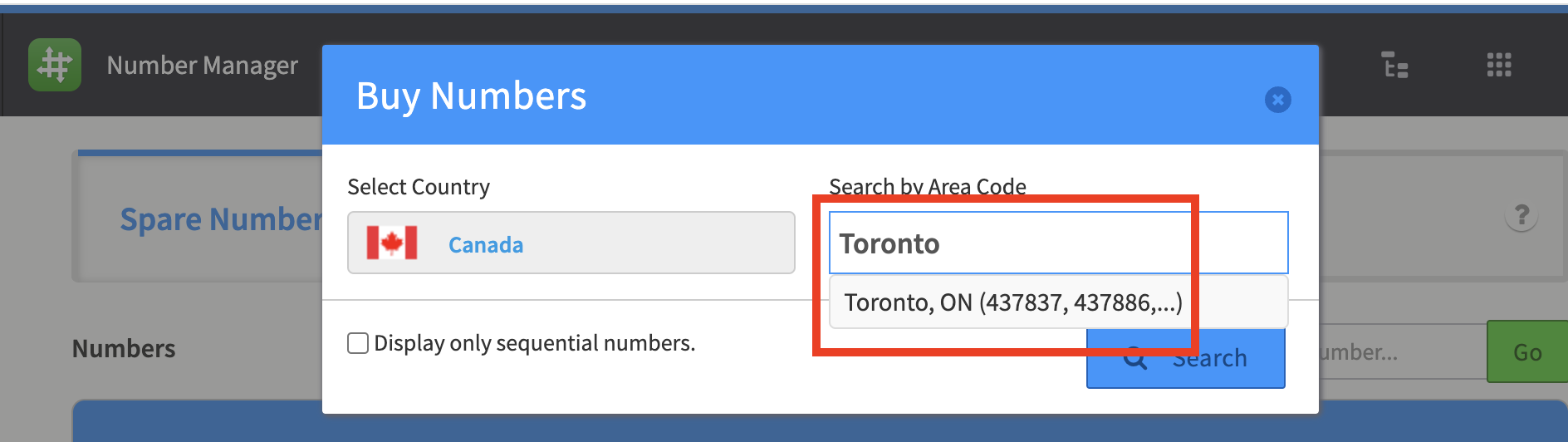
Alternatively, you can search by city name.
-
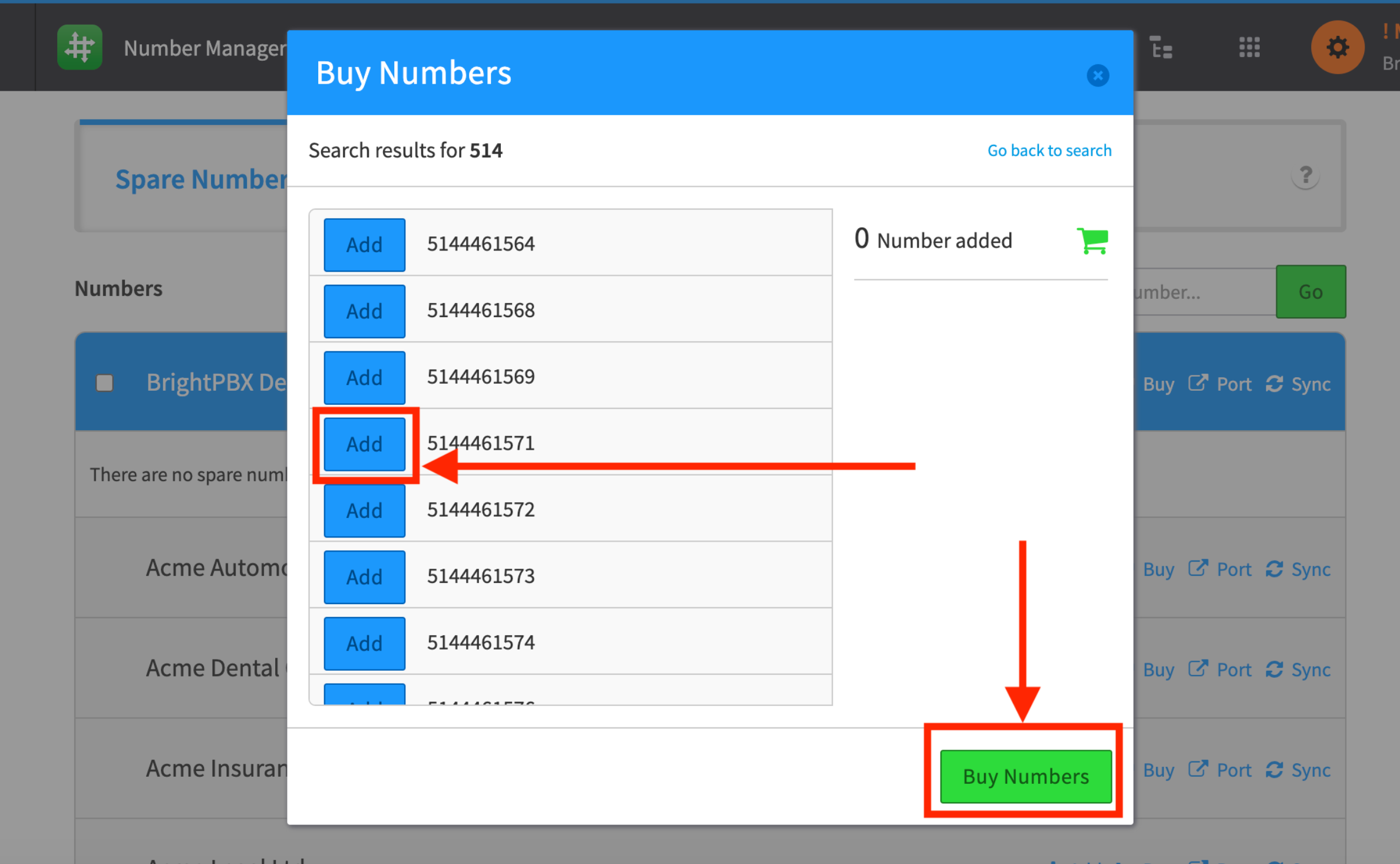
Choose your desired numbers and click Buy Numbers when ready
If you cannot find the area codes or prefixes you are looking for, we can still order them for you. See I can’t find a DID for my area code.