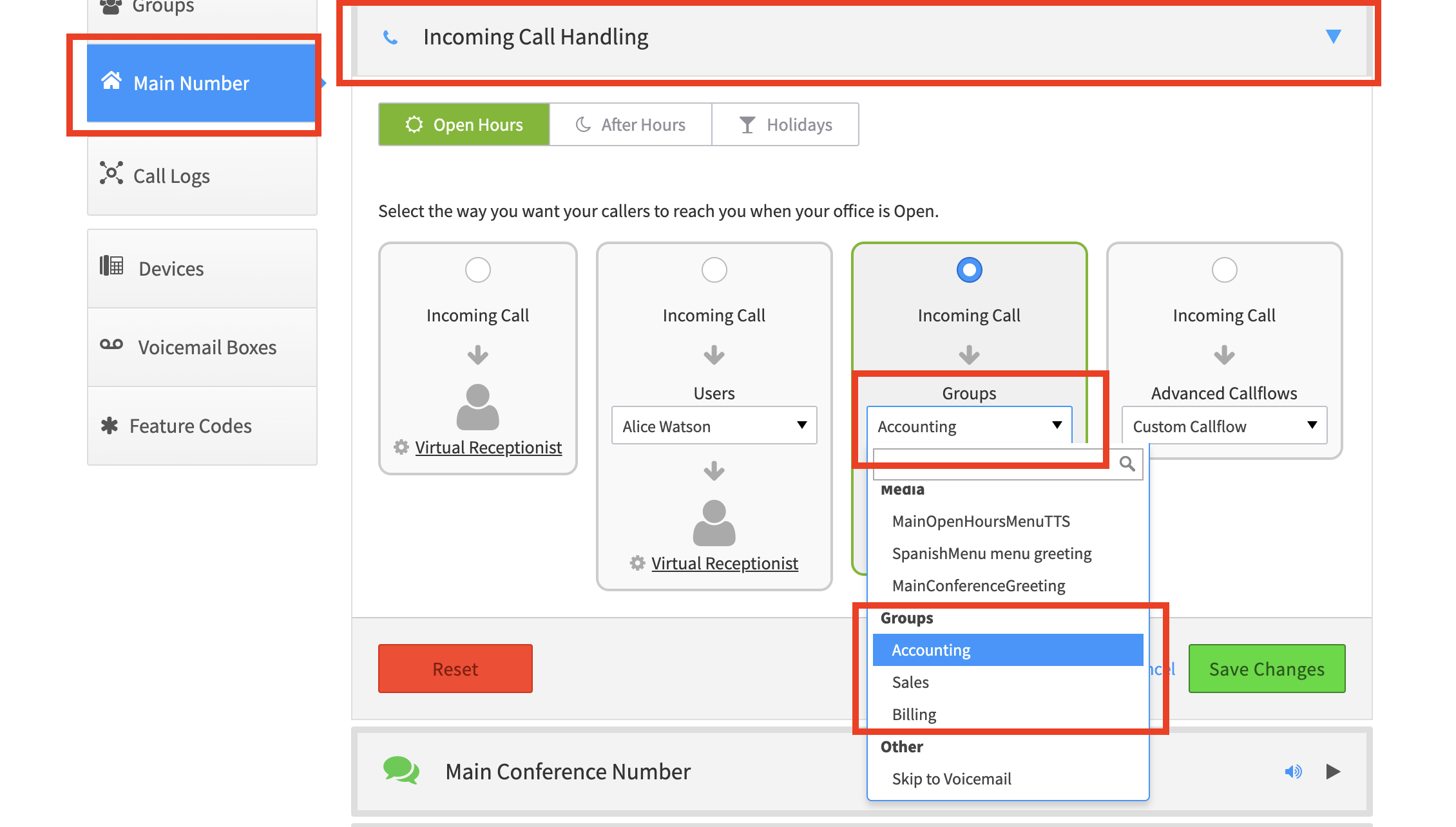
Ring multiple users at the same time for incoming calls
-
You must first set up a Ring Group. See Setting up a ring group for details.
-
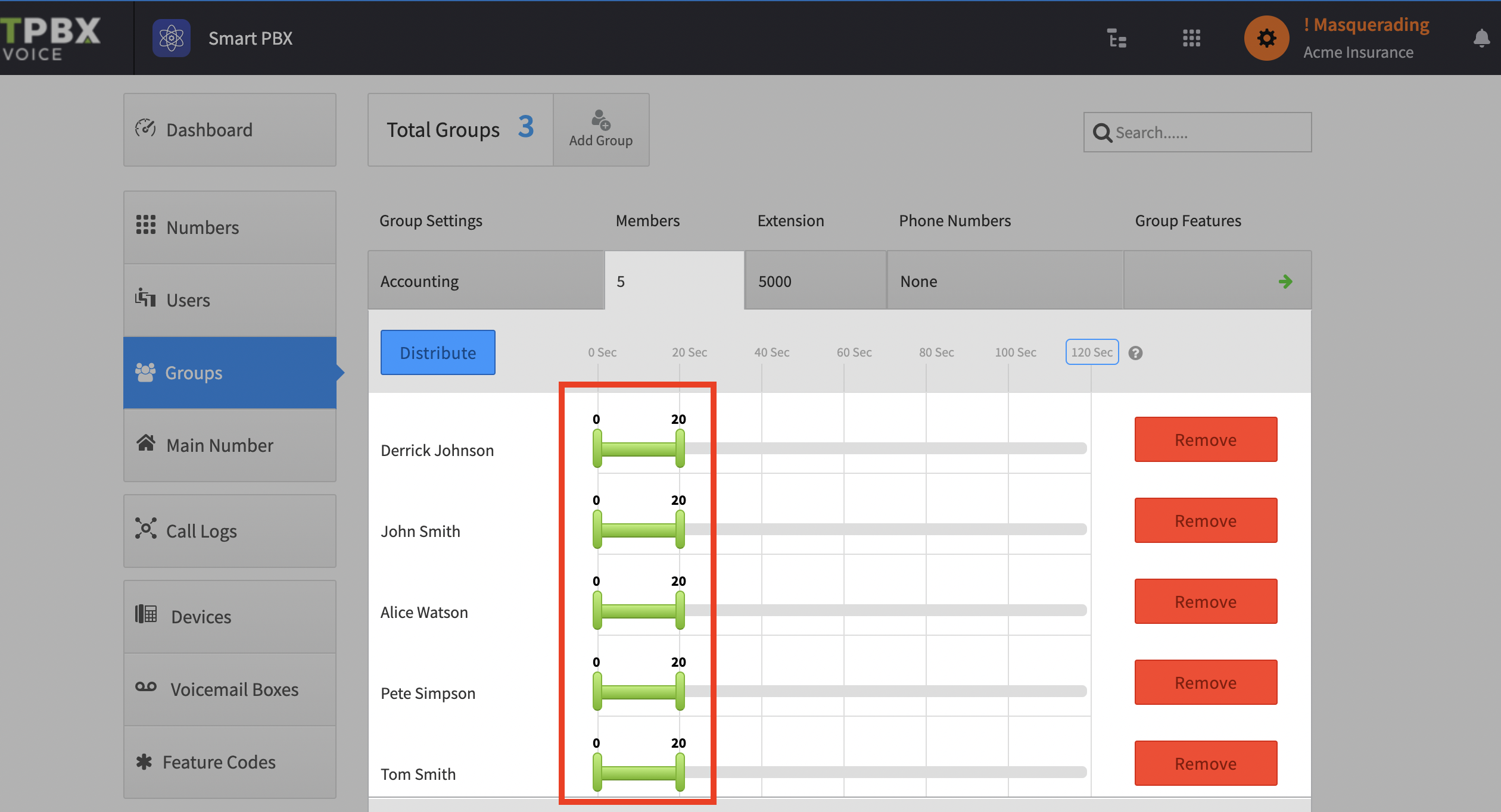
Configure your ring group as follows — the green bars all start at 0, meaning every user rings immediately
-
Once you have configured your ring group, configure incoming calls to arrive at your group