How do I know if the provisioner locked my phone?
Attacks on VoIP phone networks have steadily increased in recent years, and the provisioning app has built-in protection mechanisms.
Checking if the provisioner locked a phone
Section titled “Checking if the provisioner locked a phone”-
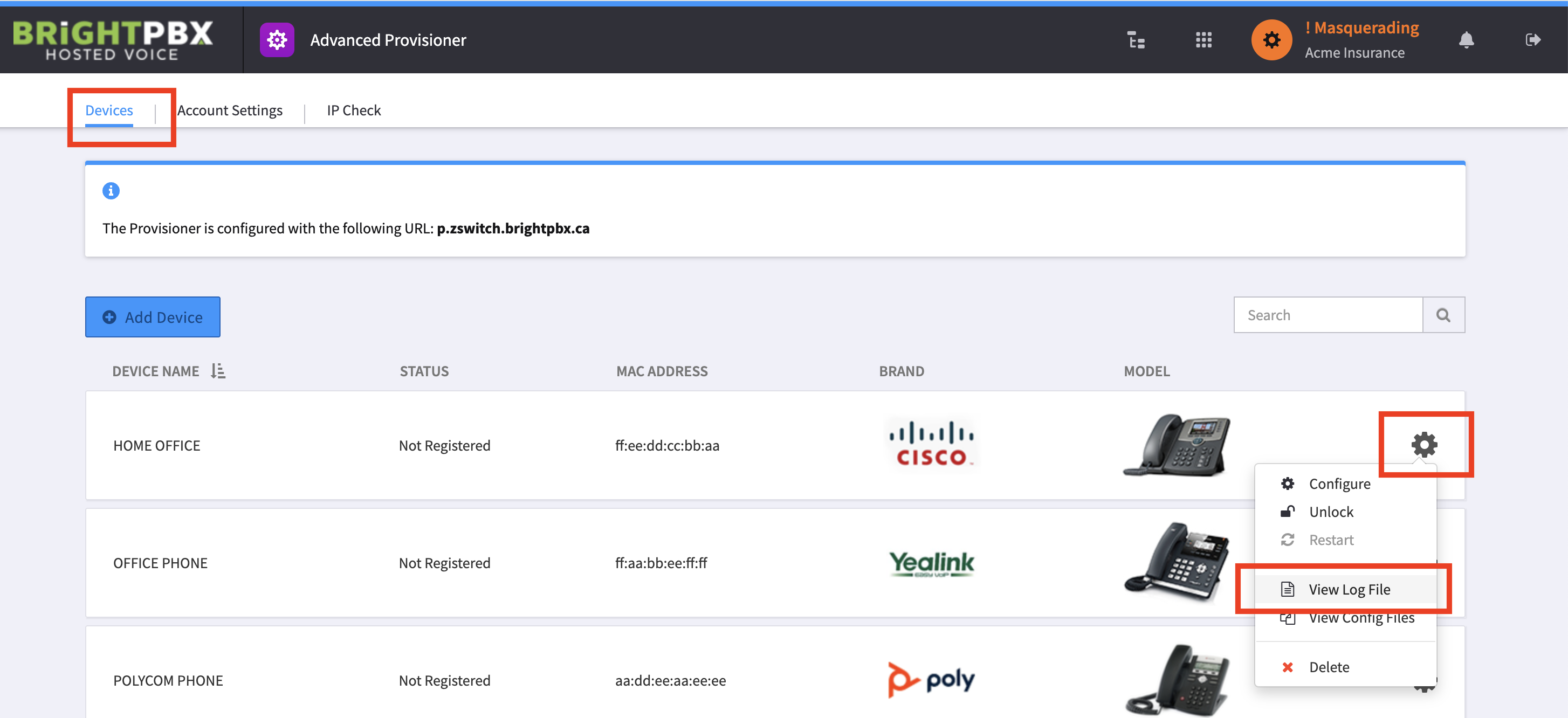
Go to Advanced Provisioner > Devices
-
Click the gear icon for the suspected device, and choose View Log File
-
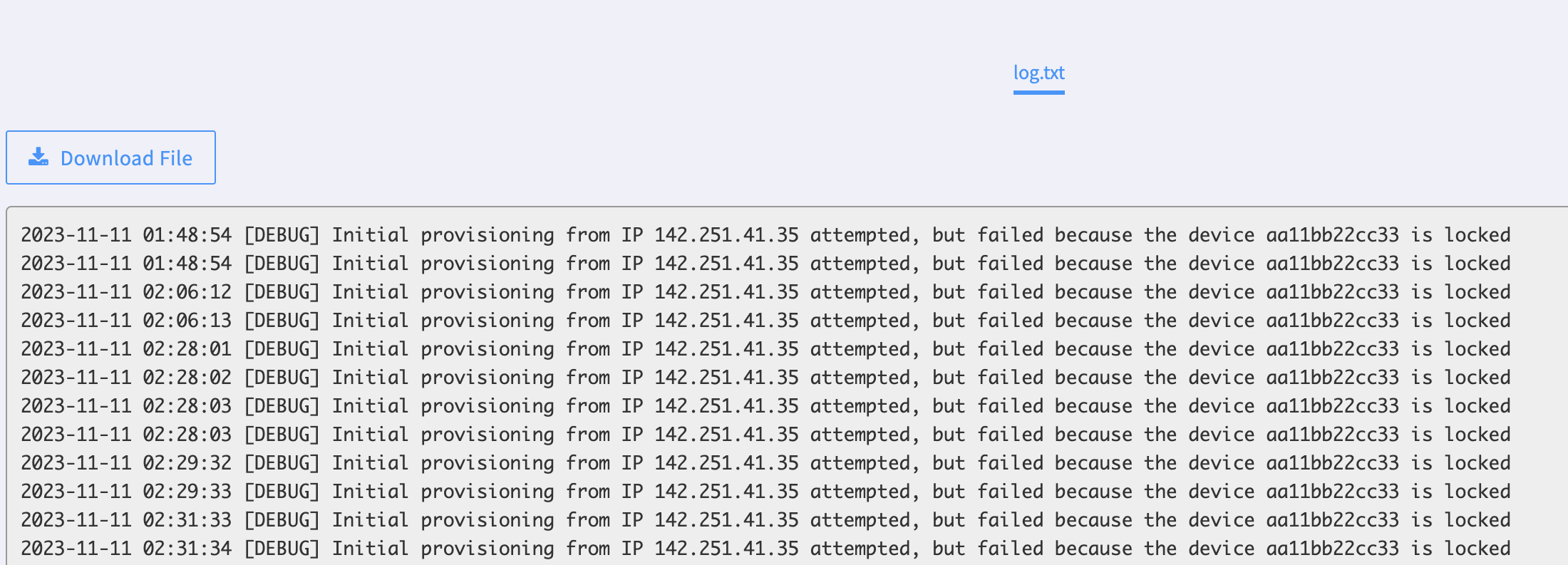
Scroll through the log to see whether there is a message about a locked phone
Events that trigger a lock
Section titled “Events that trigger a lock”If the provisioner encounters one of the following, it automatically locks the phone — blocking it from provisioning, so it will no longer connect.
| Trigger | Detail |
|---|---|
| Moving to a new network | The phone was successfully provisioned from a factory reset state, then moved to a different network where its IP changed. |
| Delay between creation and provisioning | The device was created in Smart PBX more than a week before it was provisioned. |
| Suspicious activity | Our security system flagged potentially suspicious behaviour. |
| Re-using a phone | The phone is not new and was previously registered in your account. |
Unlocking a phone
Section titled “Unlocking a phone”-
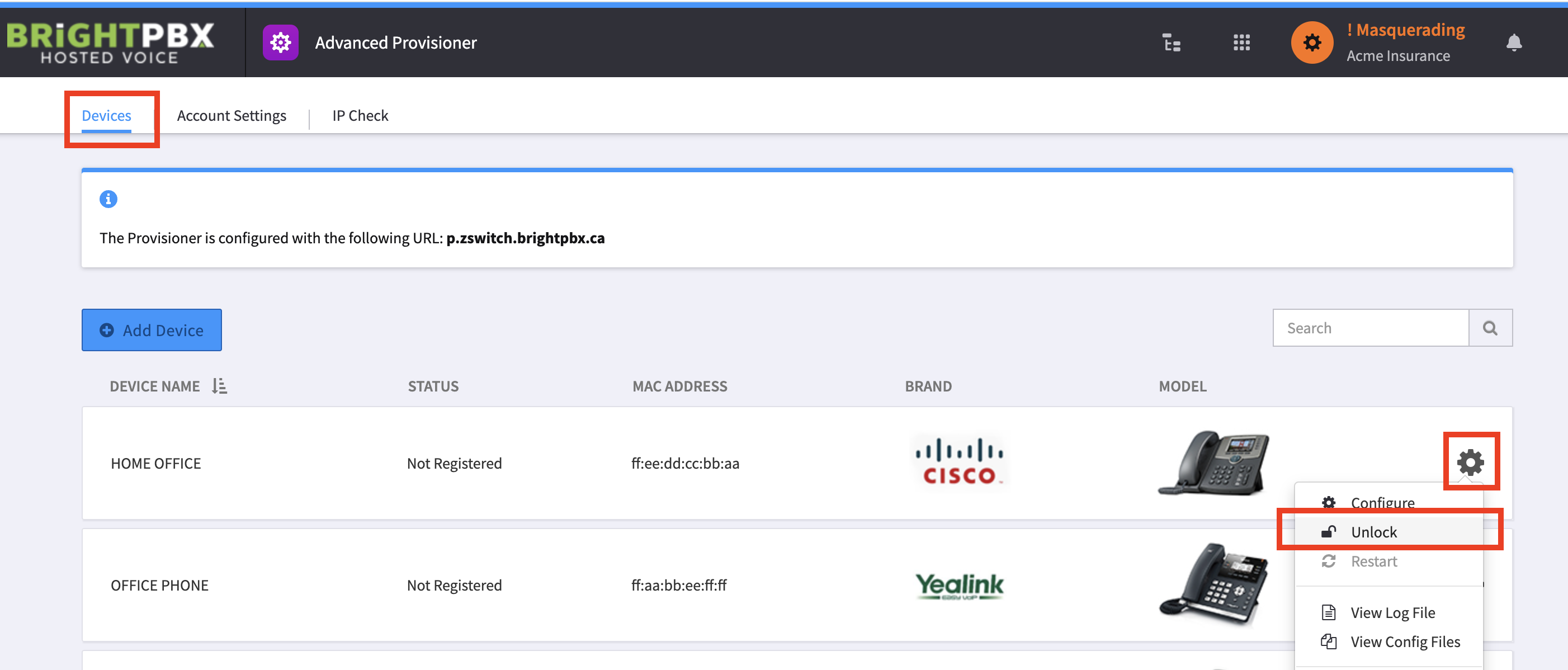
Open Advanced Provisioner > Devices
-
Select the wrench tool for your phone, and choose Unlock
Once you unlock a phone:
- The device with that MAC address can be provisioned to any IP address for one week.
- If the phone is not re-provisioned within that time, the lock turns back on.
- If suspicious activity continues, it will re-lock and you will need to contact support.
Additional notes
Section titled “Additional notes”- If a phone has historically been tied to the same IP and is simply being re-provisioned — after a factory reset, for example — the provisioner will not re-lock it.
- If the IP address has changed and you want to reset and re-provision the phone, you must unlock the device first.
- If you have overwritten the phone’s config file with a custom configuration, which is very rare, this process will not work.
- You only need to unlock the phone after a factory reset at a new location.
- The lock does not affect phones with scheduled polling for updated config files, which typically happens every 24 hours and on reboot.
Related
Section titled “Related”- How do I know if the provisioner banned my IP? — an IP ban is a different thing from a device lock