How do I change the language for the web portal and audio voice prompts?
You simply need to change the language of the user. This can be done globally (for all users in the account) or on a per-user basis.
As well as updating the language of the web portal, this changes the language of the user’s voice prompts — for example when dialling *98 for voicemail. Changing it globally through Control Center changes the language of all prompts.
For all users in the account
Section titled “For all users in the account”-
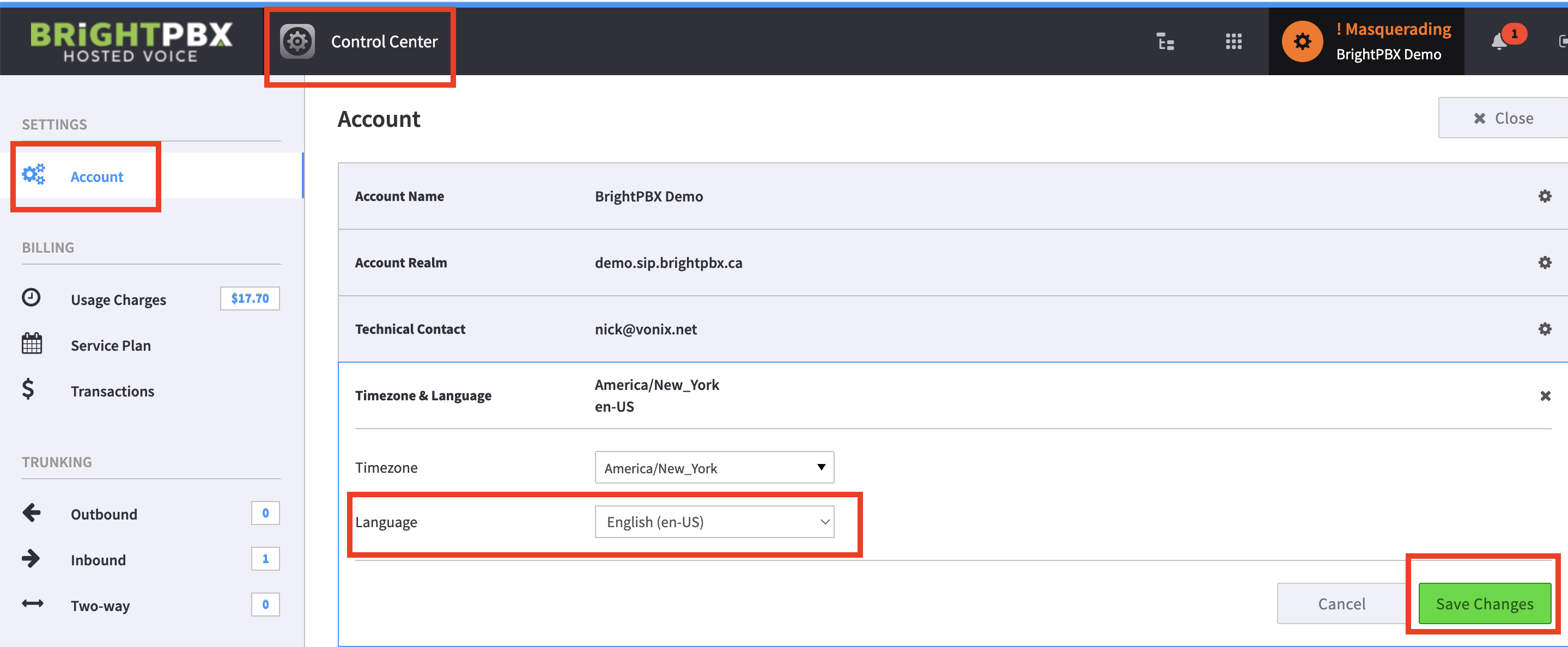
Go to Control Center > Account > Timezone & Language
-
Edit the Language field
For a single user
Section titled “For a single user”-
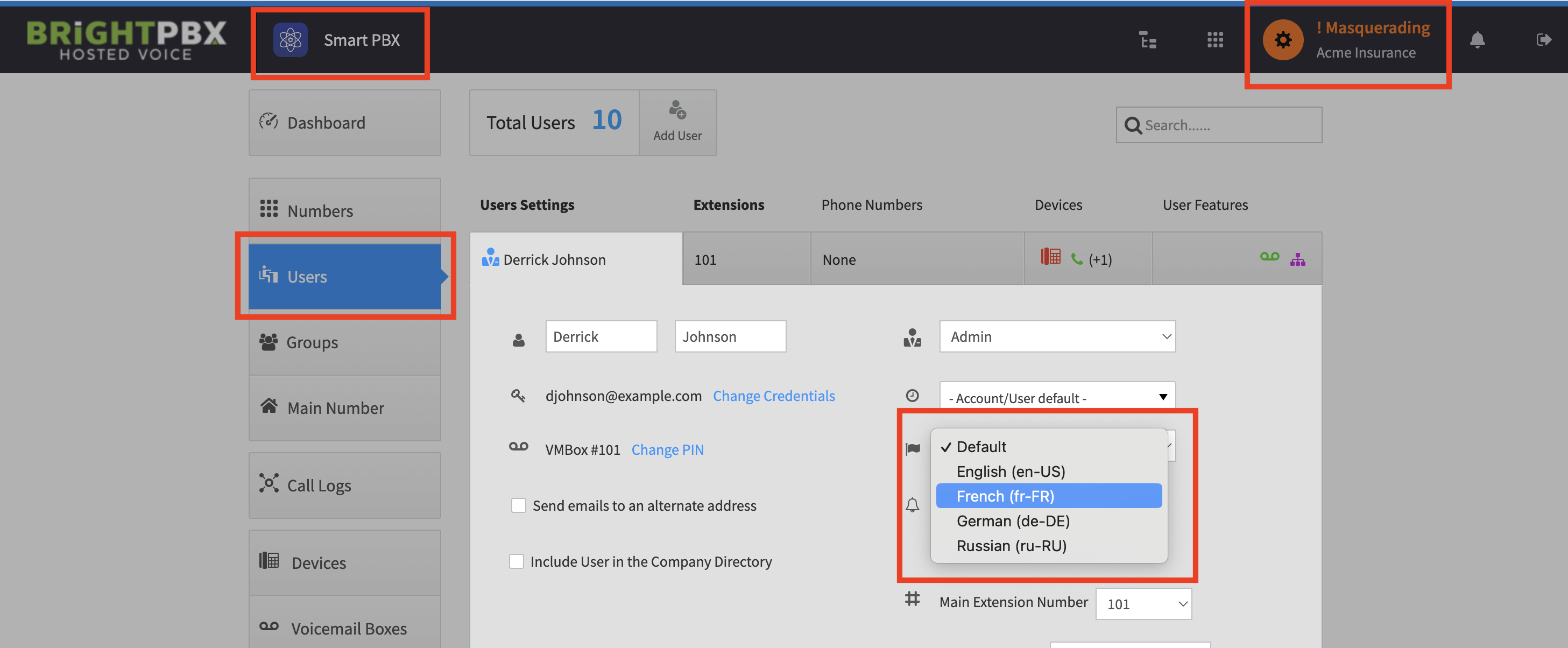
Go to Smart PBX > Users, and click the row of the specific user to edit
-
Find the icon that looks like a flag, and choose your language