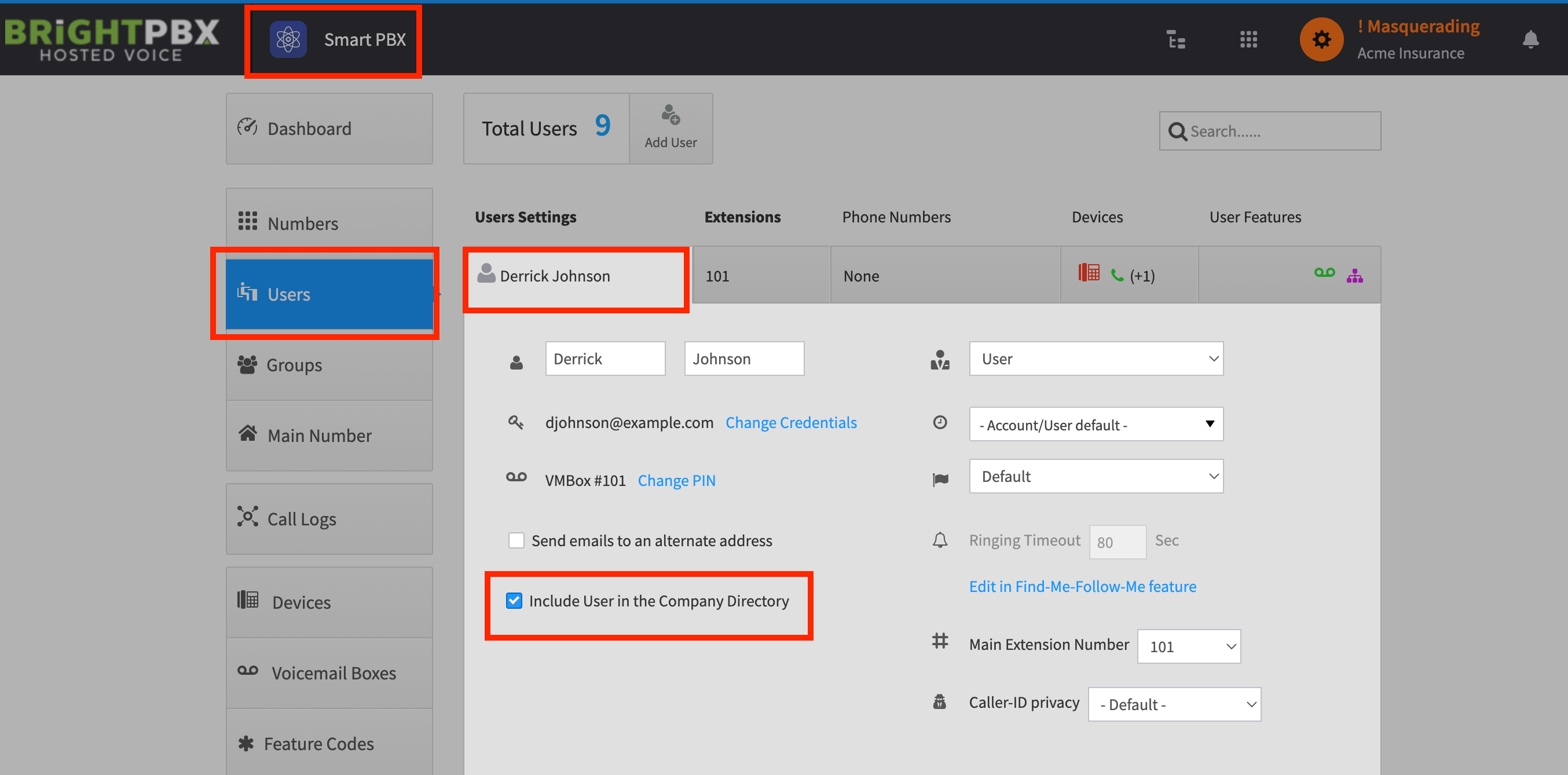
Include a user in the company directory
The Virtual Receptionist comes with a special route called Smart PBX Directory that lets callers start typing a user’s name on their telephone keypad, and routes the call to the user whose name matches.
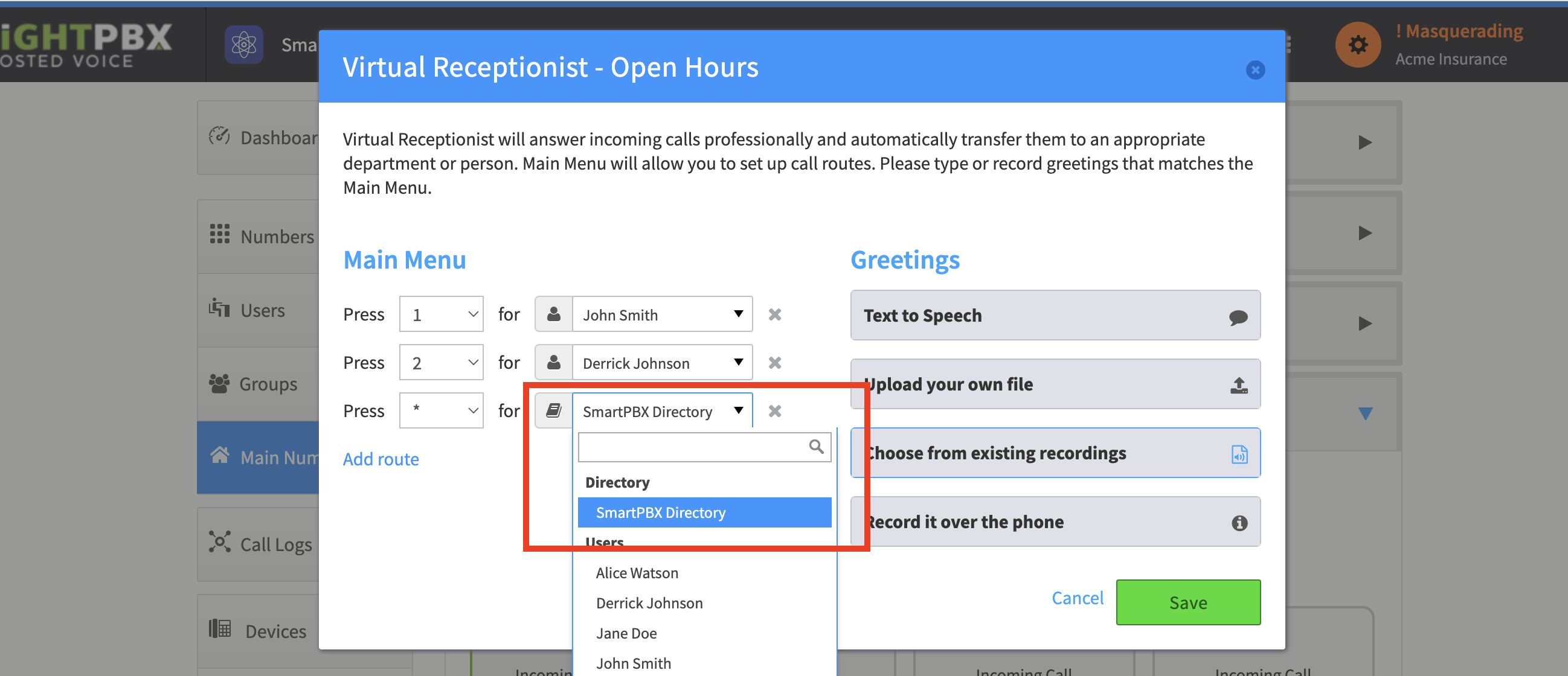
To include a user in the company directory:
-
Open the Smart PBX app, click Users and choose the user you wish to add
-
Ensure that Include User in the Company Directory is checked and click Save